




ProXpress M2626
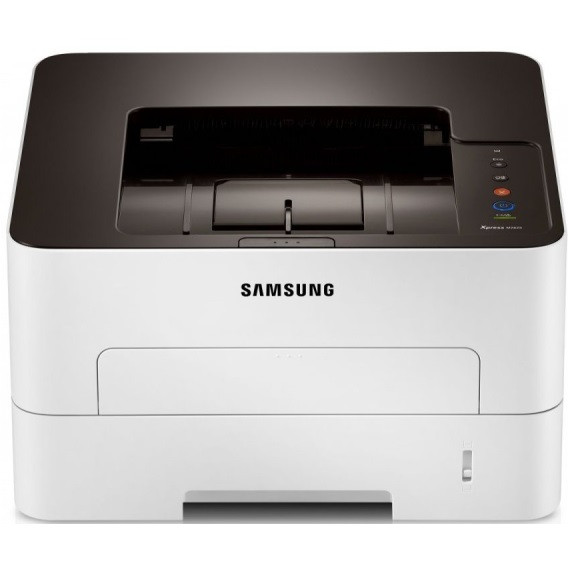
The Samsung ProXpress M2626 is a 26-ppm monochrome laser printer positioned a half-step above the entry-level Xpress machines — a compact workgroup printer for teams that print all day but do not need multifunction hardware. Its supplies follow the two-piece MLT-D116 design: the standard MLT-D116S or the high-yield MLT-D116L toner cartridge supplies the black toner, while the MLT-R116 imaging drum lives in the machine as a separate, longer-lived part. Decoupling the two means you only ever pay to replace the component that is actually worn out.
That design suits the M2626's natural habitat: a small department, a back office or a retail counter where one printer quietly absorbs a team's everyday paperwork. It is a single-function machine, so every page it produces is a deliberate print job — invoices, labels, forms, reports — and the cost of feeding it comes down to how wisely you pick between the two toner sizes and how long you stretch the drum.
Toner Cartridges for ProXpress M2626
| Cartridge | Color | Page Yield |
|---|---|---|
| Compatible Samsung MLT-D116L High Yield Toner Cartridge | Black | See product page |
| Compatible Samsung MLT-D116L High Yield Toner Cartridge 3 Pack | Black | See product page |
| Compatible Samsung MLT-D116L Premium High Yield Toner Cartridge 5 Pack | Black | See product page |
| Compatible Samsung ProXpress M2626 High Yield Toner Cartridge | Black | See product page |
| Compatible Samsung ProXpress M2626 High Yield Toner Cartridges 5 Pack | Black | See product page |
Imaging drum for this model:
- Compatible Samsung MLT-R116 Drum Unit — Black — See product page
Which cartridge should you buy?
Regular printers should start with the MLT-D116L. The high-yield cartridge changes less often and costs less per page, and on a 26-ppm machine shared by even a handful of people, the standard MLT-D116S disappears quickly enough that its lower shelf price becomes a false economy. Keep the S in mind only for a genuinely occasional printer — a spare machine in a satellite office, say. Either way, do not fold the drum into the same decision: the MLT-R116 is replaced on its own schedule, when quality symptoms appear, not every time the toner runs low.
Chip, toner and everyday use
The M2626 reads the chip on each MLT-D116 cartridge to report toner level, so install a compatible cartridge with the seal removed and the cartridge rocked gently side to side first — that settles the toner evenly and prevents a pale first page. Handle the separate MLT-R116 drum by its edges, keep it out of direct light, and never touch the drum surface itself. If pages come out light on one side, removing the cartridge and rocking it again redistributes the remaining toner and usually restores even coverage until a replacement arrives.
Frequently Asked Questions
What is the difference between the toner cartridge and the drum on the M2626?
The MLT-D116S or MLT-D116L holds the black toner powder; the MLT-R116 is the imaging drum that transfers that toner onto the page. They wear independently — faded prints call for toner, while repeating lines or marks that survive a fresh cartridge point to the drum.
MLT-D116S or MLT-D116L for a small team?
The MLT-D116L. A team printing every day will drain the standard cartridge quickly, and the high-yield version lowers the cost of every page while cutting the number of swaps. The S makes sense only where the printer sits idle most of the week.
I installed a new MLT-D116L and still see vertical lines — what is wrong?
Lines that persist with fresh toner usually come from the imaging side, not the toner side. Inspect the MLT-R116 drum for scratches or toner buildup; if the lines repeat at the same spacing down every page, the drum has reached the end of its life and should be replaced.
Can I keep printing when the toner warning first appears?
Yes, for a while — the first low-toner warning is an early notice, not a hard stop. Rocking the cartridge side to side redistributes what is left and typically carries you through until the replacement cartridge is in hand; order at the warning rather than at the first blank page.