




C430W
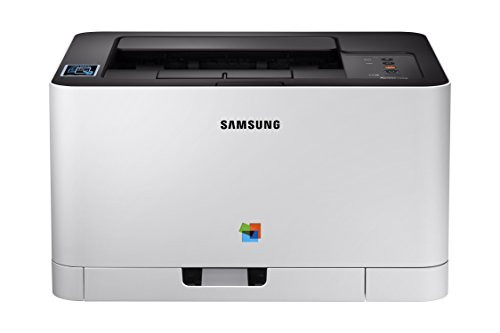
Cut the cable and the compact color laser becomes a much more flexible machine. The C430W adds Wi-Fi to the C430 formula, so it can live on a shelf, a counter or a back-room desk and still serve every computer in the office. Its toner story is unchanged: four standard-yield cartridges from the CLT-404S line — black CLT-K404S, cyan CLT-C404S, magenta CLT-M404S and yellow CLT-Y404S — each in its own slot, each replaced on its own schedule.
Wireless changes who prints, and that changes how toner gets used. Once a printer joins the network, laptops and phones find it, and phones are the thirsty ones: a photo sent from a phone at full quality can burn more color toner in one page than a week of letters. The C430W suits an office that prints modest volumes from many devices — and it rewards owners who set sensible defaults, because standard-yield cartridges and enthusiastic phone printing meet quickly.
Toner Cartridges for C430W
| Toner | Slot | Yield |
|---|---|---|
| CLT-K404S | Black slot | Listed on the product page |
| CLT-C404S | Cyan slot | Listed on the product page |
| CLT-M404S | Magenta slot | Listed on the product page |
| CLT-Y404S | Yellow slot | Listed on the product page |
Beyond the singles, the shelf holds a C430W 4 Color Set and a C430W Premium Quality 4 Color Set carrying the model's own name, plus the family CLT-404S 4 Color Set and the black-doubled CLT-404S 5 Color Set for desks where text outnumbers color by a wide margin.
Which cartridge should you buy?
Start with singles, and expect black to lead. A shared wireless printer accumulates small jobs from everyone, most of them documents, so the CLT-K404S empties first while the colors decline slowly behind it. Replace colors one at a time as each warning lands. A four-color set earns its place when the machine is first installed — start with every slot fresh — or on the rare month when several colors run down together. If your office prints color mainly from phones, resist stocking deep color spares; the standard-yield colors last longer in calendar time than you expect once draft defaults are set.
Chip, toner and everyday use
Two habits keep a wireless machine honest. First, after moving the printer — and a movable printer gets moved — open it and reseat each cartridge; a unit jogged loose in transit can read as missing even though it is nearly full. Second, treat a non-genuine-cartridge message as information, not a fault: printing normally continues, and only a genuine recognition failure needs action. Store spare cartridges sealed, upright and away from radiators or sunny windows, and let a cold cartridge from a delivery truck reach room temperature before fitting it, so its chip reads cleanly on the first try.
Frequently Asked Questions
I already stock CLT-404S cartridges for another machine in this family. Will they fit the C430W?
Yes. The family is the specification: any cartridge coded CLT-K404S, CLT-C404S, CLT-M404S or CLT-Y404S belongs in these slots regardless of which model the box was bought for. Wireless hardware changes how jobs arrive, never what the toner bay accepts.
How do I stop phone printing from draining the color cartridges?
In the phone's print options, choose draft or normal quality for everyday pages and save best quality for photographs worth keeping. Phone defaults lean toward full-quality color, which is exactly backwards for boarding passes, recipes and return labels.
Will standard-yield cartridges feel too small on a shared printer?
They hold less than high-yield cartridges by design, so changes come more often under the same workload. For light-to-moderate shared use that trade is usually fine — the C430W was priced and sized for it — but an office printing hundreds of color pages a week will feel the swap rhythm quickly.
Does the C430W need all four cartridges installed to print a black-only page?
Yes. All four slots must hold a recognized cartridge before the printer will work, even when the job itself needs only black. The colors can sit nearly untouched for months; they just have to be there.