




BizHub Press C7000P
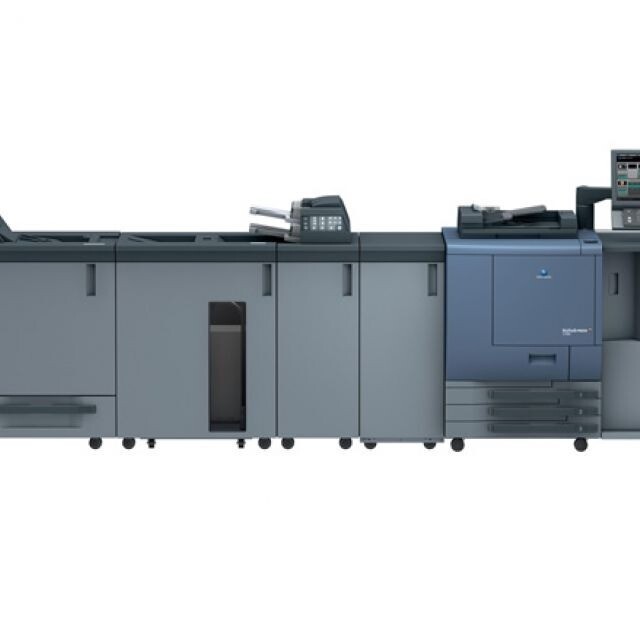
The P at the end of BizHub Press C7000P stands for printer-only: this is the production color engine without the MFP hardware, built to do one job at volume. What it eats is the TN-616 toner family, and every color answers to two numbers at once. Black is TN-616K (A1U9130), cyan is TN-616C (A1U9430), magenta is TN-616M (A1U9330) and yellow is TN-616Y (A1U9230). A stockroom that orders by Konica Minolta part numbers uses the A-numbers; a buyer who knows the family by its TN name uses the TN codes. Both point at the same four cartridges, and the compatible versions sold here keep a production press fed without production-press consumable pricing.
A press like this rarely sits alone. Shops commonly run the C7000P beside a BizHub Press C7000 or a BizHub Press C6000, and because the whole Press line drinks from the same TN-616 well, one merged toner shelf can serve every machine on the floor. That matters more than it sounds: on a production engine, an empty cartridge is not an inconvenience, it is a missed deadline, so the buying question is never just price per cartridge — it is whether the right color is on the shelf at 4 p.m. on the day a long run lands.
Toner Cartridges for BizHub Press C7000P
Two listing lines stock this press. The Konica Minolta part-number line uses the TN-616 codes with their A-numbers. A second line spells the family without the dash — TN616 — and carries its own singles, among them the TN616Y yellow. The cartridges themselves are the same fit either way; order by whichever number your paperwork uses.
| Cartridge | Color | Page Yield |
|---|---|---|
| TN-616K (A1U9130) | Black | See product page |
| TN-616C (A1U9430) | Cyan | See product page |
| TN-616M (A1U9330) | Magenta | See product page |
| TN-616Y (A1U9230) | Yellow | See product page |
| TN616 Cyan (A1U9430) | Cyan | See product page |
| TN616 Magenta (A1U9330) | Magenta | See product page |
| TN616 Yellow (TN616Y) | Yellow | See product page |
Sets and multi-packs for the C7000P shelf: the TN-616 4 Color Set and its TN-616 Premium Quality 4 Color Set counterpart, the dashless TN616 4 Color Set, a TN616 2 Black pair for text-heavy runs, the TN616 3 Color Set and TN616 6 Color Set for color-only restocking, and the larger TN616 5 Color Set and TN616 8 Color Set for shops that buy a month at a time.
Which cartridge should you buy?
For a production press, the honest answer is: buy the set, and keep a set behind it. Singles make sense when one color consistently outruns the others — a shop printing mostly black text with color covers will chew through black long before yellow — but a press stopped mid-run costs more than any cartridge on this page. Most C7000P operators settle on full four-color sets as the standing order, top up the fast-moving color with singles, and treat the two-black pack as insurance for document-heavy weeks. Whichever pattern you choose, compatible TN-616 cartridges carry a 1-year warranty and 1-year returns, so a spare set on the shelf is not money at risk.
Chip, toner and everyday use
Production cartridges are large, and most install problems trace back to two small things: a shipping seal that was not fully pulled, and a cartridge that was not pushed home until it clicked. Pull the seal in one steady motion, seat the unit firmly, and let the press read the chip before judging the result. Spares keep best sealed, flat and away from heat — a hot stockroom shortens toner life and can make a fresh chip misread until the cartridge returns to room temperature. Yield figures, where quoted, assume roughly 5% page coverage; a press running full-bleed color will empty any cartridge far sooner than the estimate suggests.
Frequently Asked Questions
We run a C7000 next to our C7000P — can the two presses share one toner stock?
Yes. The C7000P accepts the same TN-616K, TN-616C, TN-616M and TN-616Y cartridges as the rest of the Press line, so a single merged inventory genuinely works. The P model differs in configuration — it gives up the MFP functions — not in what its toner slots accept.
The press shows a toner error right after I fitted a new TN-616 cartridge. What should I check?
Remove the cartridge and confirm the protective seal or tape came away completely, then reseat it until it clicks into place. If the error survives a careful reseat, suspect the cartridge chip rather than the press and exchange the cartridge — forcing a production machine to accept a bad unit risks a longer stoppage than the swap does.
Is bulk buying actually worth it for a single C7000P?
On a press, usually yes. Multi-packs lower the cost per page, and the real saving is avoided downtime: a spare set already in the building turns a toner emergency into a two-minute swap. Store unopened cartridges in a cool, dry place out of direct sunlight and rotate stock so the oldest set is used first.
Only our yellow runs low — can I replace a single color on the C7000P?
Yes. The four cartridges are independent, and the press tracks each one separately. Replace the color that is actually empty, and leave the others until their own warnings arrive; there is no requirement to change the set as a block.
More printers that use the same cartridges
The C7000P shares its TN-616 family with the other engines in the Press line: BizHub Press C6000, BizHub Press C7000.