




BizHub C253
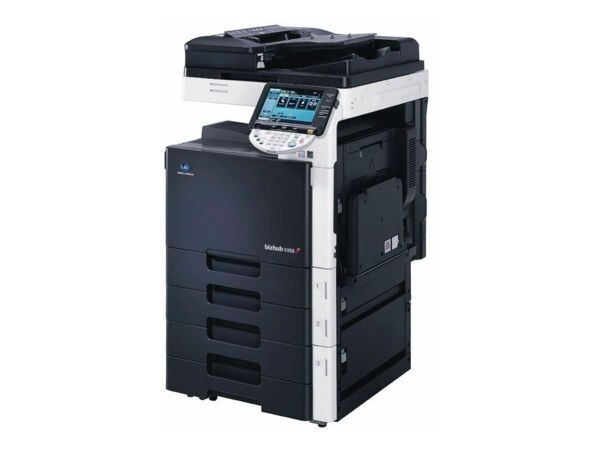
The BizHub C253 carries the C203's color platform up a speed class, and it keeps the same toner while doing it: the TN-213 family, also written TN213. By position, black is A0D7132 (TN-213K, or TN213K), cyan is A0D7432 (TN-213C, or TN213C), magenta is A0D7332 (TN-213M, or TN213M) and yellow is A0D7232 (TN-213Y, or TN213Y). One caution that saves returns: this line takes TN-213, not the similarly named TN-214 — the two families are not interchangeable.
Upgrading from a BizHub C203 to a C253 is the rare hardware change that leaves the supply cabinet untouched — the toner stock on the shelf simply moves over to the new machine. The C253 earns its keep in offices whose color volume outgrew the smaller model: the engine is quicker, the cartridge discipline identical. That continuity also simplifies life for anyone running both models at once, since a single spare set stands ready to cover whichever machine calls for it first.
Toner Cartridges for BizHub C253
Which cartridge should you buy?
Choose by coverage, not by habit. Text documents sip at these cartridges, while full-page presentations, photographs and marketing flyers with heavy solid areas drink deeply — a single photo-heavy week can outpace a month of memos. If your color work leans coverage-heavy, hold the full four-color set as your reserve and replace singles as they finish; if the machine mostly prints documents carrying a color logo, single-color restocking will feel generous enough. Black, as always, cycles on its own faster rhythm under text load, which is exactly what the two-black option is for. Either way, replacing one empty color at a time — never the set — is where the compatible saving is protected.
Chip, toner and everyday use
The C253 reads a chip on each TN-213 cartridge for its level reporting, so seating matters as much as the cartridge itself: slide the unit in squarely until it locks, and remove the protective seal completely before it goes in. A cartridge can be changed mid-job on this machine — pause, swap the single empty color, and let the engine settle before resuming; the other three positions are not disturbed. If output from one color looks light right after a change, rock that cartridge gently to redistribute its toner and reseat it before suspecting the cartridge itself. Store spares sealed and flat, away from sunlight, and use the oldest stock first.
Frequently Asked Questions
Does the C253 really use the same TN-213 as the C203?
Yes — the C203 and the C253 share the complete TN-213 CMYK family. If you upgraded from the smaller machine, every cartridge already in your cabinet fits the new one, and nothing about your ordering routine has to change.
Will a TN-214 cartridge work in the C253?
No. Despite the near-identical name, TN-214 belongs to a different line and does not fit this machine. Order TN-213 — by its TN code or by the A0D factory numbers listed above — and check the code on the box before opening it.
Which jobs empty the C253's color cartridges fastest?
Anything with heavy solid coverage: full-bleed presentations, photographs and flyers. Pages like those lay down several times the toner of a text page, so a week of marketing output can drain a color that would have lasted a month of correspondence.
Can I replace just the empty color in the middle of a print run?
Yes. Pause the job, swap the single finished cartridge, and resume — the remaining colors are independent units and stay in place. There is never a reason to change the whole set for one empty position.
More printers that use the same cartridges
The TN-213 family also runs the BizHub C200, BizHub C200E and BizHub C203, which makes one spare set a practical cover for any mix of these machines.