




BizHub C200E
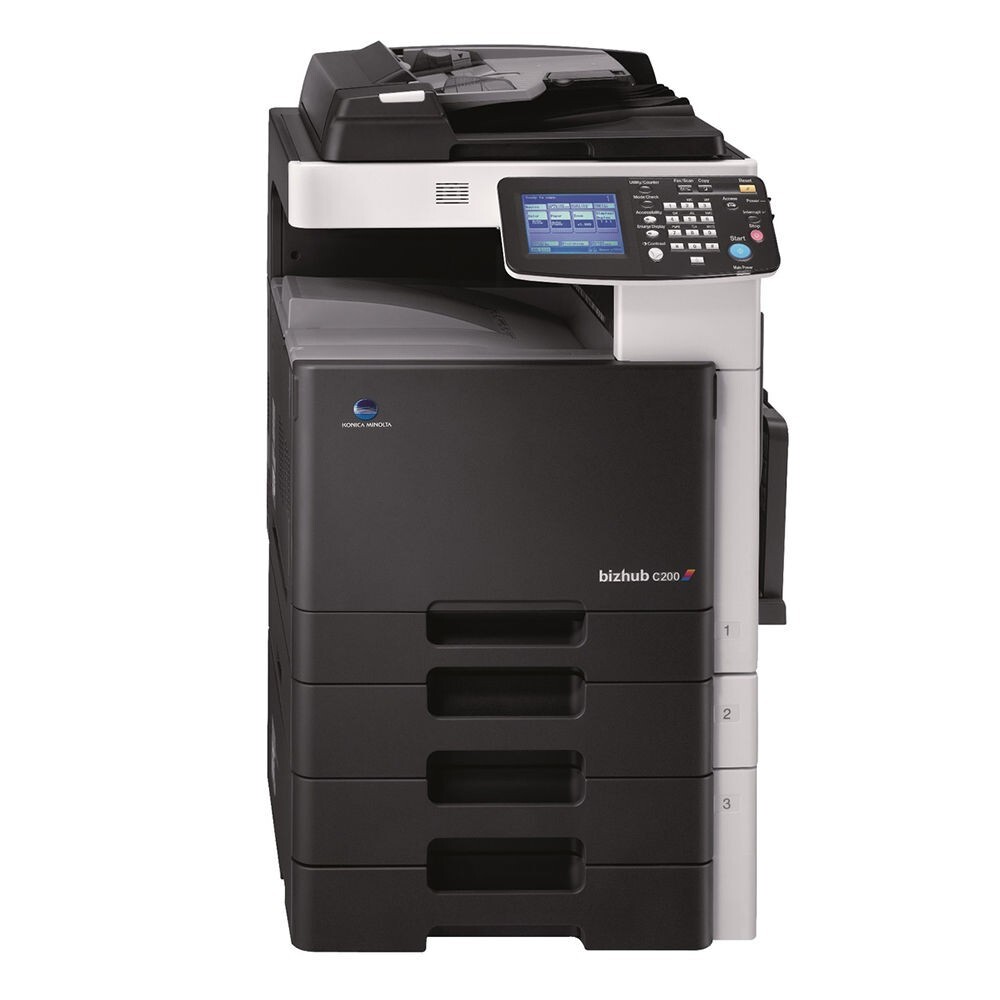
The E in BizHub C200E stands for enhanced: an updated edition of the C200 color MFP with its hardware refreshed and its appetite unchanged. It runs the same TN-214 cartridge family — TN-214K (A0D7135) black, TN-214C (A0D7435) cyan, TN-214M (A0D7335) magenta and TN-214Y (A0D7235) yellow — where the A0D7 codes are Konica Minolta's factory numbers for the same four units. This page stocks the family in singles and in four-color sets, standard and premium builds.
Enhanced editions exist so an office can modernize a machine without disturbing everything built around the old one, and the C200E honors that bargain on the supply side: a workplace that upgraded from the C200 keeps its shelf, its reorder list and its habits. Nothing about toner purchasing needs to be relearned. The four cartridges meter independently, the black does the heavy lifting in document work, and the supply routine that served the earlier machine carries straight over to its replacement.
Toner Cartridges for BizHub C200E
| Cartridge | Color | Page Yield |
|---|---|---|
| TN-214K (A0D7135) — Black, Single | Black | See product page |
| TN-214C (A0D7435) — Cyan, Single | Cyan | See product page |
| TN-214M (A0D7335) — Magenta, Single | Magenta | See product page |
| TN-214Y (A0D7235) — Yellow, Single | Yellow | See product page |
| TN-214 — 4 Color Set | Black / Cyan / Magenta / Yellow | See product page |
| TN-214 Premium Quality — 4 Color Set | Black / Cyan / Magenta / Yellow | See product page |
Which cartridge should you buy?
Buy against the panel, one color at a time. When the C200E reports a single color low, that color's single is the whole order — the machine will keep printing as the cartridge fades, but color balance drifts as a unit runs dry, so swap it before color-critical work rather than after. A four-color set is the right purchase at two moments: when the machine first arrives, and when several cartridges are clearly approaching empty together. Offices that inherited their supply shelf from a C200 can simply keep buying the same TN-214 singles they always did, in the standard or the premium-quality build.
Chip, toner and everyday use
Faded output on the C200E tells you where to look by its shape. If exactly one color has gone pale, that color's TN-214 cartridge is the likely cause; if every color fades in step, the suspicion moves to shared components such as the transfer belt or the imaging units. The cheapest diagnostic is a fresh cartridge in the faded color — it either restores the color or clears toner of blame. Fit cartridges with the machine on, seat them fully, and allow the adjustment cycle to finish before printing a proof. Keep spare cartridges sealed until fitting day.
Frequently Asked Questions
Does the E in BizHub C200E change which toner the machine uses?
No. The E marks an enhanced configuration of the C200, not a different engine, and the C200E consumes the identical TN-214 CMYK family. Any TN-214 stock already on your shelf fits it.
Our C200E shows one color running low. Can we keep printing color documents?
You can, until the cartridge is truly spent — but expect the balance of your colors to shift as it runs dry. For anything color-critical, fit the replacement first and let the low cartridge end its life on drafts.
How do I tell whether faded color on the C200E is a toner problem or something deeper?
One faded color points at its cartridge; all four fading together points away from toner, toward the transfer belt or imaging units. Swapping in a fresh cartridge of the faded color is the fastest way to separate the two.
Can the BizHub C200E share a supply shelf with our BizHub C200?
Yes. The BizHub C200 and the C200E draw on the same TN-214 family, so one shelf and one reorder list serve both machines without any cross-checking.
More printers that use the same cartridges
The TN-214 family also covers these related models: BizHub C200, BizHub C203 and BizHub C253.