




LaserJet M880z
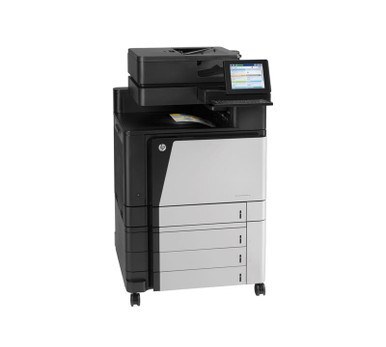
The little z carried real meaning on the LaserJet M880z: expanded paper handling and finishing options around the M880's mid-2010s Enterprise color engine — the same high-volume color printing, configured for departments that run the machine harder than average. Toner is the high-capacity CF300A (827A) set: that code is the black, with cyan CF301A, yellow CF302A and magenta CF303A, each stocked individually for quick mid-run replacements.
A finishing-equipped machine is bought to finish long runs unattended, and nothing ends a long run like an empty cartridge. The M880z therefore lives or dies by its spare shelf: because the whole M880 line drinks from the same 827A family, one stocked set of spares covers the z and its plainer siblings alike. The table lists both the 827A-named cartridges and the listings named for the M880z itself.
Toner Cartridges for LaserJet M880z
| Cartridge | Color | Page Yield |
|---|---|---|
| CF300A — Black | Black | See product page |
| CF301A — Cyan | Cyan | See product page |
| CF303A — Magenta | Magenta | See product page |
| CF302A — Yellow | Yellow | See product page |
| CF300A — Black | Black | See product page |
| CF301A — Cyan | Cyan | See product page |
| CF303A — Magenta | Magenta | See product page |
| CF302A — Yellow | Yellow | See product page |
| CF300A, CF301A, CF303A, CF302A — Full set — 4-cartridge color set | Full set | See product page |
| CF300A — Black — 2 black set | Black | See product page |
| CF300A — Black — 3 black set | Black | See product page |
| CF300A — Black — 5 black set | Black | See product page |
| CF300A, CF301A, CF303A, CF302A — Full set — 5-cartridge color set | Full set | See product page |
| CF300A, CF301A, CF303A, CF302A — Full set — 8-cartridge color set | Full set | See product page |
| CF301A, CF303A, CF302A — Color set — 6-cartridge color set | Color set | See product page |
| CF301A, CF303A, CF302A — Color set — 3-cartridge color set | Color set | See product page |
| CF300A, CF301A, CF303A, CF302A — Full set — 4-cartridge color set | Full set | See product page |
Which cartridge should you buy?
Buy singles for the slot that is empty — on a color machine, the four cartridges deplete at different speeds and there is never a reason to renew a healthy color early. For the black slot, which carries the document volume, the multi-packs (2, 3 or 5) keep a hard-run department ahead of its own appetite. Choose a four-color set when the machine is being recommissioned, when all four cartridges are aging together, or when you are establishing the spare shelf this class of printer deserves. Each compatible cartridge here is covered by a 1-year warranty with 1-year returns.
Chip, toner and everyday use
Swapping a cartridge on the M880z takes under a minute: lift the cartridge access cover, slide the old cartridge out, unwrap the new one and pull its sealing strip fully clear, then insert it along the guides and close the cover. Do it with the machine on so the chip registers straight away. The printer counts pages rather than measuring toner, so its remaining-life figures are estimates — judge the cartridge by the pages it produces, and let a fading cartridge finish its work while the spare waits. Keep spares sealed, flat and at room temperature, out of direct sunlight.
Frequently Asked Questions
Does the LaserJet M880z take CF300A cartridges?
Yes — the M880z is designed for the 827A family: CF300A black, CF301A cyan, CF302A yellow and CF303A magenta. Any cartridge carrying one of those codes will fit, including the M880z-named listings in the table.
What is the correct way to install a new cartridge in the M880z?
Lift the cartridge access cover, remove the old cartridge, unwrap the new one and pull the sealing strip fully out, then slide the cartridge in along its guides and close the cover. The whole change takes under a minute.
Why does the M880z warn about toner when prints still look fine?
Because the machine estimates toner by counting pages, not by measuring what is left. The warning can appear while output is still sharp — keep using the cartridge until fading starts, with a spare on hand.
Can the M880z share its spare shelf with a plain M880?
Yes. Both machines run the same 827A family, so one set of spares covers the department's M880 line — the related models are listed below.
More printers that use the same cartridges
The same 827A cartridges serve the rest of the M880 line:
LaserJet M880z+ NFC, LaserJet M880z+, LaserJet M880, HP 827A