




LaserJet M880z+ NFC
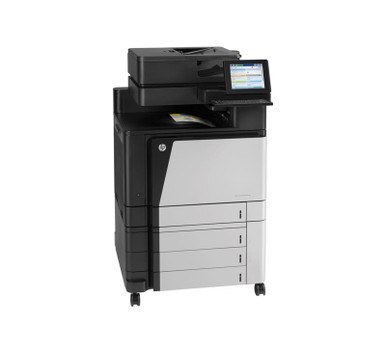
Walk up, tap, print. The LaserJet M880z+ NFC put touch-to-print on top of the most fully configured M880z+, letting a phone or badge release a job at the machine — mid-2010s Enterprise color for departments where print security is not optional. The tap changes how jobs are released, not what feeds them: the cartridge lineup is the same 827A set — black CF300A, cyan CF301A, yellow CF302A and magenta CF303A, each a separate high-capacity cartridge replaced on its own schedule.
Secure release changes the rhythm of a print room. Jobs wait in a queue until their owner is standing at the machine, so output arrives in bursts — a whole morning of held documents can land in one ten-minute window. That bursty pattern is exactly why the supply cabinet behind an NFC machine matters: when a burst drains a slot, the next person's tap-and-print depends on a spare being within arm's reach. Everything below is a compatible cartridge for this platform.
Toner Cartridges for LaserJet M880z+ NFC
- CF300A — Black, the high-capacity slot that carries most office volume
- CF301A — Cyan
- CF302A — Yellow
- CF303A — Magenta
- CF300A 2 Black Set · 3 Black Set · 5 Black Set — shelf stock for the black slot
- 827A 4 Color Set · 5 Color Set · 8 Color Set — full four-slot refreshes
- 827A 3 Color Set · 6 Color Set — colors only, no black
Listings labeled with this model's full name carry the identical cartridges: M880z+ NFC Black (CF300A), M880z+ NFC Cyan (CF301A), M880z+ NFC Magenta (CF303A), M880z+ NFC Yellow (CF302A) and a M880z+ NFC 4 Color Set.
Which cartridge should you buy?
Buy for the burst, not the average. Averages say a department printer sips toner; anyone who has watched a release queue clear knows it drinks. Keep black covered with a multi-pack, because held jobs are overwhelmingly documents, and replace colors individually — a presentation-heavy week can drain magenta while cyan barely moves. Full sets earn their shelf space when the machine is first installed, or when the supplies page shows several slots low at once. All of these compatibles are covered by a 1-year warranty with 1-year returns.
Chip, toner and everyday use
The chip in each cartridge is what the printer reads for level reporting, and it works the same whether a job arrives from a desktop queue or a tapped phone. Fit is mechanical and simple: remove the seal completely, slide the unit in until it seats, and close up. If a color looks weak on the first sheet after a swap, run one more page — the calibration cycle needs a sheet or two to settle. Rated yields assume about 5% coverage, so photo-heavy release queues will cycle cartridges faster than the estimate suggests. Store spares sealed and upright at room temperature.
Frequently Asked Questions
Does the NFC feature change which cartridges fit?
No. Touch-to-print lives in the printer's release workflow, not in the consumables. This model takes the same four 827A cartridges as the rest of the M880 line, and the codes are the ones in the list above.
What cartridges should I check first when a released job prints faded?
Check the supplies status before opening anything: secure-release machines often sit idle between bursts, so a low warning may be days old by the time a big queue clears. The panel names the low slot; swap that cartridge only.
Can I stock up on CF300A cartridges for the M880z+ NFC?
Yes, within reason. An unopened cartridge keeps well stored sealed, upright and at room temperature. Buy what the machine will use in a year or two rather than a decade's supply, and use the oldest box first.
Where do I get the current driver for this model?
From HP's official support site, matched to your exact operating system. The printer works best with the current full-feature driver rather than an old disc version — and the driver has no effect on which toner codes fit.
More printers that use the same cartridges
These sibling models run on the same 827A cartridges: LaserJet M880z+, LaserJet M880z, LaserJet M880, HP 827A.