




LaserJet M506N
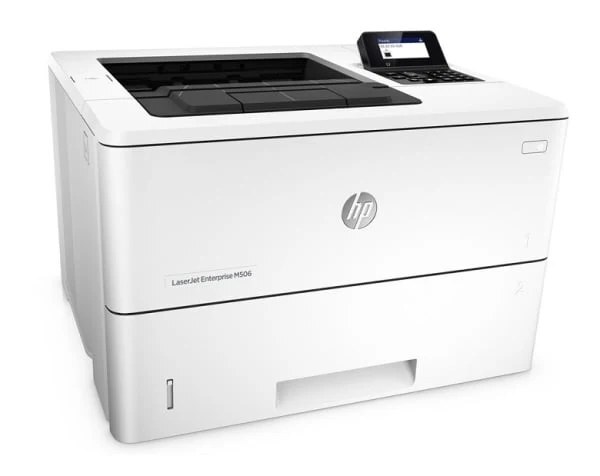
The LaserJet M506N is the networked base model of the late-2010s M506 line: Ethernet built in, duplex left out, for offices that share one monochrome printer but print mostly single-sided work. It takes the same cartridge line as its bigger siblings — the CF287A (87A) in standard capacity or the high-yield CF287X. As on the rest of this family, the standard cartridge is stocked on this page in its MICR check-printing build, and the high-yield listings carry the regular fill.
Calling the M506N the economical way to put an Enterprise printer on the network is fair: the savings come from hardware you skip, not from a lesser engine. What that means for toner is that the cartridge budget deserves the same discipline — this machine will be fed for years, and the difference between the two capacities compounds quietly over that life. Light sharing barely notices the standard cartridge; a growing queue notices it constantly.
Toner Cartridges for LaserJet M506N
- CF287A MICR for LaserJet M506DN — Black — Page yield: See product page
- CF287A MICR for LaserJet M506N — Black — Page yield: See product page
- CF287A MICR for LaserJet M506X — Black — Page yield: See product page
- CF287A MICR for LaserJet M527 — Black — Page yield: See product page
- CF287A MICR for LaserJet M527DN — Black — Page yield: See product page
- CF287X for LaserJet M506DN — Black — Page yield: See product page
- CF287X for LaserJet M506N — Black — Page yield: See product page
- CF287X for LaserJet M506X — Black — Page yield: See product page
- CF287X for LaserJet M527 — Black — Page yield: See product page
- CF287X for LaserJet M527DN — Black — Page yield: See product page
Which cartridge should you buy?
The existing rule of thumb for this model is the right one: CF287A for lighter sharing, CF287X when the queue grows. The X cartridge costs more up front and less per page, and on a networked machine the swap it saves is a swap the whole office would otherwise wait through. The standard-capacity listings here are the MICR version, made with magnetic toner for printing checks that bank readers can process — the correct purchase for a payroll desk, and an unnecessary premium for everyone else. All of these are Clever Supplies compatible cartridges with a 1-year warranty and 1-year returns.
Chip, toner and everyday use
Installation takes under a minute and needs no tools: lift the cartridge access cover, take the old cartridge out, unwrap the new one and pull its sealing strip fully clear, then slide it in along the guides and close the cover. Most quality complaints on a healthy machine trace back to settings and supplies rather than the cartridge — confirm the toner is not running low, set the driver to normal or best quality, feed it fresh dry paper, and run the built-in cleaning page if output turns uneven. Because the M506N prints single-sided, paper stock stays simple; keep the spare cartridge sealed until the day it is needed.
Frequently Asked Questions
Does the LaserJet M506N use the CF287A or a different cartridge?
The CF287A is correct, and so is its high-yield twin, the CF287X — the machine accepts both capacities of the 87A line. Keep the code from your empty cartridge nearby when you reorder and you cannot mismatch.
What is the correct way to install a new cartridge in the M506N?
Open the access cover, remove the spent cartridge, and strip the new one of its packaging and sealing tape before it goes in. Seat it firmly along the guides and close the cover; the printer reads the cartridge chip as it settles, so a gentle push home matters more than speed.
How can I improve print quality on the M506N?
Start with the basics in order: toner level, driver quality setting, dry fresh paper, and the printer's own cleaning page. Only suspect the cartridge itself if a fresh one produces the same defect on the same page area.
More printers that use the same cartridges
These sibling models run on the same 87A cartridges, so a spare bought for one can serve the others.