




LaserJet 5200N
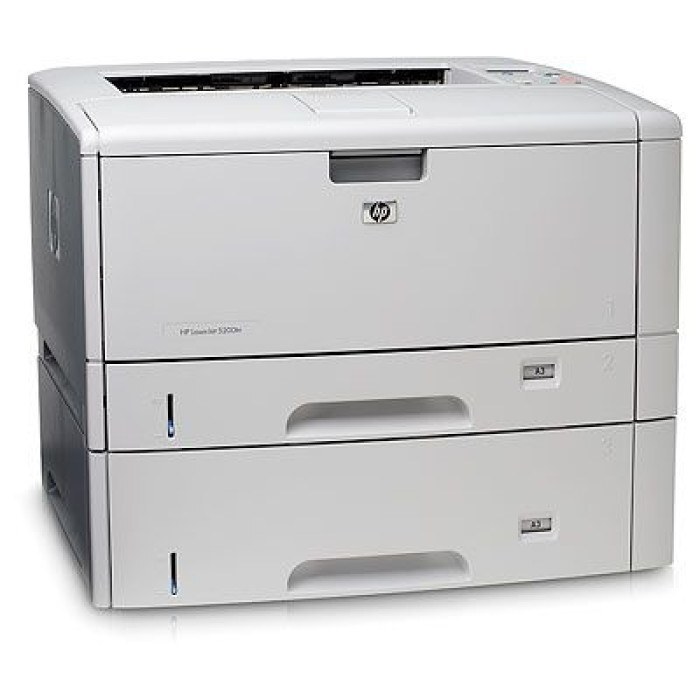
Ethernet is the whole story of the LaserJet 5200N. HP took its 2006 wide-format A3 monochrome printer and put it on the network, turning tabloid-size printing into a shared departmental resource instead of one person's desktop luxury. It feeds on the HP Q7516A — the 16A — and this page stocks that cartridge as a standard single, a listing sold under the 5200N's own model name, multipacks, a premium build, a MICR build and the jumbo Q7516AJ.
One A3 printer on the network serves designers checking layouts, planners printing timelines and administrators running off forms, all from the same trays. That sharing is the N model's strength and its one management quirk: toner consumption belongs to everyone, so nobody feels it happening. Offices that treat the cartridge as shared infrastructure — stocked ahead, never run to absolute empty — get years of uneventful service out of this arrangement.
Toner Cartridges for LaserJet 5200N
| Cartridge | Color | Page Yield |
|---|---|---|
| HP 16A (Q7516A) Black — single | Black | See product page |
| HP LaserJet 5200N Black — model listing | Black | See product page |
| HP 16A (Q7516A) Black — 3 pack | Black | See product page |
| HP 16A (Q7516A) Premium Black — 3 pack | Black | See product page |
| HP 16A (Q7516AJ) Jumbo Black — single | Black | See product page |
| HP 16A (Q7516AJ) Jumbo Black — 2 pack | Black | See product page |
| HP 16A (Q7516A) MICR Black — single | Black | See product page |
Which cartridge should you buy?
Buy for the queue, not for one user. A shared 5200N that prints tabloid work daily will walk through standard singles at a pace that makes multipacks the sensible default: the 3-packs cut per-cartridge cost and remove the empty-printer surprise from the workweek. The jumbo AJ stretches the same logic further, putting more toner in each change. The premium 3-pack is the pick when the department wants a higher-grade build without changing its stocking habits. Singles still make sense for a lightly used machine or a first purchase on a newly inherited printer. MICR, as ever, belongs only to check printing.
Chip, toner and everyday use
On a shared machine, the supplies gauge is a team instrument: glance at the status page before sending a long tabloid run, and treat early fade as the order signal rather than the failure signal. When pages do come out light, rocking the cartridge gently and reseating it redistributes what toner remains and usually restores respectable output for days. Turn on toner-save or draft mode for internal proofs and the same cartridge covers noticeably more ground; reserve full density for the copy that leaves the building. A spare stored flat and sealed near the printer keeps a dry cartridge from becoming a department-wide delay.
Frequently Asked Questions
Can several computers share the 5200N?
That is exactly what it was built for. Once the printer joins the network, each computer installs the driver and discovers it; everyone prints to the same toner supply and paper trays.
Why are pages coming out faded or streaky?
Fading almost always means the cartridge is running low. Check the toner gauge on the display or status page; if the cartridge is fairly new, remove it, rock it gently to redistribute the toner, and reseat it before blaming the printer.
Standard or jumbo cartridge for a shared printer?
The jumbo, once the machine's volume is proven. More toner per change means fewer interruptions across a whole department, which is worth more than the small price difference on a printer this size.
More printers that use the same cartridges
The same supply covers the rest of the 5200 family — and the cartridge's own page, listed last here: LaserJet 5200TN, LaserJet 5200LE, LaserJet 5200L, LaserJet 5200DTN, LaserJet 5200, LaserJet 5200, HP Q7516A.