




LaserJet 5200LE
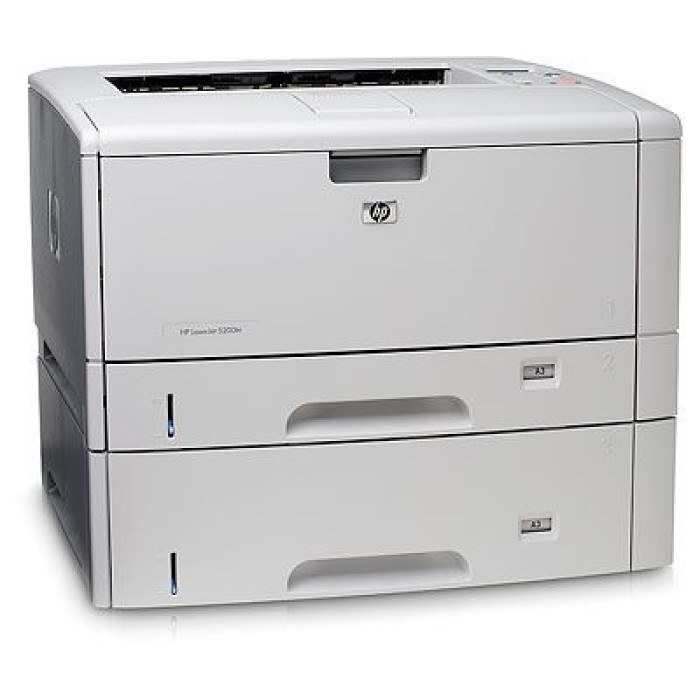
Special edition is the key fact about the LaserJet 5200LE: HP packaged the same 2006 wide-format A3 monochrome engine as the rest of the 5200 line for specific sales channels, under its own model name. Nothing about the badge changes what goes inside it. Toner is the HP Q7516A, better known as the 16A, and this page carries that cartridge as a standard single, a version sold under the LE's own model name, multipacks, a premium build, a MICR build and the jumbo Q7516AJ for owners who would rather change cartridges less often.
An LE typically survives in offices that discovered tabloid printing and never gave it up. Floor plans, ledger sheets, poster proofs and oversized forms all come out of a printer that asks for nothing exotic in return — one black cartridge, shared with a whole family of 5200 models, so supply hunting never turns into a scavenger hunt for an odd part number. Because the machine prints black only, running costs stay in the monochrome league even though the paper size is anything but ordinary.
Toner Cartridges for LaserJet 5200LE
| Cartridge | Color | Page Yield |
|---|---|---|
| 16A Black (Q7516A) — single cartridge | Black | See product page |
| LaserJet 5200LE Black — model listing | Black | See product page |
| 16A Black (Q7516A) — 3 pack | Black | See product page |
| 16A Premium Black (Q7516A) — 3 pack | Black | See product page |
| 16A Jumbo Black (Q7516AJ) — single cartridge | Black | See product page |
| 16A Jumbo Black (Q7516AJ) — 2 pack | Black | See product page |
| 16A MICR Black (Q7516A) — single cartridge | Black | See product page |
Which cartridge should you buy?
The honest starting point for most LE owners is the standard single: if the printer handles occasional oversize work, one cartridge at a time keeps cash out of the supply shelf. Offices where the LE is the only tabloid device in the building should look at the 3-packs, which lower the per-cartridge cost and guarantee the next change is already in the cupboard. The jumbo AJ suits a steady queue better than a sporadic one, since its value is measured in changes avoided. Pick the premium 3-pack for a higher-grade build in quantity, and leave MICR to the bookkeeping desk that prints checks. Compatible cartridges on this page carry a 1-year warranty and 1-year returns, so the value route is not a gamble.
Chip, toner and everyday use
Changing the cartridge is a front-cover job: open the cover, draw the old cartridge straight out, strip the protective seals from the new one, and slide it in until it seats. A new cartridge that prints lightly at first usually just needs its toner settled — a gentle rock from side to side before installation distributes the fill evenly. Keep the spare sealed in its bag, stored flat in a cool, dry spot rather than standing on end; treated that way it is ready the day the installed cartridge gives out. And because the LE shares its supply with several sibling models, a spare bought for this machine is never stranded if the office fleet changes.
Frequently Asked Questions
Is the 5200LE's toner different from other 5200 models?
No. The special-edition badge is about how the printer was sold, not how it is fed. Every 5200 model on the family list below takes the same cartridge, and any 16A listing here fits the LE.
Does the LaserJet 5200LE print in color?
It does not. The LE is a black-and-white printer with a single toner cartridge, which is also why its running costs stay low next to color lasers that need four cartridges kept in stock.
My prints are fading — is the cartridge finished?
Usually it is low rather than dead. Remove the cartridge, rock it gently to redistribute the toner, and reseat it; if density returns, order the replacement then and print on until the new one arrives.
Which listing should a small office start with?
The standard single cartridge. It proves the fit and the print quality on your own work, and you can move to a 3-pack or the jumbo build once you know the machine's appetite.
More printers that use the same cartridges
Every model below runs on the same 16A supply, starting with the cartridge's own category page: