




Color LaserJet 4610
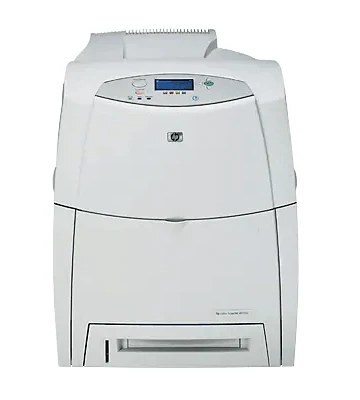
A refined take on the 4600 platform, the Color LaserJet 4610 carried that line's reputation for quality color into offices that wanted proven performance with subtle improvements. It uses HP 641A cartridges: C9720A black with C9721A cyan, C9722A yellow and C9723A magenta. The two hardest-worked colors also have a 641X option — yellow C9722X and magenta C9723X — for offices whose color output keeps climbing, and black steps up to the C9720X cartridge in the same tier.
The 4610 asks little of its owners beyond keeping the four slots honest. Its appeal was never novelty; it is the steadiness of a platform the office already understands, with supplies that stayed common across the whole 4600 generation. That shared cartridge family is practical good news — a 4610 on the desk is fed by one of the most widely stocked color sets of its era.
Toner Cartridges for Color LaserJet 4610
| Cartridge | Color | Page Yield |
|---|---|---|
| C9720A | Black | See product page |
| C9720X | Black, high yield (641X) | See product page |
| C9721A | Cyan | See product page |
| C9722A | Yellow | See product page |
| C9722A (alternate listing) | Yellow | See product page |
| C9722X | Yellow, high yield (641X) | See product page |
| C9723A | Magenta | See product page |
| C9723X | Magenta, high yield (641X) | See product page |
| 641A 4 Color Set | Black, Cyan, Yellow, Magenta | See product page |
| 4610 4 Color Set | Black, Cyan, Yellow, Magenta | See product page |
Which cartridge should you buy?
Let the empty slot decide, then consider the yield tier. Standard 641A cartridges cover ordinary office volume comfortably, and each color is replaced alone as it runs out. Where one color is consumed relentlessly — yellow and magenta in graphics-heavy shops are the usual suspects — the 641X versions of those colors hold more toner and stretch the interval between swaps; the same logic applies to black with the C9720X. A four-color set is the right call only when most of the row is low at once or the machine is being set up fresh. Whatever you choose, the code on the outgoing cartridge is the order code.
Chip, toner and everyday use
These compatible cartridges are made to register in the printer and report their levels normally. Fit each one into its own color slot and press it home evenly; if colors come out wrong afterward, a calibration or cleaning page from the control panel is the first fix, followed by checking which cartridge is actually low. Yields are estimates at five percent coverage, so a page of full-bleed graphics counts far heavier than a page of text. Keep spare cartridges upright in a cool, dry room, seals intact, until the day one goes in.
Frequently Asked Questions
What toner does the Color LaserJet 4610 take?
Four 641A cartridges: C9720A black, C9721A cyan, C9722A yellow and C9723A magenta. Higher-yield 641X versions exist for black, yellow and magenta on this page.
Why are the colors wrong on my 4610?
Run a calibration or cleaning page from the control panel, then check which of the four cartridges is running low. A nearly empty or mismatched color cartridge is the most common cause of off colors on this machine.
How should I store spare toner for the 4610?
Keep unopened cartridges upright in a cool, dry room, away from direct sunlight and heat sources. Do not break the seal until you are ready to install the cartridge.
Are these cartridges covered by a warranty?
Yes — compatible cartridges from Clever Supplies carry a 1-year warranty and 1-year returns.
More printers that use the same cartridges
The 641A family is shared across the 4600 generation: Color LaserJet 4600, Color LaserJet 4600DN, Color LaserJet 4600DTN, Color LaserJet 4600HDN, Color LaserJet 4600N, Color LaserJet 4610N, Color LaserJet 4650, Color LaserJet 4650DN, Color LaserJet 4650DTN, Color LaserJet 4650HDN, Color LaserJet 4650N, HP 641A.