




Laser S2500N
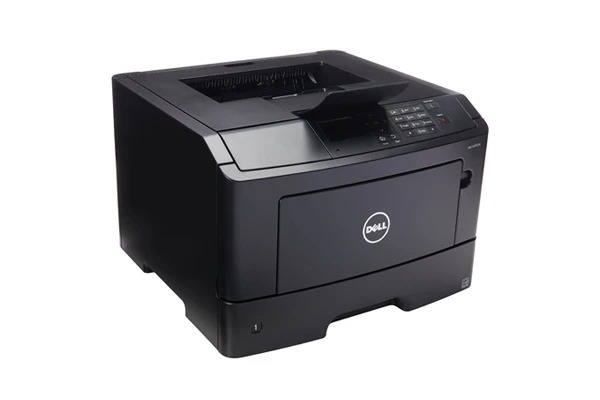
The Dell S2500N adds network printing to Dell's 25-page-per-minute monochrome laser, letting a small office share one reliable printer instead of buying several. It is a straightforward workgroup arrangement for teams with steady black-and-white needs, and it keeps the base model's supply list unchanged. Restocking comes down to a single number: the high-yield black 310-3547, shared by every S2500N on the network — one spare on the shelf covers the whole workgroup.
Sharing changes the economics of an older printer for the better. A personal S2500 might print so little that its cartridge lasts a year; put the same machine on a network and the whole team's documents flow through it, which keeps toner fresher, spreads the cartridge cost across far more pages, and makes a high-yield supply the obvious default. The trade-off is that an empty cartridge now inconveniences everyone at once — a problem solved by watching levels over the network and treating the spare as part of the printer, not an optional extra.
Toner Cartridges for Dell S2500N
| Cartridge | Color | Page Yield |
|---|---|---|
| 310-3547 High Yield | Black | See product page |
| Dell S2500N High Yield | Black | See product page |
| Dell S2500N Premium High Yield | Black | See product page |
Which cartridge should you buy?
For a shared S2500N the buying decision makes itself: high-yield, every time. The 310-3547 listed here is the family's high-capacity black, and a networked printer empties standard cartridges at a pace that turns toner into a weekly errand. The S2500N-named listings are the same cartridge under the printer's own name, in standard and Premium Quality lines; all carry a 1-year warranty and 1-year returns. The one addition worth making to any order is a second cartridge as a dedicated spare. On a single-user printer a spare is a convenience; on the office's only printer it is the difference between a two-minute swap and a stalled workday. Reorder the moment the spare goes in.
Chip, toner and everyday use
A networked printer lets you manage toner before it becomes urgent. Check the supply level through the printer's network page ahead of a big job rather than discovering an empty cartridge mid-run. When you do swap, the new cartridge is recognized on its own; if the low-toner message lingers, take the cartridge out, rock it gently side to side, and reseat it firmly. Keep the office spare sealed in its packaging in a cool drawer near the printer — toner stores well, but heat and humidity are its enemies, and a shared printer's spare may sit for months before its turn comes.
Frequently Asked Questions
How do I share the Dell S2500N on a network?
The S2500N includes built-in networking: connect it by Ethernet and add it as a network printer on each computer. Every user then draws on the same cartridge supply — the 310-3547, 310-3546 and the rest of the family listed on this page.
Which cartridges fit the S2500N?
The same seven-code set as the base S2500: 310-3547, 310-3546, 310-3548, 310-3674, 2Y667, R0887 and R0886. Supplies move freely between the S2500 and S2500N, so an office running both models needs only one stock.
Our office S2500N gets heavy use — how do we avoid downtime?
Keep a spare cartridge from the codes above next to the printer and watch supply levels over the network. A shared printer that runs dry stalls everyone, so reorder when the spare is installed, not when the shelf is empty.
More printers that use the same cartridges
The non-networked base model and the cartridge's own page complete this small family: