




Laser S2500
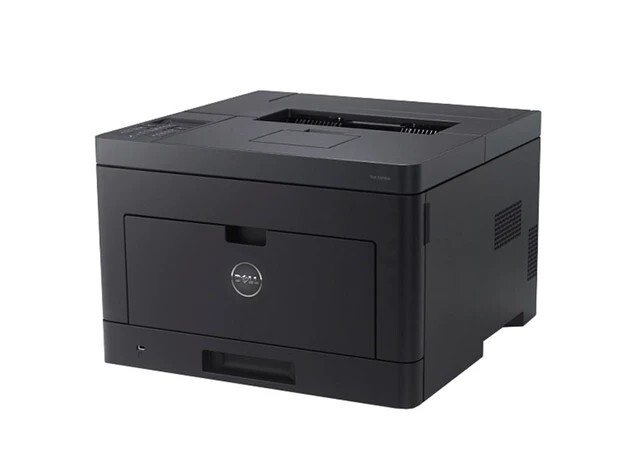
The Dell S2500 is an earlier-generation monochrome laser, running around 25 pages per minute, that still serves offices well for everyday black-and-white documents. Simple, sturdy and easy to keep running, it is a reminder that a good laser printer lasts for years. Its supplies form one black cartridge family headed by the high-yield 310-3547; the full set of codes covering this model runs to 310-3546, 310-3548, 310-3674, 2Y667, R0887 and R0886, so a number copied from your installed cartridge is the surest way to order its exact match.
Printers of this vintage survive on a simple bargain: the machine is long paid for, so the running cost is the whole story. As long as cartridges stay available and affordable, there is no economic reason to retire one. That is why this page exists — high-yield compatible cartridges with matching page yields and crisp text, keeping a dependable machine in service instead of in a landfill. Owners of older printers learn one habit above all: keep a spare on hand, because an empty legacy printer cannot borrow a cartridge from a newer model down the hall.
Toner Cartridges for Dell S2500
| Cartridge | Color | Page Yield |
|---|---|---|
| 310-3547 High Yield | Black | See product page |
| Dell S2500 High Yield | Black | See product page |
| Dell S2500 Premium High Yield | Black | See product page |
Which cartridge should you buy?
Every listing on this page is a high-yield cartridge, which suits the S2500's role: a machine kept for steady, unglamorous output should not need frequent swaps. The choice between the listings is about labeling, not fit. The cartridge sold here as the 310-3547 is the family's high-yield black, and the same supply also circulates under Dell's R0887 alternate number; the S2500-named listings are that same cartridge presented under the printer's own name, in standard and Premium Quality lines. Read the code off the cartridge you remove, match it to the list in the questions below, and order with confidence — then consider a second cartridge as a shelf spare while the model is well supported.
Chip, toner and everyday use
Age changes what to check when output disappoints. On an S2500, faded pages with a fresh cartridge installed usually point away from toner: confirm that toner-save mode is off in the driver, then look at the drum and transfer roller for wear, since those parts have now seen many years of pages. For the cartridge itself, the basics still apply — sealing material fully removed, cartridge seated with a firm push, and spares kept sealed in a cool, dry place. Toner does not expire quickly, but a spare stored in a hot room will not reward you for planning ahead.
Frequently Asked Questions
Which cartridges does the Dell S2500 use?
The S2500 uses the 310-3547, 310-3546, 310-3548, 310-3674, 2Y667, R0887 and R0886 supplies. Copy the code from your installed cartridge to order the exact match; the listings above are the high-yield 310-3547 in its standard and Premium Quality forms.
The S2500 is an older model — can I still get cartridges?
Yes. Supplies for the S2500 are still listed by specialty retailers, with seven codes covering this model, and every listing on this page is stocked for it. Because the printer is older, keeping one spare cartridge on hand is sensible insurance in case availability tightens later.
My S2500 prints faded pages even with a new cartridge — why?
If a fresh cartridge from the 310-3547 family still prints faded, suspect the printer rather than the toner. Check that toner-save mode is off, then inspect the drum for wear; on a machine of this age the drum and transfer roller are the usual culprits.
More printers that use the same cartridges
Only two close relatives share this supply family — the cartridge's own page and the networked version of the printer: