




Color Laser Laser 3330DN
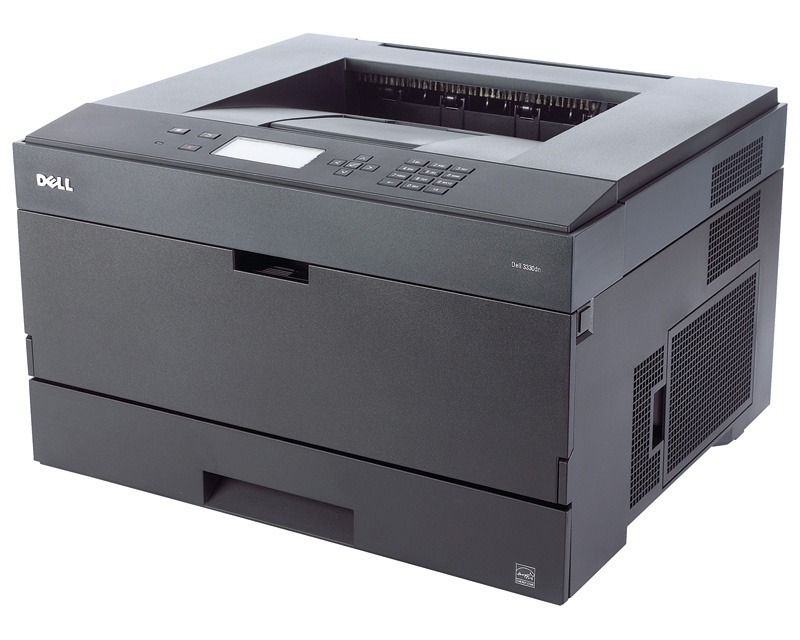
The letters DN in the Dell 3330DN's name describe its two built-in habits: it prints on both sides of the sheet automatically, and it connects straight to an office network. That makes this monochrome laser a deploy-and-forget machine — IT sets it up once and it quietly serves everyone nearby. It prints black only, and it feeds from a single cartridge: the 330-5206 black toner cartridge. Every listing on this page, from the single to the ten-pack, carries that same 330-5206 cartridge, so matching a replacement to this printer is a one-number job.
Offices choose the 3330DN when a shared printer has to disappear into the background. Automatic duplexing trims paper use on every long report, the network connection means no single desk owns it, and the mono-only design keeps the supply list down to one line. The habit that keeps it boring in the best way is a spare cartridge on the shelf: when the installed one runs dry, the swap takes a minute and the queue never notices.
Toner Cartridges for Dell 3330DN
| Cartridge | Color | Page Yield |
|---|---|---|
| 330-5206 | Black | See product page |
| 330-5206 — 2 Pack | Black | See product page |
| 330-5206 — 3 Pack | Black | See product page |
| 330-5206 — 5 Pack | Black | See product page |
| 330-5206 — 10 Pack | Black | See product page |
Which cartridge should you buy?
There is only one cartridge number to learn here, so the real choice is pack size. A single 330-5206 suits a lightly used machine or a first compatible trial. The two-pack is the natural office pick: one cartridge in the printer, one waiting in the cupboard. Offices running several 3330DNs, or one machine with a heavy shared workload, do better with the three-, five- or ten-packs, which cut down reordering and keep every unit in the fleet fed from the same shelf stock. Buy by how fast your printer empties a cartridge, not by the calendar.
Chip, toner and everyday use
Each cartridge carries a chip the printer reads at installation, and that read is what resets the toner gauge. If a new cartridge is not recognized, pull it out, check the contacts are clean, reseat it firmly and restart the printer — that clears most recognition complaints. Before installing, rock the cartridge gently from side to side to loosen the toner inside; keep it level so nothing spills. Page counts are estimates based on standard coverage, so dense documents finish a cartridge sooner than light memos do. A sealed spare stores happily at room temperature for a year or more, away from heat and direct sun.
Frequently Asked Questions
Which cartridge does the Dell 3330DN use?
One black cartridge: the 330-5206. Everything sold on this page is that cartridge, offered as a single and in multipacks of two, three, five and ten, so the part number on your old cartridge is the only thing you need to match.
Do I need a print server to share the 3330DN?
No. The printer has its own Ethernet connection and joins the network by itself, so every computer in the office can print to it without a dedicated print-server machine in between.
Can the 3330DN print two-sided automatically?
Yes — duplexing is built in, which is what the D in its name stands for. Turn on two-sided printing in the driver once and long documents come out printed on both sides without anyone flipping pages by hand.
How long can I keep a spare 3330DN cartridge on the shelf?
An unopened cartridge keeps well for a year or more at room temperature. Store it in its box, flat and out of direct sunlight, and it will be ready the day the installed cartridge runs out.
More printers that use the same cartridges
The base model in this small family shares the same black cartridge line: Color Laser Laser 3330.