




Color Laser 3000
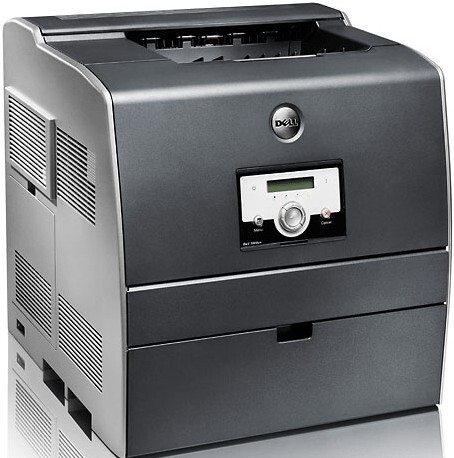
Plenty of Dell 3000 color lasers are still earning their keep years after installation, and it is easy to see why: a compact networked machine that runs up to 25 pages per minute in black and produces 600-dpi output, enhanced to 2400 image quality, that still looks presentable in a client meeting. Four cartridges feed it, each under its own Dell number — black 310-5726 at about 4,000 pages, then cyan 310-5731, magenta 310-5730 and yellow 310-5729 at roughly 2,000 pages apiece.
A veteran printer only stays economical if its supplies do, and the 3000's design helps: the four cartridges live independent lives, so the machine never forces a full set replacement when a single color gives out. In most offices black drains first by a wide margin, with the colors following at their own pace depending on how graphic-heavy the workload is. Restocking therefore means reading the number off the spent unit and ordering its twin — nothing more complicated than that, and nothing more expensive.
Toner Cartridges for 3000
| Cartridge | Color | Page Yield |
|---|---|---|
| 310-5726 | Black | 4,000 pages |
| 310-5731 | Cyan | 2,000 pages |
| 310-5730 | Magenta | 2,000 pages |
| 310-5729 | Yellow | 2,000 pages |
| 3000 High Yield 4 Color Set | Black, Cyan, Magenta, Yellow | 4,000 pages black, 2,000 pages per color |
| 3000 Premium High Yield 4 Color Set | Black, Cyan, Magenta, Yellow | 4,000 pages black, 2,000 pages per color |
| 310-5726 / 310-5731 / 310-5730 / 310-5729 High Yield 4 Color Set | Black, Cyan, Magenta, Yellow | 4,000 pages black, 2,000 pages per color |
Which cartridge should you buy?
Every cartridge stocked for the 3000 is the high-yield version, so the real choice is singles against sets. Singles win on cash flow and waste: order the one color the printer is asking for and let the others finish their lives. A four-color set earns its place in two situations — when several cartridges are running low together, which happens after a big color project, or when you are provisioning a machine that is new to you and want a known starting point. Black deserves special attention in the math: at twice the page rating of the colors and usually the heaviest use, it is the cartridge to keep a spare of, while colors can safely be ordered as they fade.
Chip, toner and everyday use
Yield figures for color machines come with a footnote worth understanding: they are measured at 5% page coverage, a light text page. A full-bleed presentation slide can carry ten times that coverage, so color cartridges under graphics-heavy work deplete far faster than the rating suggests — plan spares around your real documents, not the box number. When swapping a color, handle the unit by its ends and keep it level; tipped cartridges can spill toner inside the machine. And let the printer finish recognizing a new cartridge's chip before queueing the next job, especially on a shared network unit where several users print at once.
Frequently Asked Questions
Which toner numbers does the Dell 3000 use?
Four: black 310-5726, cyan 310-5731, magenta 310-5730 and yellow 310-5729. The number is printed on each cartridge, and matching it exactly is the surest way to order the right color.
Do I have to change all four cartridges together?
Never. Each cartridge tracks its own level and can be replaced on its own schedule, so a depleted yellow never forces you to discard a half-full black. Replace what the printer flags and keep the rest working.
Which cartridge gives the lowest cost per page on the 3000?
The high-yield listings are the economical end of this family, and the larger yield matters most on the color you burn fastest — black in most offices. Compare the yield column above against how your team actually prints.
How do I know which color to reorder?
Pull the empty cartridge and read its Dell number: each slot in the 3000 carries a distinct part number, and that number, quoted exactly, is the order. The printer's own low-toner message will also name the color that needs attention.
More printers that use the same cartridges
The same cartridge family serves the networked twin and the next series up: Color Laser 3000CN, Color Laser 3100, Color Laser 3100CN, Dell (310-5726, 310-5731, 310-5730, 310-5729).