






 See Compatible Printers
 Read more about our ink!
Xerox
Compatible Xerox 7500N (106R01436) Toner Cartridge Cyan
- Page Yield:
- Color: 17800
- Availability:
- In Stock
- Shipping:
- Free Shipping

Amazon Price:

- Page Yield:
- Color: 17800
- Availability:
- In Stock
- Shipping:
- Free Shipping
- Compatible Printers
- Specifications
- SKU:
- CS-Xerox-PHASER-7500N-C
- Printer Brand:
- Xerox
- OEM Number:
- 106R01436
- Ink Color:
- Cyan
- Page Yield:
- Color: 17800
- Printer Type:
- Laser Cartridge
- Condition:
- New Compatible
- Description
- Reviews

/> 

Deliver vibrant, high-impact prints with the Xerox PHASER 7500N toner cartridge series, including 106R01439 Black, 106R01436 Cyan, 106R01437 Magenta, and 106R01438 Yellow. These compatible Xerox cartridges are engineered to produce sharp black text and vivid, detailed color images for all your professional printing needs. Optimized for performance and reliability, the Xerox PHASER 7500N toner cartridge ensures consistent print quality from the first page to the last. Whether you're printing marketing materials, business presentations, or everyday documents, these cartridges deliver precise color balance and excellent clarity. Compatible with a range of Xerox printers, including PHASER 7500DN, PHASER 7500DT, PHASER 7500DX, and PHASER 7500N, this toner series installs easily and operates seamlessly within your device. Designed to support heavy workloads, they help reduce downtime and improve overall efficiency. Count on the Xerox PHASER 7500N toner cartridge to meet your high-volume printing demands. With impressive page yields and vibrant results, these cartridges are ideal for office environments that require consistent, professional-quality output.
Frequently Asked Questions
The prints look wrong but there is no error message. Where do I start?
With the colors themselves. On the Phaser 7500N, fading cyan never raises an error — it just quietly changes the output: skies turn violet, turquoise goes gray, and grass loses its blue backbone and looks yellow. If black text is still sharp, the machine is fine and one color is starving; on this printer that color is most often the cyan in this listing, the 106R01436.
How do I prove it is cyan and not magenta or yellow?
Print a page carrying one solid block of each color. The failing block names the cartridge: a streaked or washed-out cyan block means this 106R01436, while clean cyan with a broken magenta block points elsewhere. Two minutes of testing beats guessing — and beats replacing a healthy cartridge.
Why does the level gauge still show toner left?
Level readings are estimates built from page counts and average coverage, and color-heavy pages spend cyan far faster than the average assumes. A gauge can honestly show a remainder while the cartridge is effectively empty for real work. Trust the solid-block test over the percentage whenever the two disagree.
What exactly does this listing contain?
One cyan cartridge — 106R01436, high yield, rated at 17,800 pages — for $75.11. It is a single-cartridge listing for the Phaser 7500N; the printer's other colors live on their own listings with their own part numbers, and none of them needs changing just because the cyan does.
Does the same cartridge serve the rest of the 7500 range?
It does. The Phaser 7500DN, Phaser 7500DT and Phaser 7500DX share the same toner bay and the same 106R01436 cyan, so a spare bought against this listing covers any 7500 configuration in the building.
What if a new cartridge does not fix the colors?
Then the fault is in the machine, not the toner — and you are covered while you find out: this cartridge carries a one-year warranty and free returns for a year under our shipping and returns page. We ship from warehouses in IL, PA, GA and CA, support runs Monday to Friday, 9 AM–5 PM CST, and the full 7500 range is listed on the Xerox toner page.
Which kinds of work drain this cyan fastest?
Anything built on blue. Corporate documents in a house blue, skies and water in photography, turquoise and teal branding, and charts drawn in cool tones all draw on the 106R01436 page after page. A machine doing that work cycles cyan far sooner than one printing plain correspondence, which is why two identical printers in the same building can report very different cyan levels.
The first pages from a new cyan look streaky — give it time, or treat it as a fault?
Give it a short trial first. Run several ordinary pages, then print the solid cyan block again. Toner distributes itself as the cartridge starts work, and a block that evens out over those pages means the cartridge is healthy. A block that stays streaked or washed after that trial is a genuine problem, and that is the point to contact support rather than persevere.
How should a spare cyan be kept so a long wait on the shelf does it no harm?
In its sealed packaging, flat, in a cool dry cupboard away from direct sunlight and heat. The 106R01436 is bought as insurance precisely because the installed one lasts so long, and sealed toner tolerates that wait well. Leave the packaging unopened until changeover day — opening it early only starts the exposure to light and dust that the seal exists to prevent.
When can the old cyan finally leave the building?
Once the replacement has proved itself. Keep the spent 106R01436 in the new cartridge's box until the solid-block test and a few days of ordinary work confirm the colors are right; then send the boxed empty out through a recycling or collection program. That short overlap protects you if the new cartridge has to be questioned, at no cost beyond a little shelf space.
About This 7500N Cyan Toner Cartridge
One 106R01436 high-yield cyan cartridge for the Phaser 7500N, rated at 17,800 pages and priced at $75.11. It is the cartridge behind the classic 7500 complaint — color that drifts with no error in sight — and the solid-block test on this page is how you confirm cyan is the culprit before you buy. Backed by a one-year warranty and a year of free returns.
Related Items


Xerox
Compatible Xerox 7500N (106R01436) Toner Cartridge Cyan
/>



Xerox
Compatible Xerox 7500DT (106R01436) Toner Cartridge Cyan
/>

Xerox
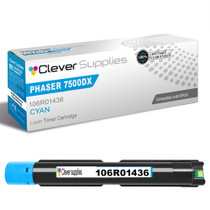
Compatible Xerox 7500DX (106R01436) Toner Cartridge Cyan
/>

Xerox
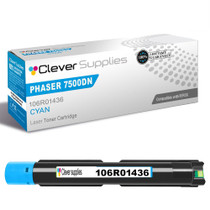
Compatible Xerox 7500DN (106R01436) Toner Cartridge Cyan
/>