





 See Compatible Printers
 Read more about our ink!
Hewlett Packard
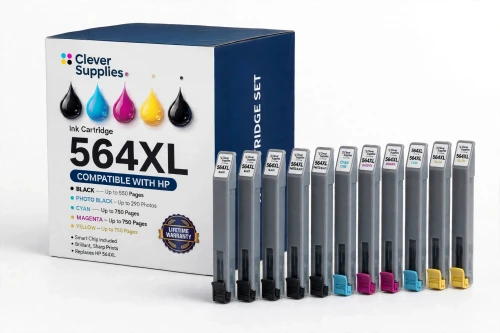
Compatible HP 564XL Set of 11 3 Black 2 Photo Black 2 Cyan 2 Magenta 2 Yellow Ink Cartridges
- Page Yield:
- 550 pages (CN684WN) / ~290 foto (CB322WN) / 750 pages (CB323WN) / 750 pages (CB324WN) / 750 pages (CB325WN)
- Shipping:
- Calculated at Checkout

Amazon Price:

- Page Yield:
- 550 pages (CN684WN) / ~290 foto (CB322WN) / 750 pages (CB323WN) / 750 pages (CB324WN) / 750 pages (CB325WN)
- Shipping:
- Calculated at Checkout
- Compatible Printers
- Specifications
- SKU:
- CS-HP-564-SET11
- Condition:
- New (compatible)
- OEM Part #:
- CN684WN, CB322WN, CB323WN, CB324WN, CB325WN
- Color:
- Black / Cyan / Magenta / Yellow
- Ink Type:
- Pigment (black) / Dye (colours)
- Page Yield:
- 550 pages (CN684WN) / ~290 foto (CB322WN) / 750 pages (CB323WN) / 750 pages (CB324WN) / 750 pages (CB325WN)
- Chip:
- Yes — new compatible chip
- Warranty:
- Lifetime Warranty
- Returns:
- 1 Year
- Description
My Photosmart has five ink slots — will this one box cover all of them?
Yes, provided your machine is one of the five-cartridge Photosmart models. The set is made for the Photosmart 7510, Photosmart 7515, Photosmart 7520, Photosmart 7525 and 11 more printers. The complete verified list is in the Compatible Printers section on this page. Every configuration this family is sold in — for the DeskJet, OfficeJet and Photosmart printers: the sets of four, five, nine and eleven and the five singles — is compared side by side in our Best HP 564XL (CB322–CB325, CN684) Ink Cartridges guide.
What exactly do I get in the box?
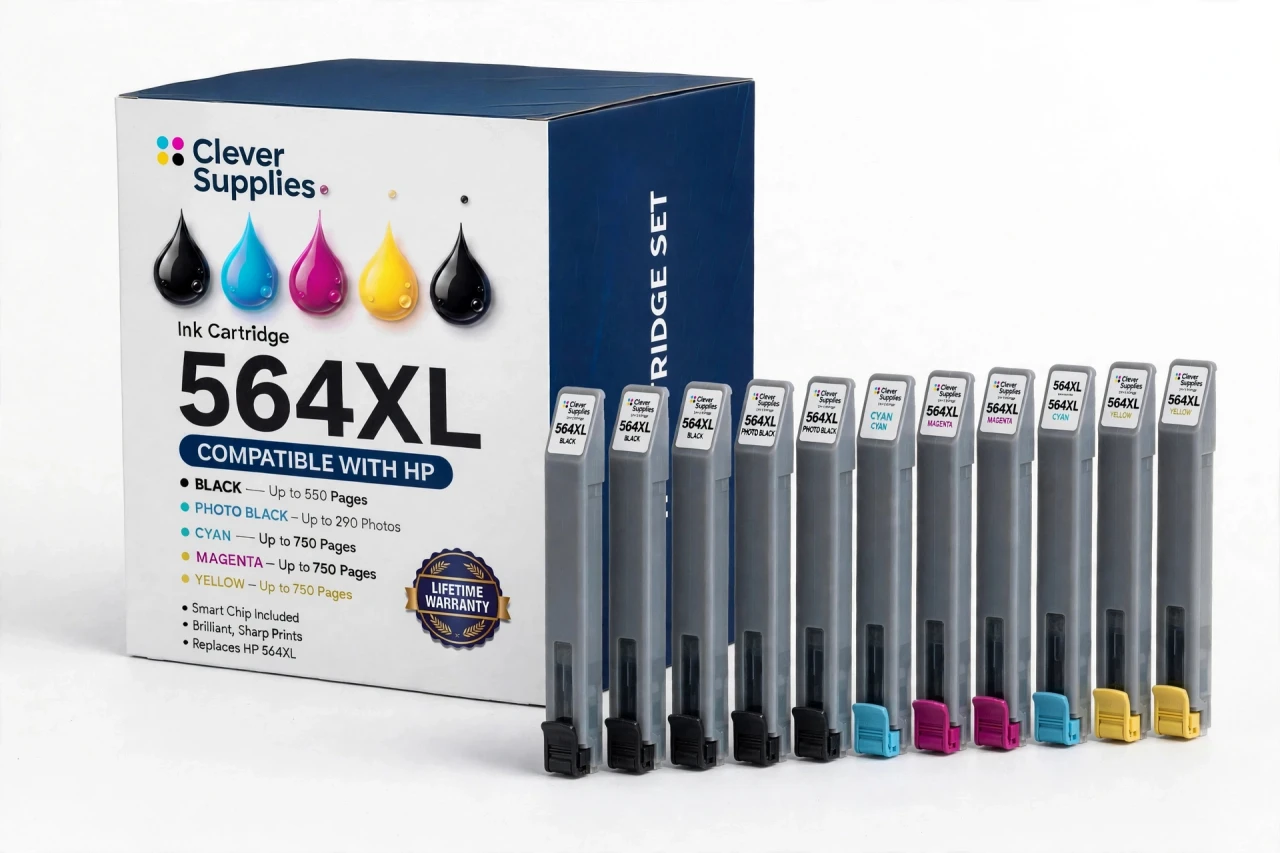
Eleven cartridges, every one sealed on its own: three CN684WN black (rated at 550 pages each), two CB322WN photo black (about 290 photos each), and two apiece of CB323WN cyan, CB324WN magenta and CB325WN yellow, each rated at 750 pages.
Why does this family carry two different blacks?
Because the two inks do separate work and cannot swap places. The regular Black is a pigment ink and handles everyday text. The 564XL Photo Black is a dye ink that only the five-slot Photosmart models draw on, to deepen the shadow areas of photographs. On a five-slot printer it sits alongside the four everyday colors, and the text black cannot do its job.
Will the printer still show ink levels with these cartridges fitted?
Yes. Every cartridge in the set carries a new compatible chip, and each chip reports that cartridge's own ink level to the printer.
Is the set better value than buying the cartridges one at a time?
It is — the box is priced below the same eleven cartridges bought as singles, and it restocks every slot in a single order. Weigh the per-cartridge yields in the contents answer above against how much you print.
Only one color has run out — do I have to change all eleven?
No. Open and install only the cartridge the printer is asking for, and leave the rest in their seals. They store perfectly well until their own slot runs low.
A warning appeared on screen right after I fitted a cartridge — how do I clear it?
Acknowledge the message, then reseat the cartridge until it clicks into place and restart the printer. Most warnings of this kind are a one-time notice that a non-original cartridge has been fitted.
My printer only takes four cartridges — is this set wrong for it?
Four-slot HP 564 models print with black, cyan, magenta and yellow only, and never call for a Photo Black. That fifth cartridge is used solely by the five-cartridge Photosmart models listed for it, so check the Compatible Printers list on the Photo Black page against your model before ordering.
How should I keep the spare cartridges until their turn comes?
Keep them sealed, standing upright at room temperature and out of sunlight, and open each cartridge only when the printer asks for that color.
Which cartridge in the set is likely to run out first?
That follows your printing habits: text-heavy work drains the black first, while photo and graphics jobs use up the colors sooner. Each cartridge reports its own level, and the spares from this set stay sealed until their slot asks for them.
What if just one cartridge in the box turns out to be faulty?
Contact us with the color and a description of the problem. The lifetime warranty covers each cartridge in the set individually, so a single faulty cartridge is replaced on its own.
Is this set made by HP?
No. It is a Clever Supplies compatible set, built to the original HP specifications and covered by our lifetime warranty. HP does not manufacture it.
- Reviews
One box restocks every slot: this Clever Supplies compatible set replaces the HP 564XL cartridges for the 15 printers listed below. In the box: CN684WN (550 pages), CB322WN (~290 foto), CB323WN (750 pages), CB324WN (750 pages), CB325WN (750 pages). Each cartridge is individually sealed, filled to the original specification and chipped to report its own ink level.
The cartridge carries a new compatible chip that reports ink levels to the printer. If a firmware update ever causes a recognition warning, reseating the cartridge and restarting the printer clears most false alarms; anything that still refuses to print is covered by the lifetime warranty. The set is priced below the same cartridges bought one by one.
Shop the HP 564 family: 564XL Black (CN684WN), 564XL Photo Black (CB322WN), 564XL Cyan (CB323WN), 564XL Magenta (CB324WN), 564XL Yellow (CB325WN), 564XL Set of 4, 564XL Set of 5, 564XL Set of 9.
Printer series: Browse printers — every model in the Compatible Printers list below takes this cartridge.
CLEVER SUPPLIES · HP 564 INK
Compatible HP 564XL Set of 11 3 Black 2 Photo Black 2 Cyan 2 Magenta 2 Yellow Ink Cartridges
Replaces HP CN684WN, CB322WN, CB323WN, CB324WN, CB325WN
550 pages (CN684WN) / ~290 foto (CB322WN) / 750 pages (CB323WN) / 750 pages (CB324WN) / 750 pages (CB325WN) · Pigment (black) / Dye (colors) ink
Fits: Photosmart 7510, Photosmart 7515, Photosmart 7520, Photosmart 7525, Photosmart B8550 and more
Covered by the Clever Supplies Lifetime Warranty
Frequently Asked Questions
Related Items

Hewlett Packard
Compatible HP 564XL Set of 9 3 Black 2 Cyan 2 Magenta 2 Yellow Ink Cartridges
One box restocks every slot: this Clever Supplies compatible set replaces the HP 564XL cartridges for the 67 printers listed below. In the box: CN684WN (550 pages),

Epson
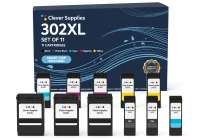
Compatible Epson 302XL Set of 11 3 Black 2 Photo Black 2 Cyan 2 Magenta 2 Yellow Ink Cartridge
Eleven cartridges is a stocking decision, not a refill. This bulk box holds three T302XL020-S pigment blacks and two each of T302XL120-S photo black, T302XL220-S cyan, T302XL320-S magenta and...

Epson
Compatible Epson 410XL Set of 11 2 Black 3 Photo Black 2 Cyan 2 Magenta 2 Yellow Ink Cartridge
This is the stock-up box for a 410 printer that prints a lot of photographs: eleven XL cartridges in the LD ladder's own composition — 2 × T410XL020-S pigment black, 3 × T410XL120-S photo black, and...

Hewlett Packard
Compatible HP 962XL Set of 9 3 Black 2 Cyan 2 Magenta 2 Yellow Ink Cartridges
One box restocks every slot: this Clever Supplies compatible set replaces the HP 962XL cartridges for the 9 printers listed below. In the box: 3JA03AN (2,000 pages),