






 See Compatible Printers
 Read more about our ink!
Hewlett Packard
Compatible HP 4710 (Q5951A) Toner Cartridge Cyan
- Page Yield:
- Color: 10000
- Availability:
- In Stock
- Shipping:
- Free Shipping

Amazon Price:

- Page Yield:
- Color: 10000
- Availability:
- In Stock
- Shipping:
- Free Shipping
- Compatible Printers
- Specifications
- SKU:
- CLS-HP-4710-C
- Printer Brand:
- Hewlett Packard
- OEM Number:
- Q5951A
- Ink Color:
- Cyan
- Page Yield:
- Color: 10000
- Printer Type:
- Laser Cartridge
- Condition:
- New Compatible
- Description
- Reviews



Step into the realm of vibrant color printing with the HP 643A Color LaserJet series, encompassing a range of models including the 4700, 4700DN, 4700DTN, 4700N, 4700PH+, and 4710. These printers are designed to deliver exceptional color accuracy and clarity, perfect for businesses and individuals with demanding printing needs. With compatibility with the Q5950A Black, Q5951A Cyan, Q5953A Magenta, and Q5952A Yellow HP 643A toner cartridges, you can achieve stunning, professional-quality prints with ease. Elevate your printing experience with the HP 643A toner cartridge, meticulously engineered to produce sharp, clear text and vibrant graphics that leave a lasting impression. Immerse yourself in the versatility and performance of the HP 643A Color LaserJet series. Whether you require the reliable performance and advanced features of the 4700 series or the enhanced paper handling capabilities of the 4710 series, these printers offer unmatched quality and reliability. From small office environments to large business settings, there's a model to suit every printing need. Experience the brilliance of color printing with the HP 643A toner cartridge series, meticulously engineered to deliver consistent, high-quality prints that showcase vivid colors and crisp details. Whether you're printing documents, presentations, or photographs, these cartridges ensure exceptional results that stand out. Meanwhile, the HP 643A toner cartridge sets the standard for excellence, producing flawless prints with every page, ensuring your documents are clear and precise. Enhance your printing capabilities with the HP 643A Color LaserJet series and accompanying cartridges. With advanced features, reliable performance, and exceptional print quality, these printers are indispensable tools for any printing environment. Invest in the power of HP printing solutions and experience the difference for yourself.
Frequently Asked Questions
Which cartridge does this listing supply for the 4710?
The cyan one. This is the compatible HP 643A cyan, part number Q5951A, listed under the 4710 name. Verify it the same way you would on any machine in this family: pull the old cartridge, and its label should read Q5951A beside a cyan tab. If the code matches, this replaces it.
Our 4710 prints presentation booklets all week. What does that do to cyan?
Booklet work is heavy color work. Cover pages, charts and shaded panels lay down far more cyan than a memo page, so the rated life shrinks quickly in a presentation workflow. The practical habit is to check the supplies gauge before a long booklet run, not during it — a mid-run swap changes color balance just enough for the first and last copies to differ.
How is the cartridge rated?
At 10,000 pages, measured at the industry-standard five percent coverage. That standard page is mostly white with light text, so treat 10,000 as the reference point the rating is built on. Departments printing dense color should expect a shorter run and plan the spare accordingly; the cartridge itself reports its remaining level to the printer as it goes.
Colors drifted slightly across a long run. Is a fresh cartridge the fix?
Often, yes. A cyan cartridge near empty feeds unevenly, and long runs exaggerate the effect: early pages look rich, later pages thin out. If the supplies page shows cyan well below the other channels, a fresh Q5951A restores even feed. If all four levels are healthy, run the printer's calibration routine before blaming any single cartridge.
What does this single cartridge cost?
$119.92 for the one cyan cartridge. No set purchase is required and nothing else needs to change in the printer. It seats in the cyan slot of the 4710 and works with the other three cartridges already installed, whatever brand they are.
What support stands behind it?
The cartridge carries a 1-year warranty and 1-year free returns, with terms on our shipping and returns page. We deliver from warehouses in Illinois, Pennsylvania, Georgia and California, and our team is available Monday through Friday, 9 AM to 5 PM CST.
How do I make sure I am opening the cyan cartridge and not another channel?
Check two things on the carton before the seal breaks: the full code Q5951A and the cyan tab on the label. The code on the box should match the code on the cartridge you just pulled from the cyan slot. That ten-second check matters because a cartridge opened for the wrong slot cannot simply be resealed and shelved, while a sealed one can wait indefinitely for its turn.
Our department keeps one spare cyan on the shelf. How should it be stored?
Sealed, upright in its carton, in a cool cupboard away from direct sunlight and radiators. Toner is a dry powder, so a sealed Q5951A does not age the way an ink cartridge would; it simply waits. Keep it near the 4710 rather than in a general storeroom, so whoever sees the cyan gauge drop can reach the replacement in the same trip.
The first booklet pages after a swap look slightly different from the last run. Should I worry?
Print a familiar page — the cover your team knows best — and compare it against a copy kept from the previous run. A fresh Q5951A feeding evenly should match it closely. If the colors still look off while the other three levels read healthy, run the printer's calibration routine before blaming the new cartridge; calibration, not toner, is usually what a long color run disturbs.
What should I do with the empty cyan cartridge?
Slip it into the carton the new Q5951A came in and mark it spent, so nobody refits it by mistake. Keep it until the replacement has proved itself across one full booklet run; if a problem surfaces in that first run, the old cartridge is your comparison evidence. After that, the spent unit can leave with the office's regular cartridge collection.
About This HP 643A Cyan Cartridge for the LaserJet 4710
Listed for the LaserJet 4710, this compatible Q5951A cyan cartridge belongs to the same 4700-family supply system as the Color LaserJet 4700 line. It is shelved with our HP toner cartridges for the departments that run these printers hard on presentations, proposals and bound reports.
Related Items


Hewlett Packard
Compatible HP 4700 (Q5951A) Toner Cartridge Cyan



Hewlett Packard
Compatible HP 4700dn (Q5951A) Toner Cartridge Cyan

Hewlett Packard
CS Compatible Replacement for HP Q5951A Toner/ HP 643A Toner Cartridge Cyan
/>

Hewlett Packard
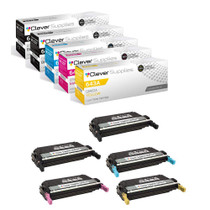
Compatible HP 4710 (Q5950A Q5951A Q5952A Q5953A) Toner Cartridge 5 Color Set