






 See Compatible Printers
 Read more about our ink!
Hewlett Packard
Compatible HP 4301dwe (W2102X) Toner Cartridge Yellow
- Page Yield:
- Color: 5500
- Availability:
- In Stock
- Shipping:
- Free Shipping

Amazon Price:

- Page Yield:
- Color: 5500
- Availability:
- In Stock
- Shipping:
- Free Shipping
- Compatible Printers
- Specifications
- SKU:
- CS-HP-X-4301dwe-Y
- Printer Brand:
- Hewlett Packard
- OEM Number:
- W2102X
- Ink Color:
- Yellow
- Page Yield:
- Color: 5500
- Printer Type:
- Laser Cartridge
- Condition:
- New Compatible
- Description
- Reviews



Achieve superior print quality with the HP W210X, W2100X Black, W2101X Cyan, W2103X Magenta, and W2102X Yellow toner cartridges, crafted for sharp, high-resolution results. Whether you're printing vibrant images or crisp text, these cartridges deliver professional-grade output with every page. Designed for optimal compatibility, these HP W210X toner cartridges and HP W210X toner cartridges are perfect for high-volume printing environments. They integrate seamlessly into your setup, ensuring minimal downtime and consistent print performance. Built to support the Color Pro 4201dn, 4201dne, 4201dw, and 4201dwe printers, these cartridges provide vibrant color accuracy and long-lasting reliability. From detailed charts to colorful presentations, you can count on impressive results. Optimized for the demands of multifunction devices such as the MFP 4301dw and MFP 4301fdwe, the W2100X Black, W2101X Cyan, W2103X Magenta, and W2102X Yellow cartridges help you maintain peak productivity and exceptional print clarity, page after page.
Cross-reference: HP W2102X, the 210X high-yield yellow toner cartridge (5,500 pages), is the same cartridge Canon sells as Canon Cartridge 069 (black 2,100 pages, colors 1,900 pages each) and Cartridge 069H high capacity (black 7,600 pages, colors 5,500 pages each) for the Canon Color imageCLASS MF751Cdw and MF753Cdw and the Color imageCLASS LBP674Cdw printers (ISO/IEC standard yields).
Frequently Asked Questions
Which cartridge is being offered on this page?
The yellow one: W2102X, the yellow cartridge of the HP 210X family, as a single unit at $102.99 for the Color LaserJet Pro 4301dwe. In this family the codes run in order — the 2 marks yellow — so the part number alone is enough to order with confidence.
Everything we print has started to look cold. Could a yellow cartridge be responsible?
Yes, and the coldness is the clue. Yellow is the palette's warmth: take it away and pages lean blue and steely, creams turn gray, and documents lose the slight glow that makes them pleasant to read. Text remains perfectly black throughout, which is why the change is usually blamed on paper or lighting before anyone checks the yellow level.
What do we actually print that needs yellow so much?
More than intuition suggests: every green, made by blending yellow with cyan; highlight shading and pale table backgrounds; the yellow of caution labels, hazard strips and sticky-note-style callouts; and the golden tones in charts and photographs. Offices that print safety signage or color-coded paperwork lean on this cartridge particularly hard.
How far does a 5,500-page rating stretch in that kind of use?
Labels, charts and shaded documents spend yellow steadily but lightly, so the rating holds up well across long runs of them. Reserve faster consumption for photographic pages and full-color backgrounds. In all cases the printer flags the level as low before the color gives out, leaving a sensible window to have the next unit ready.
Anything to watch for when fitting the new cartridge?
Slide it in squarely along its guides and make sure it travels fully home — a unit stopped just short is the usual suspect behind a warning that will not clear or color that streaks on one side. Close the machine, let it calibrate, and print a color page to confirm the warmth is back. No tools, and no other cartridge needs to move.
How are delivery and aftercare handled?
Your cartridge is dispatched from the closest of our IL, PA, GA and CA warehouses, with the options described on the shipping & returns page. Our support team answers Monday–Friday, 9 AM–5 PM CST if you want help confirming a color fault before or after you order.
We print safety signage in batches for different sites. Why does the timing of a cartridge change matter?
Because a batch gets compared against itself. Signs from one batch hang in the same building, and a set printed half by a fading W2102X and half by a fresh one shows two different yellows on the same wall. If the gauge is low when a batch is planned, change the cartridge between batches rather than inside one, so every sign in that set carries the same full-strength caution color.
Day to day, our documents just look slightly less warm than they used to. How can we confirm yellow is drifting before it fails outright?
Keep one printed page from a healthy period — a cream-background template or a standard chart — filed beside the printer, and compare a fresh print of the same file against it monthly. The drift is too gradual to catch by memory, but side by side it is unmistakable: the older copy holds its warmth while the new one has cooled. That comparison tells you the change is coming weeks before the low warning does.
The printer says yellow is low but the colors still look acceptable. Should we swap now or wait?
Use the window the warning gives you. The machine flags the level before the color actually gives out, so acceptable output today is borrowed time rather than a verdict on the cartridge. For signage and color-coded paperwork, order or stage the replacement within that window and fit it at a convenient break between jobs; waiting for visible failure means the first spoiled pages are how you find out.
What should we do with the spent cartridge once the new one has proved itself?
Let it leave the printer's area. Fit the new W2102X, run the color check page, and once the warmth is visibly back, send the spent unit through your office's recycling or disposal route rather than shelving it beside the spare. In a workplace that prints safety material, an unmarked finished cartridge within reach of the machine is an accident waiting for a busy afternoon.
About This 210X Yellow Cartridge for the 4301dwe
Yellow works in the background of almost every color page the Color LaserJet Pro 4301dwe produces, which is exactly why its decline registers as a mood — colder, flatter, vaguely wrong — rather than a missing color. Fitting this W2102X, rated at 5,500 pages and priced at $102.99, brings the warmth, the greens and the warning yellows back in a single exchange.
The cartridge is protected by a 1-year warranty and 1-year free returns. You will find everything else this printer uses in our HP range.
Related Items
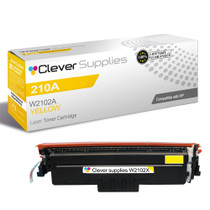

Hewlett Packard
Compatible HP 4201dne (W2102X) Toner Cartridge Yellow

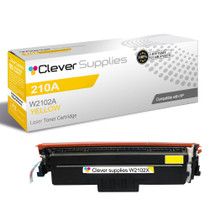

Hewlett Packard
Compatible HP 4301fdn (W2102X) Toner Cartridge Yellow


Hewlett Packard
Compatible HP 4301dwe (W2102A) Toner Cartridge Yellow
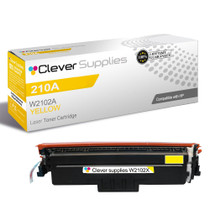

Hewlett Packard
Compatible HP 4301dw (W2102X) Toner Cartridge Yellow