






 See Compatible Printers
 Read more about our ink!
Hewlett Packard
Compatible HP 4301dwe (W2100A) Toner Cartridge Black
- Page Yield:
- Black: 2000
- Availability:
- In Stock
- Shipping:
- Free Shipping

Amazon Price:

- Page Yield:
- Black: 2000
- Availability:
- In Stock
- Shipping:
- Free Shipping
- Compatible Printers
- Specifications
- SKU:
- CS-HP-4301dwe-BK
- Printer Brand:
- Hewlett Packard
- OEM Number:
- W2100A
- Ink Color:
- Black
- Page Yield:
- Black: 2000
- Printer Type:
- Laser Cartridge
- Condition:
- New Compatible
- Description
- Reviews



Experience professional-quality printing with the HP W210A, W2100A Black, W2101A Cyan, W2103A Magenta, and W2102A Yellow toner cartridges. Designed for high performance, each cartridge ensures sharp black text and brilliant color graphics for every print job, whether you're working at home or in the office. Perfectly suited for HP printers, these HP W210A toner cartridges and HP W210A toner cartridges are built to deliver consistent results and smooth operation. Enjoy flawless integration with your printer, reducing downtime and maximizing productivity. Compatible with the HP Color Pro 4201dn, 4201dne, 4201dw, and 4201dwe, this set of cartridges ensures your documents and images always look their best. Whether printing vibrant flyers or everyday reports, you can count on long-lasting performance. Optimized for multifunction printers such as the MFP 4301dw and MFP 4301fdwe, these toner and ink solutions help maintain peak efficiency and print quality. The precision of the W2100A Black, W2101A Cyan, W2103A Magenta, and W2102A Yellow guarantees outstanding results with every page.
Cross-reference: HP W2100A, the 210A black toner cartridge (2,000 pages), is the same cartridge Canon sells as Canon Cartridge 069 (black 2,100 pages, colors 1,900 pages each) and Cartridge 069H high capacity (black 7,600 pages, colors 5,500 pages each) for the Canon Color imageCLASS MF751Cdw and MF753Cdw and the Color imageCLASS LBP674Cdw printers (ISO/IEC standard yields).
Frequently Asked Questions
Does the "e" on my 4301dwe mean it needs a different black cartridge?
No. The letter in the model name marks a printer variant, not a different toner bay: the 4301dwe loads the same W2100A black from the HP 210A range as its dw sibling. Read the code off the cartridge you remove — if it says W2100A, this is its match.
How far does one W2100A go in this machine?
It is rated at 2,000 pages at five per cent coverage, which is the density of an ordinary text page. A shared departmental printer working through reports and correspondence will see that figure hold reasonably well; pages carrying heavy graphics coverage will finish the cartridge sooner.
Prints are streaking vertically — cartridge or printer?
A repeating vertical streak usually travels with the cartridge, not the machine. Pull the unit, rock it gently, and print a test page. If the streak prints in the same place with a known-good spare, the machine needs attention; if it vanishes, the old cartridge was the cause.
Can I keep printing after the low-toner warning appears?
Yes, for a while — the warning is an early notice, not a shutdown. Text stays readable until coverage genuinely thins, but ordering at the warning rather than at the fade is the difference between a planned swap and an interrupted print run.
What backs this cartridge after purchase?
A 1-year warranty covers the unit, and 1-year free returns apply if it arrives damaged or disappoints early. We dispatch from warehouses in Illinois, Pennsylvania, Georgia and California, and support is staffed Monday through Friday, 9 AM to 5 PM CST. The shipping and returns page spells out the full terms.
Is there any setup step after installing it?
None beyond the swap itself. Remove the seal, seat the cartridge until it clicks, close the door and print. The printer recognizes the unit on its own and the supplies gauge starts reading the new level immediately.
Where does a spare for a shared departmental printer belong?
In the supply cupboard nearest the machine, sealed in its bag and lying flat, away from sunlight and heat. Toner does not dry out, so a W2100A bought ahead prints at full quality months later; what matters on a shared 4301dwe is findability. Whoever hits the empty cartridge should be able to reach the spare without a keyholder, a purchase order or a walk to another floor.
Our reports are printed double-sided. Does that halve what one cartridge delivers?
It halves the paper, not the pages. The 2,000-page rating counts printed sides, and a double-sided report puts toner on both faces of every sheet, so a 40-page report spends 40 pages of the W2100A while consuming 20 sheets. Plan the cartridge's life by pages printed and duplex savings will show up in the paper budget — the toner budget follows the page count exactly.
Several machines on our floor carry different variant badges. How do we avoid stocking the wrong black?
Standardize on the code, not the badge. The dw and dwe variants, and their relatives across the 4201 and 4301 family, share the same W2100A black, so one shelf stock serves them all. The reliable routine is to read the code off the cartridge you remove and reorder that code; model names multiply, but the code on the label is the single fact every one of these printers agrees on.
What should be done with the old cartridge when its replacement goes in?
Send it to recycling rather than shelving it. A spent W2100A stored beside the spare invites the classic shared-printer mistake: someone in a hurry installs the dead unit and concludes the new one is faulty. Bag the empty in the fresh cartridge's packaging, mark it used if it must pass through shared hands, and let it leave the department the same day.
About This W2100A Black for the 4301dwe
This W2100A is the standard-yield black matched to the Color LaserJet Pro 4301dwe: 2,000 pages of dense, even text at $81.28, with no variant confusion to work through. If the code on your old cartridge reads W2100A, this unit drops straight in and the printer carries on.
Related Items

Hewlett Packard
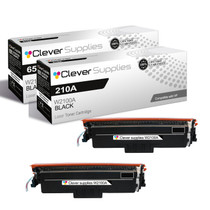
Compatible HP 4301dwe (W2100A) Toner Cartridge 2 Black



Hewlett Packard
Compatible HP 4301dwe (W2100X) Toner Cartridge Black


Hewlett Packard
Compatible HP 210A (W2100A) Toner Cartridge Black


Hewlett Packard
Compatible HP 4201dw (W2100A) Toner Cartridge Black