






 See Compatible Printers
 Read more about our ink!
Hewlett Packard
Compatible HP 4301dw (W2103X) Toner Cartridge Magenta
- Page Yield:
- Color: 5500
- Availability:
- In Stock
- Shipping:
- Free Shipping

Amazon Price:

- Page Yield:
- Color: 5500
- Availability:
- In Stock
- Shipping:
- Free Shipping
- Compatible Printers
- Specifications
- SKU:
- CS-HP-X-4301dw-M
- Printer Brand:
- Hewlett Packard
- OEM Number:
- W2103X
- Ink Color:
- Magenta
- Page Yield:
- Color: 5500
- Printer Type:
- Laser Cartridge
- Condition:
- New Compatible
- Description
- Reviews



Achieve superior print quality with the HP W210X, W2100X Black, W2101X Cyan, W2103X Magenta, and W2102X Yellow toner cartridges, crafted for sharp, high-resolution results. Whether you're printing vibrant images or crisp text, these cartridges deliver professional-grade output with every page. Designed for optimal compatibility, these HP W210X toner cartridges and HP W210X toner cartridges are perfect for high-volume printing environments. They integrate seamlessly into your setup, ensuring minimal downtime and consistent print performance. Built to support the Color Pro 4201dn, 4201dne, 4201dw, and 4201dwe printers, these cartridges provide vibrant color accuracy and long-lasting reliability. From detailed charts to colorful presentations, you can count on impressive results. Optimized for the demands of multifunction devices such as the MFP 4301dw and MFP 4301fdwe, the W2100X Black, W2101X Cyan, W2103X Magenta, and W2102X Yellow cartridges help you maintain peak productivity and exceptional print clarity, page after page.
Cross-reference: HP W2103X, the 210X high-yield magenta toner cartridge (5,500 pages), is the same cartridge Canon sells as Canon Cartridge 069 (black 2,100 pages, colors 1,900 pages each) and Cartridge 069H high capacity (black 7,600 pages, colors 5,500 pages each) for the Canon Color imageCLASS MF751Cdw and MF753Cdw and the Color imageCLASS LBP674Cdw printers (ISO/IEC standard yields).
Frequently Asked Questions
What cartridge am I looking at here?
The magenta cartridge of the HP 210X family — part number W2103X — offered as a single unit at $102.99 for the Color LaserJet Pro 4301dw. In this family's numbering the 3 in the code is your confirmation: W2103X is magenta, distinct from the cyan and yellow codes on either side of it.
Why have our reds started printing as a dull orange-brown?
Because red is not printed from a red cartridge; it is built on the page from magenta and yellow. When magenta fades, yellow is left to do the job alone and red collapses toward orange, while pinks go pale and purples turn muddy. Replacing this cartridge is what brings the warm end of the palette back to strength.
Does magenta matter for photographs printed on this machine?
Enormously. Skin tones are largely a magenta story — too little and faces look sallow and greenish, healthy and the same faces print naturally. Product shots with warm packaging, food images and autumn colors all lean on it the same way. If the 4301dw doubles as your photo printer for reports and presentations, this is not a cartridge to let run to empty.
How should I read the 5,500-page rating for image-heavy work?
As a starting estimate based on standard coverage. A page of text with a small chart spends very little magenta; a full-page photograph spends a great deal. Image-heavy users should simply expect the low warning sooner than the headline number suggests and keep the rating as a rough planning guide rather than a countdown.
Will a color copy use this cartridge even if the original looks mostly black and white?
If you copy in color mode, the machine builds its grays and shadows partly from the color cartridges, magenta included, so a depleted magenta can tint a seemingly monochrome copy. Copying in black-and-white mode avoids that entirely. Scanning, by contrast, draws on no cartridge at all, whatever mode you choose.
What if the new cartridge prints poorly from the first page?
Contact us before assuming the worst — support is available Monday–Friday, 9 AM–5 PM CST and most early problems trace back to a cartridge that has not seated fully. If the unit itself is at fault, it is protected by a 1-year warranty and 1-year free returns, and the shipping & returns page walks through how sending it back works.
How do I read the remaining percentage when most of our pages are photographs?
Halve it, mentally. The percentage tracks the cartridge against its 5,500-page standard rating, and photographic pages spend W2103X several times faster than that standard assumes. A gauge reading of a quarter therefore means far fewer photo pages than the raw arithmetic suggests — plan the replacement on the cautious reading, not the hopeful one.
There is also a standard-yield magenta in this family. Which belongs in our machine?
Both fit the same slot: this page is the high-yield W2103X, and the family also offers the standard-yield W2103A alongside it. The choice is simply how much capacity to buy at once. Match it to the pace at which your office actually spends magenta — steady photographic work earns the long rating back, while rare color printing may never need it.
Does a fading magenta show first in photographs or in documents?
In photographs, almost always. A document's red heading is a flat, forgiving block of color; a face is a gradient the eye knows intimately, and small losses of W2103X register there as sallowness long before a heading looks wrong. Judge this cartridge by the hardest page you print, not the easiest one.
Should the spent cartridge go straight out once it is replaced?
Not immediately. Keep it until the new W2103X has printed the kind of work that exposed the old one's fade — a set of photographs, ideally. If the fault vanished with the swap, the diagnosis is confirmed and the old unit can be discarded; if the fault somehow persists, you have kept both the evidence and the comparison.
About This 210X Magenta Cartridge for the 4301dw
Magenta is the warmth cartridge: reds, pinks, purples and believable faces all depend on it, and all of them deteriorate together when it runs down. This single W2103X for the Color LaserJet Pro 4301dw renews that side of the palette on its own — rated at 5,500 pages, priced at $102.99, and swapped in without touching the other three slots. Same engine family, same bay throughout: Color Pro 4201dn, Color Pro 4201dne, Color Pro 4201dw and Color Pro 4201dwe MFP and Color Pro 4301dwe MFP, Color Pro 4301fdn MFP, Color Pro 4301fdne MFP, Color Pro 4301fdw MFP and Color Pro 4301fdwe all run on it.
We dispatch from our IL, PA, GA and CA warehouses, nearest first. You will find the rest of the family in the HP section of the store. The rest of the family sits alongside it in the catalogue — the black W2100X, the cyan W2101X and the yellow W2102X as separate singles, standard-yield W2103A for heavier work, and the 210X four-color set for the day all four are due together.
Related Items

Hewlett Packard
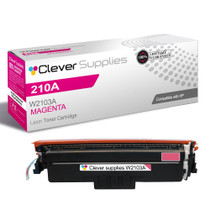
Compatible HP 4301dw (W2103A) Toner Cartridge Magenta



Hewlett Packard
Compatible HP 210X (W2103X) Toner Cartridge Magenta


Hewlett Packard
Compatible HP 4201dwe (W2103X) Toner Cartridge Magenta


Hewlett Packard
Compatible HP 4301fdn (W2103X) Toner Cartridge Magenta