






 See Compatible Printers
 Read more about our ink!
Hewlett Packard
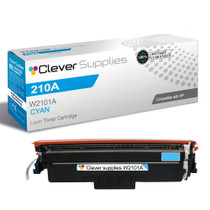
Compatible HP 4301dw (W2101A) Toner Cartridge Cyan
- Page Yield:
- Color: 1800
- Availability:
- In Stock
- Shipping:
- Free Shipping

Amazon Price:

- Page Yield:
- Color: 1800
- Availability:
- In Stock
- Shipping:
- Free Shipping
- Compatible Printers
- Specifications
- SKU:
- CS-HP-4301dw-C
- Printer Brand:
- Hewlett Packard
- OEM Number:
- W2101A
- Ink Color:
- Cyan
- Page Yield:
- Color: 1800
- Printer Type:
- Laser Cartridge
- Condition:
- New Compatible
- Description
- Reviews



Experience professional-quality printing with the HP W210A, W2100A Black, W2101A Cyan, W2103A Magenta, and W2102A Yellow toner cartridges. Designed for high performance, each cartridge ensures sharp black text and brilliant color graphics for every print job, whether you're working at home or in the office. Perfectly suited for HP printers, these HP W210A toner cartridges and HP W210A toner cartridges are built to deliver consistent results and smooth operation. Enjoy flawless integration with your printer, reducing downtime and maximizing productivity. Compatible with the HP Color Pro 4201dn, 4201dne, 4201dw, and 4201dwe, this set of cartridges ensures your documents and images always look their best. Whether printing vibrant flyers or everyday reports, you can count on long-lasting performance. Optimized for multifunction printers such as the MFP 4301dw and MFP 4301fdwe, these toner and ink solutions help maintain peak efficiency and print quality. The precision of the W2100A Black, W2101A Cyan, W2103A Magenta, and W2102A Yellow guarantees outstanding results with every page.
Cross-reference: HP W2101A, the 210A cyan toner cartridge (1,800 pages), is the same cartridge Canon sells as Canon Cartridge 069 (black 2,100 pages, colors 1,900 pages each) and Cartridge 069H high capacity (black 7,600 pages, colors 5,500 pages each) for the Canon Color imageCLASS MF751Cdw and MF753Cdw and the Color imageCLASS LBP674Cdw printers (ISO/IEC standard yields).
Frequently Asked Questions
What exactly is the W2101A cartridge on this page?
W2101A is the cyan member of the 210A family — a single cyan cartridge, sold on its own for $81.28. Read the code off the cartridge the printer is flagging rather than ordering by color name alone, because cyan is the slot most often confused with a faded blue print problem.
Why have our prints on the 4301dw started looking reddish?
That warm, reddish drift is the classic tell for cyan running low. When cyan fades, the red side of the mix is left unopposed, so whites take on a pink cast, skies turn mauve and neutral grays look rusty. Replacing the cyan usually pulls the balance back without touching any other cartridge.
How many pages should I expect from this cyan?
The rating is 1,800 pages. On the Color LaserJet Pro 4301dw in a small office printing proposals, charts and letterheads in color, that typically covers a long stretch of everyday work; pages dominated by large blue photographs will draw it down faster.
Does running low on cyan stop the 4301dw from copying or scanning?
No. Scanning on this MFP uses no toner at all, and copying in black and white can continue while a color is low. Color copies and color prints are where an empty cyan shows up first, so plan the swap around color deadlines rather than the scanner.
Can I change only the cyan cartridge?
Yes — each color sits in its own bay and is replaced independently. Pull the old W2101A out, seat this one, and leave the black, yellow and magenta cartridges in place until the printer asks for them individually.
What cover and help come with this cartridge?
It is covered by a 1-year warranty with 1-year free returns. Orders ship from warehouses in IL, PA, GA and CA, and support is available Monday–Friday, 9 AM–5 PM CST if the reddish cast is still there after fitting and you want a second pair of eyes on the diagnosis.
Does this one cyan serve other printers besides the 4301dw?
It does. The W2101A is the common cyan across the 4201 printers and the 4301 MFP range, so an office running a mix of those machines stocks a single cyan for all of them. Match the code on the cartridge the machine flags, and the same box serves whichever printer asks first.
Our cyan always runs out first — can that one slot be upgraded?
Yes. The family offers a high-yield cyan, W2101X, for slots that empty faster than the rest. The black, yellow and magenta can stay on their standard cartridges while the cyan bay alone steps up, which suits a 4301dw whose charts and proposals burn through blue faster than everything else it prints.
How does the running cost of this cyan break down?
At $81.28 for a 1,800-page rating, the W2101A works out at roughly four and a half cents per rated page. Your real figure depends on coverage: letterheads and light charts sit near that mark, while pages dominated by large blue images spend the cartridge faster and push the effective cost per page upward.
How should the replacement be stored until the current cartridge finishes?
Sealed in its box, upright, somewhere cool, dry and out of direct sunlight. A W2101A kept that way is ready the moment the printer flags the old one, and holding it on site means the reddish cast described above is a two-minute fix rather than a wait for delivery.
About This 210A Cyan Cartridge for the 4301dw
Think of this page as the remedy for one specific symptom: color that has slid too warm on a Color Pro 4301dw MFP. The cartridge at the center of it is the 210A cyan, code W2101A, rated at 1,800 pages and priced at $81.28 — roughly 4.5 cents per rated page before you factor in how color-heavy your own documents are. Whichever badge is on the front of the machine, the fit holds — Color Pro 4201dn, Color Pro 4201dne, Color Pro 4201dw and Color Pro 4201dwe MFP and Color Pro 4301dwe MFP, Color Pro 4301fdn MFP, Color Pro 4301fdne MFP, Color Pro 4301fdw MFP and Color Pro 4301fdwe alike.
It belongs to the wider HP range we stock for this platform. Delivery details and the returns process are set out on the shipping & returns page, so you can check timings for your state before you order. When the neighbouring slots run dry, the matching singles are the black W2100A, the yellow W2102A and the magenta W2103A; a slot that empties faster than the rest can step up to high-yield W2101X, and the 210A four-color set covers a full refresh in one box.
Related Items

Hewlett Packard
Compatible HP 4301fdw (W2101A) Toner Cartridge Cyan



Hewlett Packard
Compatible HP 4301dw (W2101X) Toner Cartridge Cyan

Hewlett Packard
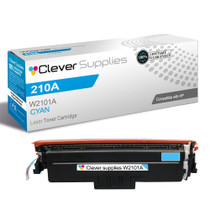
Compatible HP 4201dw (W2101A) Toner Cartridge Cyan

Hewlett Packard
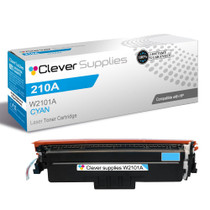
Compatible HP 210A (W2101A) Toner Cartridge Cyan