






 See Compatible Printers
 Read more about our ink!
Hewlett Packard
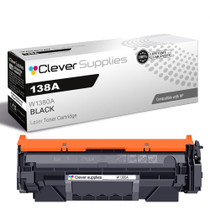
Compatible HP 138A (W1380A) Toner Cartridge Black
- Page Yield:
- Black: 1500
- Availability:
- In Stock
- Shipping:
- Calculated at Checkout

Amazon Price:

- Page Yield:
- Black: 1500
- Availability:
- In Stock
- Shipping:
- Calculated at Checkout
- Compatible Printers
- Specifications
- SKU:
- CS-HP-138A-LASERJET-PRO-3002DW-BK
- Printer Brand:
- Hewlett Packard
- OEM Number:
- W1380A
- Ink Color:
- Black
- Page Yield:
- Black: 1500
- Printer Type:
- Laser Cartridge
- Condition:
- New Compatible
- Description
- Reviews



Print with precision using the HP 138A toner cartridge, featuring the HP 138A W1380A BLACK. This compatible HP cartridge is engineered to produce crisp black text and consistent quality across all types of documents. Built for everyday performance, the HP 138A toner cartridge ensures reliable operation and excellent print clarity from the first page to the last. Whether you're printing invoices, reports, or internal communications, this cartridge provides clean and professional results. Compatible with LASERJET PRO 3001DW, LASERJET PRO 3002DW, LASERJET PRO 3101FDW, and LASERJET PRO 3102FDW, this toner installs easily and integrates seamlessly with your HP device for uninterrupted productivity. Depend on the quality and consistency of the HP 138A toner cartridge to meet your daily printing needs. With trusted HP performance and sharp output, this cartridge is an ideal choice for efficient home and office printing.
Frequently Asked Questions
How can I tell how much toner is left before it runs out mid-invoice?
Print a supplies status page from the printer's menu or check the HP app — it reports the cartridge's estimated remaining life as a percentage. On the LaserJet Pro 3001dw and its siblings that estimate tracks pages printed against the cartridge's rated life, so a reading under ten percent means order now, not next month.
What does the W1380A code on my old cartridge mean?
It is HP's supply code for the 138A black cartridge — the only toner supply this printer family uses. Match that code and you have the right cartridge. This listing is one compatible W1380A black cartridge, priced at $44.75.
How long should one cartridge last an office printing invoices all day?
It is rated at 2,600 pages with standard text coverage. Invoice and statement work sits close to that test coverage, so a business printing 400 pages a month should see roughly six months per cartridge; at 800 a month, plan on about a quarter.
The low-toner warning just appeared. How much printing do I have left?
The warning is an estimate, not a hard stop — the printer keeps going while toner remains. Most users get a useful cushion of pages after the first warning, but density will start to vary. Treat the warning as your reorder signal and swap when output actually lightens.
Is changing it a tools-out job?
Not at all. It is a thirty-second, no-tools swap: open the access door, pull the old cartridge straight out, remove the new one's seal, slide it in until seated. The printer recognizes the supply and updates its estimate automatically.
What if I order the wrong thing or it underperforms?
Every cartridge we sell is backed by a 1-year warranty and 1-year free returns — see our shipping and returns page for how returns work. Parcels leave from Illinois, Pennsylvania, Georgia, California, and our team is on hand Monday through Friday, 9 AM to 5 PM CST.
Our invoice template has a shaded header band and a logo. Does the 2,600-page rating still apply?
As a ceiling, not a forecast. The rating assumes about five percent coverage; a shaded band plus a logo on every invoice pushes each page above that, so the W1380A will finish somewhat earlier than 2,600 pages in invoice-only service. The shortfall is proportional and predictable — once you have run one cartridge through, your own count becomes the planning figure for the next.
What is the true per-page cost on invoice work?
The cartridge is $44.75 rated at 2,600 pages, which is roughly 1.7 cents per page before coverage effects. Invoice and statement pages sit close to the test coverage — your shaded header nudges it slightly — so budgeting around 1.7 to 2 cents per invoice is realistic. It is a small number, but on thousands of invoices it is the difference between guessing and knowing your print cost.
Should I keep the spent cartridge after swapping?
For a few days, yes. Run the new W1380A through several real invoice batches first; if output stays dense and even, the old unit has served its purpose. Then bag it in the replacement's packaging and send it to cartridge recycling. Holding it briefly costs nothing and means that if a fault does appear, you can show exactly which cartridge produced the pale pages.
If I keep a spare on hand, where does it keep best in a small office?
In its sealed box, flat, in a cool dry drawer or cupboard away from direct sunlight and heat sources. Toner is a dry powder, so the spare 138A loses nothing by waiting — its full rating survives many months of storage. When the warning appears on the installed cartridge, the replacement is already within reach instead of days away.
About This HP 138A Cartridge for Invoice Printing
For desks that live on invoices, statements and receipts, this compatible HP 138A cartridge keeps the paperwork moving. It belongs to the HP toner cartridges family at Clever Supplies and is built around the W1380A supply code your printer already knows — no settings to change, no behavior to relearn after the swap.
Four printers take this cartridge: the LaserJet Pro 3001dw, the LaserJet Pro 3002dw, the LaserJet Pro 3101fdw and the LaserJet Pro 3102fdw. There is a high-yield twin as well: the 138X (W1380X) cartridge stretches the rating to 9,200 pages for busier desks. The same cartridge comes as a 138A (W1380A) two-pack for shelf spares.
Related Items

Hewlett Packard
Compatible HP 138A (W1380A) Toner Cartridge Black



Hewlett Packard
Compatible HP 138A (W1380A) Toner Cartridge Black


Hewlett Packard
Compatible HP 138A (W1380A) Toner Cartridge Black


Hewlett Packard
Compatible HP 138A (W1380A) Toner Cartridge Black