






 See Compatible Printers
 Read more about our ink!
Epson
Compatible Epson 676XL T676XL420 Yellow Ink Cartridge
- Page Yield:
- Up to 1,200 pages (ISO/IEC 24711)
- Shipping:
- Calculated at Checkout

Amazon Price:

- Page Yield:
- Up to 1,200 pages (ISO/IEC 24711)
- Shipping:
- Calculated at Checkout
- Compatible Printers
- Specifications
- SKU:
- CS-EP-676-YXL
- Condition:
- New Compatible
- OEM Part #:
- T676XL420
- Color:
- Yellow
- Ink Type:
- Pigment
- Page Yield:
- Up to 1,200 pages (ISO/IEC 24711)
- Chip:
- New compatible chip
- Warranty:
- Lifetime Warranty
- Returns:
- 1-Year Free Returns
- Description
- Reviews
Yellow empties quietly in an office printer — documents still print, but highlights flatten and greens lose their warmth until someone notices. This compatible T676XL420 yellow is the refill: DURABrite Ultra pigment ink, rated up to 1,200 pages (ISO/IEC 24711), in the XL-only form this family has always taken. There is no standard 676 yellow to confuse it with.


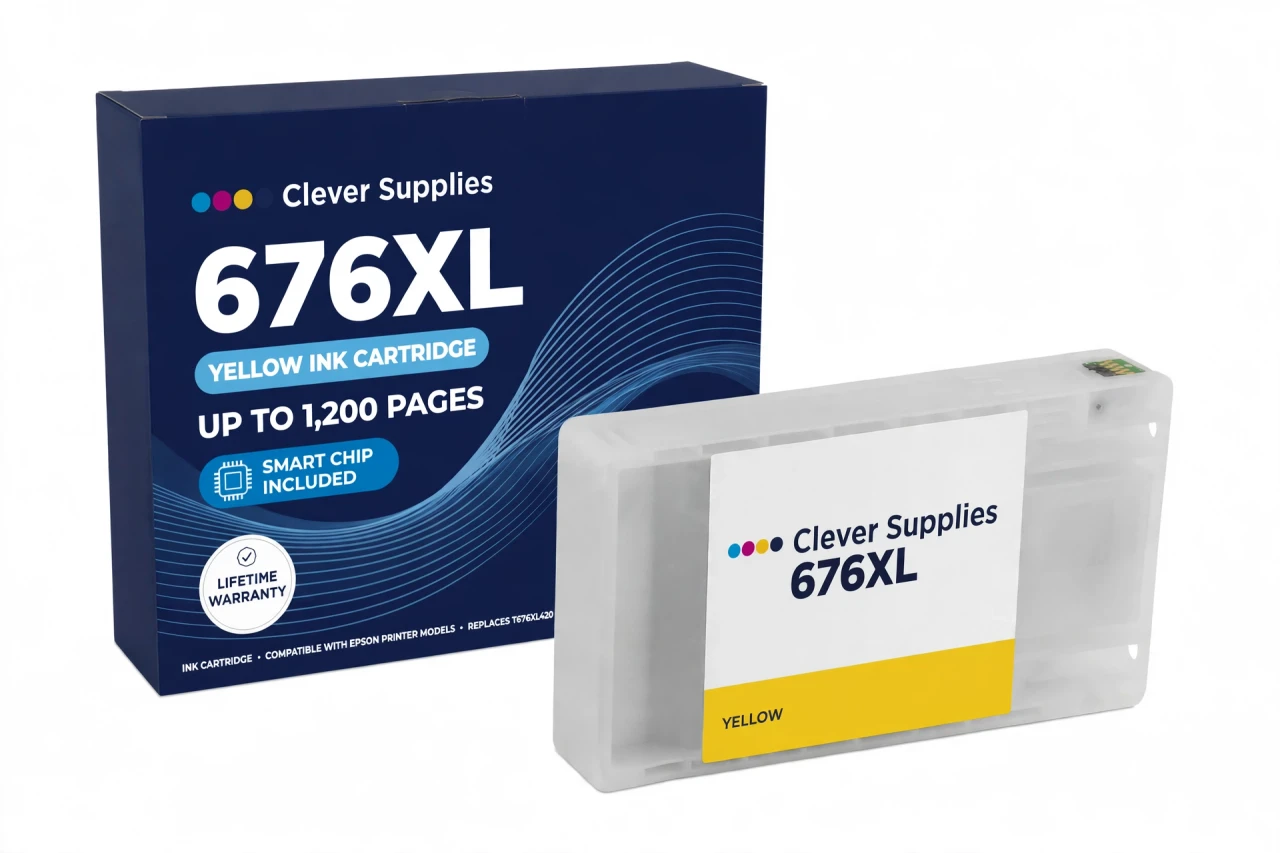
Around it sit T676XL120 black (2,400 pages), T676XL220 cyan and T676XL320 magenta (1,200 pages each). Its new compatible chip reports the level for this slot alone. This cartridge carries a new compatible chip. If your printer's firmware has been updated, recognition issues can occasionally occur — reseat and restart first if a warning appears.
Verified models: WP-4010, WP-4020, WP-4023, WP-4090, WP-4520, WP-4530, WP-4533, WP-4540 and WP-4590, all WorkForce Pro WP. WF-series machines use other families entirely. Lifetime warranty; free returns for the first year.
Shop the Epson 676 family: T676XL120 Black Ink Cartridge · T676XL220 Cyan Ink Cartridge · T676XL320 Magenta Ink Cartridge · Set of 4 BCMY Ink Cartridge
Browse by series: WorkForce
Frequently Asked Questions
Why does nobody notice the yellow is empty until the documents look flat?
Because black text keeps printing perfectly. Yellow works underneath office color — highlights, chart segments, warm tones, every green — so the T676XL420 slot can run dry while output still looks almost normal, just flatter and colder. Greens reading blue and highlights washing out are the classic tells.
Which printers is this yellow cartridge for?
The nine verified WorkForce Pro WP models: WP-4010, WP-4020, WP-4023, WP-4090, WP-4520, WP-4530, WP-4533, WP-4540 and WP-4590. No WF-series printer is on that list — the WF-3540, for example, takes the 126/127 family. The badge letters, not the numbers, decide.
What page rating does the yellow carry?
Up to 1,200 pages (ISO/IEC 24711) — the family rating for each color position. Only the black cartridge is rated higher, at 2,400 pages. Expect heavy graphics coverage to use yellow faster than the rating implies, and text-led documents with occasional color to track it more closely.
Can I confirm yellow is the problem before I order?
Yes. Open the printer's ink level report and look at this slot on its own; each cartridge reports separately. If the level looks fine, run a nozzle check: a broken yellow pattern points to the cartridge, a clean one to the file or settings.
Is there a smaller, cheaper standard yellow for the same printers?
No. The 676 family exists only as 676XL; Epson never released a standard-capacity tier for the WP platform. A listing for a standard 676 yellow would not correspond to a real Epson product for these machines. This XL yellow is the yellow, in the only form the platform has.
What kind of ink will our documents be printed with?
DURABrite Ultra pigment ink, the same in this yellow as in the other three positions. Once dry it resists smudging under highlighters, casual water contact and the friction of filed paperwork — the everyday durability an office platform is chosen for, rather than the glossy blending a photo printer is chosen for.
What are its companion cartridges and their ratings?
The set around it is the T676XL120 Black, rated up to 2,400 pages, plus the T676XL220 Cyan and the T676XL320 Magenta, each rated up to 1,200 pages like this yellow. The 676XL Set of 4 gathers all four when a full renewal makes more sense than separate orders.
Does the cartridge carry a chip, and what if the printer warns about it?
Yes, a new compatible chip reports the level for the yellow slot. If a firmware update triggers a warning, reseat the cartridge and restart first; contact us only if it survives that step.
Should I replace the yellow alone or renew the whole set?
Alone, whenever it is the only low color — the four slots are independent and the other cartridges keep their remaining ink. A set earns its place when two or three colors are near empty together. No verified milliliter volume is published for this family, so compare on the 1,200-page ISO rating instead.
Is it genuine Epson, and what cover is included?
No. It is a Clever Supplies compatible built to the T676XL420 specification, labeled compatible on the box and this page. The Lifetime Warranty covers a cartridge that fails to perform, and free returns apply within the first year. Keep spares sealed and upright, out of sunlight.
Related Items
Epson
Compatible Epson 676XL T676XL320 Magenta Ink Cartridge
When office color starts leaning green, magenta is usually the empty slot. This compatible T676XL320 magenta restores it: DURABrite Ultra pigment ink rated up to 1,200 pages (ISO/IEC 24711), in the...

Epson
Compatible Epson 676XL T676XL220 Cyan Ink Cartridge
Cyan for a business inkjet has a different job from cyan in a photo printer: charts, letterheads and color documents, printed on plain paper, in pigment ink that will not smear under a highlighter...

Epson
Compatible Epson 676XL T676XL120 Black Ink Cartridge
There is no standard-capacity version of this cartridge, and that is Epson's design, not a gap in our shelf: the WorkForce Pro WP platform was sold with high-capacity cartridges only. This compatible...

Epson
Compatible Epson 676XL Set of 4 BCMY Ink Cartridge
A full reset for a WorkForce Pro WP printer, in one box: 1 × T676XL120 black, 1 × T676XL220 cyan, 1 × T676XL320 magenta and 1 × T676XL420 yellow — the complete 676XL family, which is also the...