





 See Compatible Printers
 Read more about our ink!
Canon
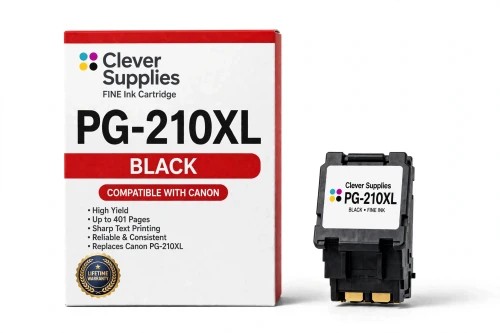
Compatible Canon PG-210XL Black Ink Cartridge
- Page Yield:
- Up to 401 pages (ISO/IEC 24711)
- Shipping:
- Calculated at Checkout

Amazon Price:

- Page Yield:
- Up to 401 pages (ISO/IEC 24711)
- Shipping:
- Calculated at Checkout
- Compatible Printers
- Specifications
- SKU:
- CS-CN-210-BKXL
- Condition:
- New Compatible
- OEM Part #:
- PG-210XL
- Color:
- Black
- Ink Type:
- Pigment
- Page Yield:
- Up to 401 pages (ISO/IEC 24711)
- Chip:
- Yes — new compatible chip; reports ink levels to the printer
- Warranty:
- Lifetime Warranty
- Returns:
- 1-Year Free Returns
- Description
- Reviews
Fits first: this compatible PG-210XL serves all 16 printers in the PG-210 / CL-211 family — Canon PIXMA iP2700, Canon PIXMA iP2702 and Canon PIXMA MP240 and the rest of the list under Compatible Printers below. Canon rates the PG-210XL at up to 401 pages (ISO/IEC 24711); our cartridge is filled to that specification with a new compatible chip, so the printer reads levels exactly as it does with a genuine cartridge. It is the high-capacity tier of the family — same slot, bigger fill.


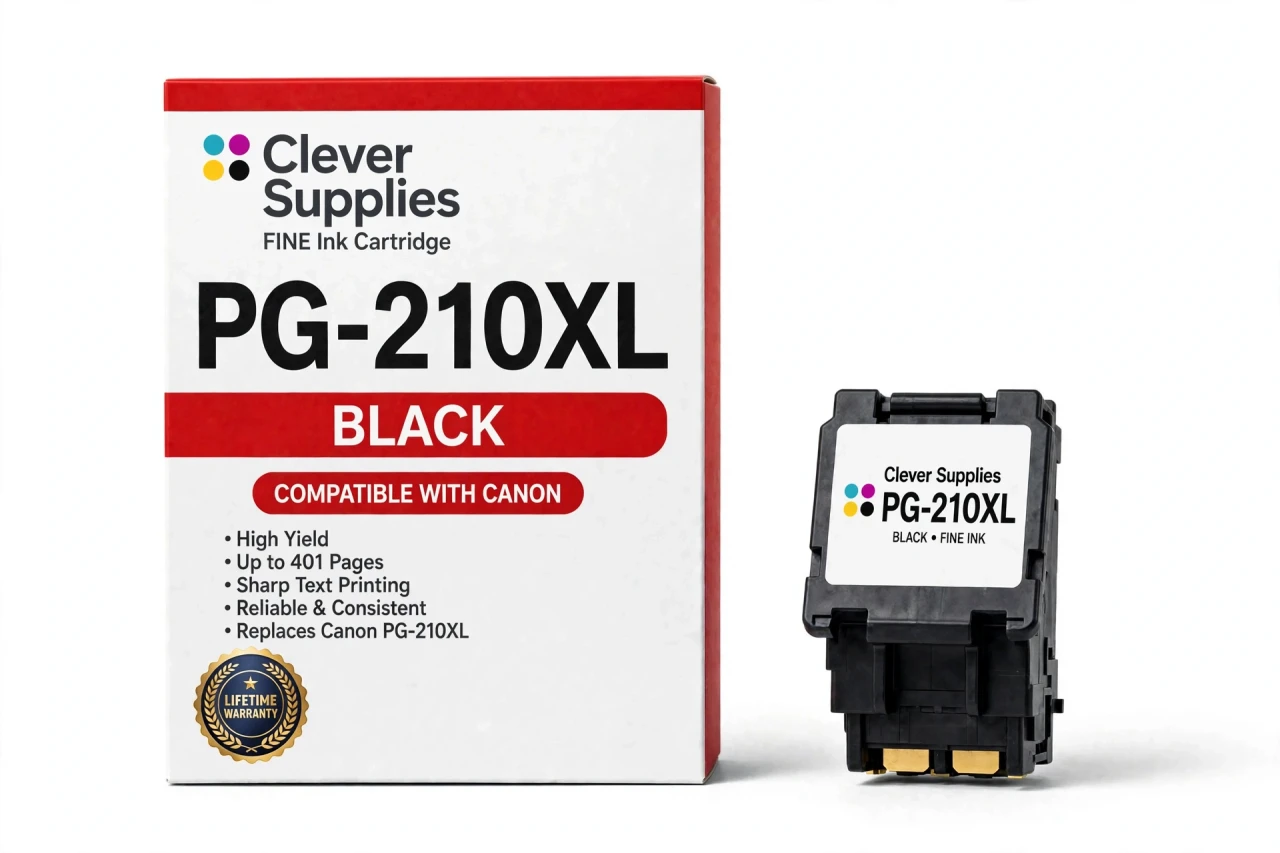
The PG-210 / CL-211 family is the FINE generation behind the hugely common MP495 / MX410 era of home PIXMA printers. Like every FINE cartridge it carries its printhead in the cartridge body, so fitting this cartridge also renews the printhead — the part that puts ink on the page — and clears the streaks and missing lines that cleaning cycles cannot. The ink is pigment ink for sharp, smudge-resistant text. Covered by our Lifetime Warranty, with free returns for the first year.
Shop the PG-210 / CL-211 family: PG-210 Black Ink Cartridge · CL-211 Tri-Color Ink Cartridge · CL-211XL Tri-Color Ink Cartridge · PG-210 CL-211 Ink Cartridges Set of 5 · PG-210XL CL-211XL Ink Cartridges Set of 5 · PG-210XL CL-211XL Ink Cartridges Set of 2
Frequently Asked Questions
How far does a PG-210XL cartridge go?
Canon publishes a rating of up to 401 pages for the PG-210XL, measured on the ISO/IEC 24711 pattern. Your own mileage will move with coverage, paper and cleaning cycles — a stretch of dense photo printing can halve the figure, while plain text memos can beat it.
Does the XL version fit the same printers as the standard PG-210?
Yes — the PG-210XL serves the same PG-210 / CL-211 machines: the MX models Canon PIXMA MX320, Canon PIXMA MX330, Canon PIXMA MX340, Canon PIXMA MX350, Canon PIXMA MX360, Canon PIXMA MX410 and Canon PIXMA MX420; the MP models Canon PIXMA MP240, Canon PIXMA MP250, Canon PIXMA MP270, Canon PIXMA MP280, Canon PIXMA MP480, Canon PIXMA MP490 and Canon PIXMA MP495; and the Canon PIXMA iP2700 and Canon PIXMA iP2702. The full list also sits under Compatible Printers on this page. Check the code printed on the cartridge door before ordering: neighboring Canon families use similar shells with different codes and chips, and those cartridges are not interchangeable.
The printer does not recognize the PG-210XL — what should I try first?
Check the seating before blaming the cartridge. A new compatible chip is fitted and ink levels report as they should, yet on FINE models the usual cause of a recognition message is a cartridge sitting slightly off its contacts. Power down, pop the cartridge out, push it back until you feel the click, and power up again. No compatible maker can honestly guarantee recognition under firmware Canon has not released yet; if the message survives those steps, the cartridge falls under our Lifetime Warranty.
Why did streaks and gaps vanish when I changed the cartridge?
Each FINE cartridge carries its own printhead, so swapping the cartridge swaps the very surface that fires ink onto the paper. A new PG-210XL therefore brings a new printhead with it, which is why faults that survived repeated cleaning cycles — broken lines, banding, missing streaks — often disappear the moment the cartridge changes, and why a "printhead error" on this platform points at the cartridge rather than at a service part.
I never print in color, so why is the color cartridge going down?
Maintenance uses it. To keep the built-in printheads primed and unclogged, the printer pulls a small amount of ink from every installed cartridge whenever it prints or cleans — Canon acknowledges this in its own support answers. A color cartridge in a black-only household still empties gradually, and when it runs out the printer holds further jobs until it is replaced.
Why does PG-210XL text survive water and highlighters?
Because the ink is pigment, not dye. Canon specifies pigment black for the PG-210XL: it sits on the paper surface rather than soaking in, which keeps text crisp and water-resistant and stops it smearing under a highlighter. Photo color is the tri-color cartridge’s job, and that cartridge carries dye ink.
Can I fit a PG-240 or CL-241 instead?
They will not work. Those codes belong to a newer PIXMA generation, built around different chips as well as different labels; seat a 240-family cartridge in a printer from the 210 generation — an Canon PIXMA MP495, say — and the machine rejects it with a recognition error, just as a PG-210 / CL-211 cartridge is rejected the other way around. Owners sometimes try because the shells, CL-241 included, look so alike; judge by the code on the cartridge door instead.
What is the right way to fit the PG-210XL?
Raise the cover and let the carriage travel to the change position and stop. Release the lock lever and lift the old cartridge clear. Keep the new cartridge sealed until this moment; then strip the tape and cap, keeping fingers away from the nozzle plate and the gold contact strip. Lower it into the bay marked for its code — on most models black sits left, color right — bring the lever down until it clicks, shut the cover and allow the printer to charge the ink system before the first page.
If this XL cartridge fails, what cover do I have?
You are covered for the whole working life of the cartridge. Under our Lifetime Warranty a unit that fails in normal use — leaking, still unrecognized once you have tried the reseat steps, or giving up well short of its rated yield — is replaced or refunded; returns cost nothing during the first year. The promise comes from us, not from Canon: the cartridge is a Clever Supplies compatible, labeled as compatible on the box and on this page, and Canon did not manufacture it.
Related Items
Canon
Compatible Canon PG-210XL CL-211XL Ink Cartridges Set of 5
A 5-cartridge stock-up set for the PG-210 / CL-211 family: 3 × PG-210XL and 2 × CL-211XL. It serves every printer in the family —

Canon
Compatible Canon PG-210XL CL-211XL Ink Cartridges Set of 5
A 5-cartridge stock-up set for the PG-210 / CL-211 family: 3 × PG-210XL and 2 × CL-211XL. It serves every printer in the family —
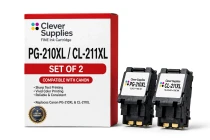
Canon
Compatible Canon PG-210XL CL-211XL Ink Cartridges Set of 2
A 2-cartridge stock-up set for the PG-210 / CL-211 family: 1 × PG-210XL and 1 × CL-211XL. It serves every printer in the family —
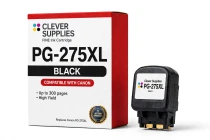
Canon
Compatible Canon PG-275XL Black Ink Cartridge
The PG-275XL is the black cartridge of the PG-275 / CL-276 family, rated at up to 300 pages (ISO/IEC 24711) — Canon’s published figure for this code. Our compatible version is filled to the same...