






 See Compatible Printers
 Read more about our ink!
Canon
Compatible Canon CLI-65 Photo Cyan Ink Cartridge
- Shipping:
- Calculated at Checkout

Amazon Price:

- Shipping:
- Calculated at Checkout
- Compatible Printers
- Specifications
- SKU:
- CS-CN-65-PC
- Condition:
- New (compatible)
- OEM Part #:
- CLI-65
- Color:
- Photo Cyan
- Ink Type:
- Dye
- Chip:
- Yes — new compatible chip
- Warranty:
- Lifetime Warranty
- Returns:
- 1 Year
- Description
- Reviews
The Clever Supplies compatible Canon CLI-65 Photo Cyan ink cartridge replaces the Canon CLI-65 and fits 2 verified printers — the PIXMA PRO-200 and the rest of the list under Compatible Printers below. Our cartridge is filled to the same specification with dye ink and carries a new compatible chip that reports ink levels to the printer.
The cartridge carries a new compatible chip that reports ink levels to the printer. If a firmware update ever causes a recognition warning, reseating the cartridge and restarting the printer clears most false alarms; anything that still refuses to print is covered by the lifetime warranty.
Shop the CLI-65 family: CLI-65 Photo Black, CLI-65 Magenta, CLI-65 Yellow, CLI-65 Gray, CLI-65 Photo Magenta, CLI-65 Light Gray, CLI-65 Cyan, CLI-65 Set of 8.
Printer series: PIXMA printers — every model in the Compatible Printers list below takes this cartridge.


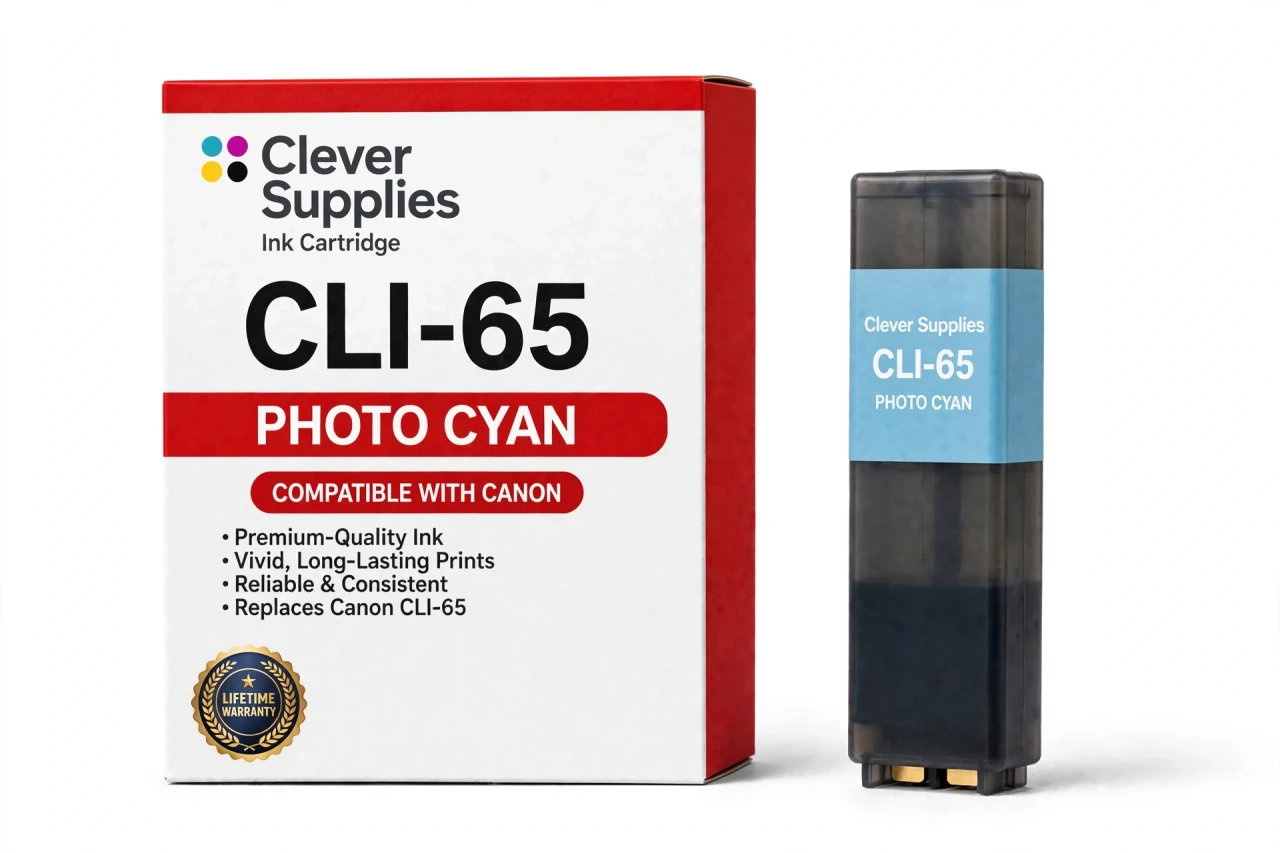
CLEVER SUPPLIES · CANON CLI-65 INK
Compatible Canon CLI-65 Photo Cyan Ink Cartridge
Replaces Canon CLI-65
12.6 ml tank · Dye ink · Chromalife 100+ system · New compatible chip
Fits: PIXMA PRO-200, PIXMA PRO-200S
Covered by the Clever Supplies Lifetime Warranty
Frequently Asked Questions
How does photo cyan smooth a clear sky print?
A sky fades from deep overhead blue to almost white at the horizon. This CLI-65 photo cyan tank prints the pale end as a light, even tint instead of spaced dots of strong cyan. The result shows air and distance, not banding or grain.
What is the split between photo cyan and cyan?
Regular cyan owns saturated areas; photo cyan owns delicate ones. CLI-65 Cyan delivers depth in bold sky, water, and graphic color, while this lighter version refines transitions around them. Together they widen the blues the printer can describe. They are not substitutes; each fits only its labeled position.
Is this right for my PRO series printer?
Only two models are verified: the Canon PIXMA PRO-200 and the Canon PIXMA PRO-200S. Both use the eight-tank CLI-65 layout with a separate photo cyan position. Other Canon PRO models use different families, so match the exact model name on your printer rather than relying on the series name alone.
Could low photo cyan explain banding in pale blues?
Yes, that is one of its clearest symptoms. Strong blues may still look fine because regular cyan is healthy, yet light skies, mist over water, and pale reflections turn streaky. Check the level for this slot and run a nozzle check — if the light pattern is broken, replace this cartridge.
Which partner tint works closest with this one?
CLI-65 Photo Magenta is its natural partner. In light tints the two mix soft lavenders, dawn pinks with blue in them, and clean pastel shading neither makes alone. Before sunrise, wedding, or newborn sessions, checking both photo color levels avoids running dry in the softest part of the tonal range.
Why does the listing give volume, not page yield?
Because no page yield is published for this family, and an invented estimate would not be honest. The measurable fact is a 12.6 ml tank filled to the original specification. Airy, light-toned photography leans heavily on photo cyan; deep, saturated landscapes draw mostly on the regular cyan tank instead.
How does the printer know this tank is installed?
Through its new compatible chip. The printer recognizes the cartridge in the photo cyan position and reports its level in the standard display. If a firmware update ever causes a warning, reseat the cartridge and restart the printer. A tank still unrecognized after that step is covered by warranty.
What type of ink fills the photo cyan tank?
Dye ink, as recorded for this family and its Chromalife 100+ system. Dye suits a light photo color because it lays down as a fine, transparent wash — exactly what a pale gradient needs. A heavier deposit would show in the sky, the last place a photographer wants ink visible.
Do I also need to swap regular cyan now?
No. Change the low slot and leave the other cyan seated; the two deplete at different rates, so synchronized replacement wastes ink. Read the label before installing, and note the full system is also sold as CLI-65 Set of 8 for times when many tanks run low together.
If this cartridge fails, what does cover do?
The Lifetime Warranty means a leaking, unrecognized, or poorly printing cartridge is replaced or refunded when you contact us, and returns run for 1 Year. This is a Clever Supplies compatible CLI-65 cartridge, not a Canon original, and that warranty backs its performance for as long as you use it.
Related Items

Canon
Compatible Canon CLI-65 Cyan Ink Cartridge
The Clever Supplies compatible Canon CLI-65 Cyan ink cartridge replaces the Canon CLI-65 and fits 2 verified printers — the PIXMA PRO-200 and the rest of the list under Compatible Printers below. Our...


Canon
Compatible Canon CLI-42 Photo Cyan Ink Cartridge
The Clever Supplies compatible Canon CLI-42 Photo Cyan ink cartridge replaces the Canon CLI-42 and fits the PIXMA PRO-100 — the only printer in this family. It is rated at about 292 pages; our...

Canon
Compatible Canon CLI-8PC Photo Cyan Ink Cartridge
The Clever Supplies compatible Canon CLI-8PC Photo Cyan ink cartridge replaces the Canon CLI-8PC and fits 7 verified printers — Canon PIXMA Pro9000,

Canon
Compatible Canon CLI-65 Photo Magenta Ink Cartridge
The Clever Supplies compatible Canon CLI-65 Photo Magenta ink cartridge replaces the Canon CLI-65 and fits 2 verified printers — the PIXMA PRO-200 and the rest of the list under Compatible Printers...