





 See Compatible Printers
 Read more about our ink!
Canon
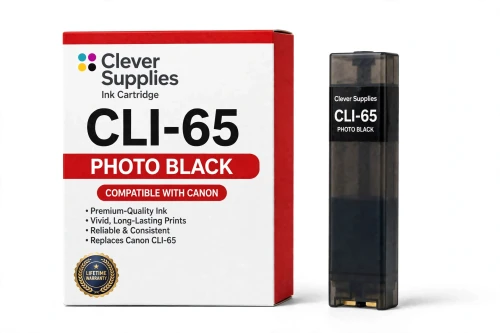
Compatible Canon CLI-65 Photo Black Ink Cartridge
- Shipping:
- Calculated at Checkout

Amazon Price:

- Shipping:
- Calculated at Checkout
- Compatible Printers
- Specifications
- SKU:
- CS-CN-65-PBK
- Condition:
- New (compatible)
- OEM Part #:
- CLI-65
- Color:
- Photo Black
- Ink Type:
- Dye
- Chip:
- Yes — new compatible chip
- Warranty:
- Lifetime Warranty
- Returns:
- 1 Year
- Description
- Reviews
The Clever Supplies compatible Canon CLI-65 Photo Black ink cartridge replaces the Canon CLI-65 and fits 2 verified printers — the PIXMA PRO-200 and the rest of the list under Compatible Printers below. Our cartridge is filled to the same specification with dye ink and carries a new compatible chip that reports ink levels to the printer.
A new compatible chip is fitted, so the printer reads ink levels normally and no "non-genuine" workaround is needed for everyday printing. Canon firmware updates can occasionally change cartridge recognition — if that ever happens after an update, the lifetime warranty covers the cartridge and we will put it right.
Shop the CLI-65 family: CLI-65 Magenta, CLI-65 Yellow, CLI-65 Gray, CLI-65 Photo Cyan, CLI-65 Photo Magenta, CLI-65 Light Gray, CLI-65 Cyan, CLI-65 Set of 8.
Printer series: PIXMA printers — every model in the Compatible Printers list below takes this cartridge.


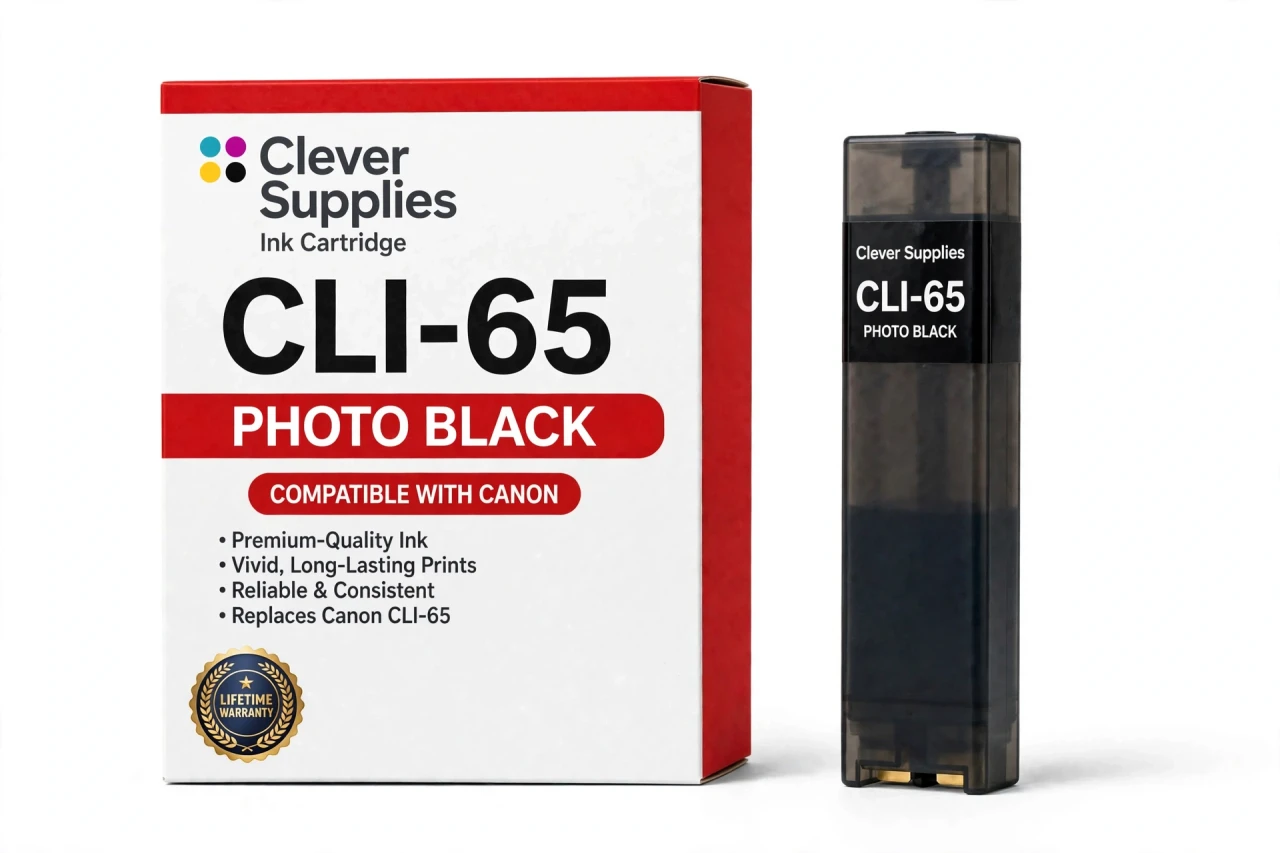
CLEVER SUPPLIES · CANON CLI-65 INK
Compatible Canon CLI-65 Photo Black Ink Cartridge
Replaces Canon CLI-65
12.6 ml tank · Dye ink · Chromalife 100+ system · New compatible chip
Fits: PIXMA PRO-200, PIXMA PRO-200S
Covered by the Clever Supplies Lifetime Warranty
Frequently Asked Questions
What does photo black add that others cannot?
Depth. This CLI-65 photo black cartridge sets the darkest point of the image, giving night scenes, black clothing, hair, and deep shadow their weight. Without it, prints top out at dark gray and look faded. It anchors the tonal range.
Why is it called photo black, not plain black?
Because its job is photographic tone, not text. This dye ink merges into color and gray shading, building smooth, rich shadow gradients on photo prints. The name signals that assignment: it models darkness in an image alongside the gray tanks, rather than serving as office black for letters.
How do the three dark tanks divide the work?
As a ramp. CLI-65 Light Gray starts the descent from bright tones, CLI-65 Gray builds the broad middle shadows, and photo black finishes the deepest passages. Dedicated steps keep shadow gradation fine and neutral. If one step runs out, that section coarsens — which is why each tank is replaced on its own schedule.
Which printer models is this photo black for?
The Canon PIXMA PRO-200 and the Canon PIXMA PRO-200S — the two verified models for this eight-tank family, and the only ones claimed. Both have a distinct photo black position. If your Canon shows no photo black slot in its model list, do not expect a standard black slot to accept this tank.
Shadows look washed out — is photo black low?
That is a classic sign. As photo black fades, darkest areas lighten, separate shadow details merge into flat gray, and low-key images lose their mood. Check the monitor for this position and print a nozzle check. If that pattern is faint while the grays print cleanly, replace this tank.
How large is the tank, with no page number?
It holds 12.6 ml, filled to the original specification. No page yield is published for this family, so we state volume instead of estimating pages. Consumption follows your subjects: a bright beach portfolio may sip at it, while dark concert photography draws this tank down faster than any other.
Will the printer accept it and show its level?
Yes. Each cartridge carries a new compatible chip, so the printer recognizes the photo black tank and reports its level normally. A firmware update can occasionally produce a warning; reseating the tank and restarting clears most of those. A cartridge still refused after that is covered — contact us.
Does dye ink hold up as the darkest ink?
Within this family, yes — the whole system is dye based, recorded as part of the Chromalife 100+ system. Photo black dye reaches the deep density the printer expects while blending smoothly into gray shading without a texture change. Printer, gray ladder, and this tank were specified around that behavior.
Must the grays be replaced when photo black empties?
No. Replace photo black alone and keep printing; the grays keep their own remaining life. Before a long run of dark images, glancing at the full dark group is still wise, and color portfolios may also need CLI-65 Cyan — but a glance is planning, not a bulk change.
What warranty and return terms protect it?
The cartridge carries the Clever Supplies Lifetime Warranty, with returns for 1 Year. Cover includes the failures that matter: leaking, not being recognized, or printing poorly. Reach out with your order details and we will replace or refund it. It is a compatible CLI-65 product, backed by that lifetime promise.
Related Items

Canon
Compatible Canon CLI-65 Photo Magenta Ink Cartridge
The Clever Supplies compatible Canon CLI-65 Photo Magenta ink cartridge replaces the Canon CLI-65 and fits 2 verified printers — the PIXMA PRO-200 and the rest of the list under Compatible Printers...


Canon
Compatible Canon CLI-65 Photo Cyan Ink Cartridge
The Clever Supplies compatible Canon CLI-65 Photo Cyan ink cartridge replaces the Canon CLI-65 and fits 2 verified printers — the PIXMA PRO-200 and the rest of the list under Compatible Printers...

Canon
Compatible Canon CLI-65 Magenta Ink Cartridge
The Clever Supplies compatible Canon CLI-65 Magenta ink cartridge replaces the Canon CLI-65 and fits 2 verified printers — the PIXMA PRO-200 and the rest of the list under Compatible Printers below...

Canon
Compatible Canon CLI-65 Cyan Ink Cartridge
The Clever Supplies compatible Canon CLI-65 Cyan ink cartridge replaces the Canon CLI-65 and fits 2 verified printers — the PIXMA PRO-200 and the rest of the list under Compatible Printers below. Our...