





 See Compatible Printers
 Read more about our ink!
Canon
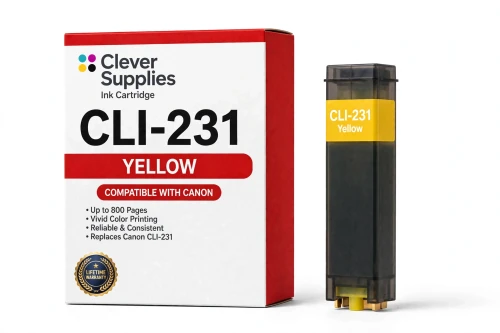
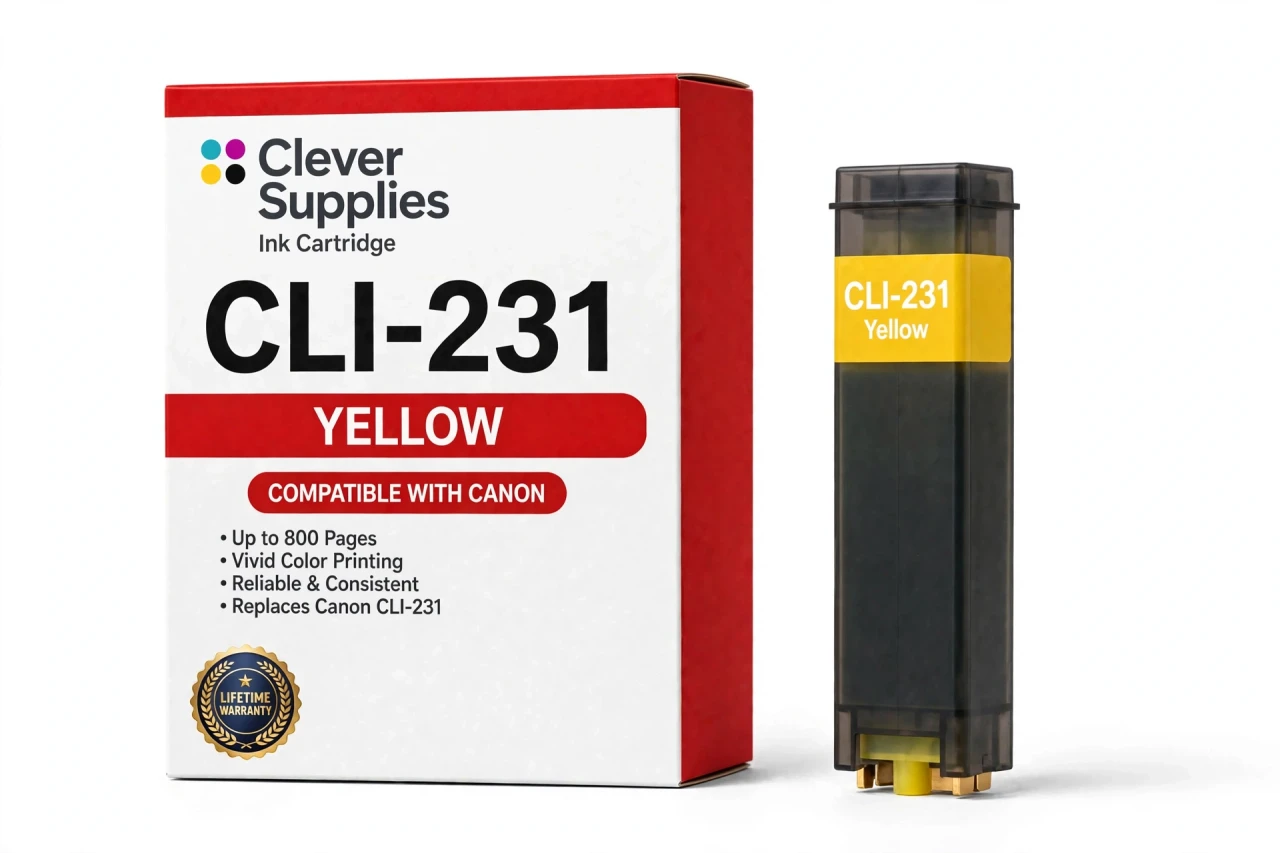
Compatible Canon CLI-231Y Yellow Ink Cartridge
- Page Yield:
- Up to 800 pages
- Shipping:
- Calculated at Checkout

Amazon Price:

- Page Yield:
- Up to 800 pages
- Shipping:
- Calculated at Checkout
- Compatible Printers
- Specifications
- SKU:
- CS-CN-231-Y
- Condition:
- New Compatible
- OEM Part #:
- CLI-231Y
- Color:
- Yellow
- Ink Type:
- Dye
- Page Yield:
- Up to 800 pages
- Chip:
- New compatible chip
- Warranty:
- Lifetime Warranty
- Returns:
- 1-Year Free Returns
- Description
- Reviews
The Clever Supplies compatible Canon CLI-231Y Yellow ink cartridge replaces the Canon CLI-231Y and fits 1 verified printer — Canon PIXMA TS8820 are in the full list under Compatible Printers below. It is rated at up to 800 pages (the cartridge supplier's rating) and carries a new compatible chip that reports ink levels to the printer.
This cartridge belongs to the PGI-230 / CLI-231 family — the six-tank system built for the PIXMA TS8820: pigment PGI-230 black beside dye CLI-231 black, cyan, magenta, yellow and a Gray tank for smoother photo tones. The PIXMA TS8820 is the only printer built on this system, so every product in the family fits it — there is no model-by-model split to check. Covered by our lifetime warranty with free returns for the first year.


Shop the Canon PGI-230 / CLI-231 family: PGI-230 Pigment Black Ink Cartridge — $10.49 · CLI-231BK Black Ink Cartridge — $10.49 · CLI-231C Cyan Ink Cartridge — $10.49 · CLI-231GY Gray Ink Cartridge — $10.49 · CLI-231M Magenta Ink Cartridge — $10.49 · CLI-231Y Yellow Ink Cartridge — $10.49 · PGI-230 / CLI-231 Set of 13 BCMY + Gray Ink Cartridges — $110.96 · PGI-230 / CLI-231 Set of 6 BCMY + Gray Ink Cartridges — $59.31
Frequently Asked Questions
Why does yellow so often run out before the other colors?
In photo-heavy printing the CLI-231Y is frequently the first tank to empty. Yellow is worked hard behind the scenes: it builds greens with cyan, warms skin tones with magenta, and fills large bright areas of an image. A household that prints a lot of photographs will meet this low-ink warning sooner than a document printer will.
How can I spot a yellow problem when yellow is hard to see?
Look at what yellow helps make. Fading greens, washed-out golds and prints that lean oddly blue or purple usually trace back to this tank, even though the missing color itself is pale on the page. The printer's level monitor settles the question — this cartridge reports its own level like every other tank.
Which printer is the CLI-231Y designed for?
The Canon PIXMA TS8820. It is the only printer built on this six-tank system, so if your machine takes this family, this yellow is the right one; the model is listed under Compatible Printers on this page for confirmation before you order.
What page yield does the yellow carry?
Up to 800 pages, per the supplier's rating, measured on standard test pages at around 5% coverage. Your own figure will slide with your print mix — full-page photos and bright, saturated graphics consume yellow far faster than a page of ordinary office documents.
Does this tank have a chip fitted?
Yes — a new compatible chip that lets the printer recognize the cartridge and track its ink level, so low-yellow warnings appear in good time. It is not a refilled original shell with a reset chip; the cartridge is built new to the CLI-231Y specification.
Can I change just the yellow and keep printing today?
Yes. Each tank is replaced individually, and this one works alongside genuine Canon cartridges or compatibles in the other slots, since every slot is read independently. There is no need to wait until several colors are empty or to change the whole set in one go.
Which other tanks belong in the same printer?
Yellow's process-color partners are CLI-231C and CLI-231M; photo depth comes from CLI-231BK and CLI-231GY, and text printing runs on the PGI-230 pigment tank. Keeping one spare yellow suits photo-heavy homes especially well.
What should I do if a message pops up after fitting it?
Acknowledge the message, reseat the cartridge until it clicks, and restart the printer. If the warning returns, remove the tank and wipe the gold chip contacts with a dry, lint-free cloth before reinstalling. Those steps clear the great majority of first-install messages.
Is this an original Canon yellow?
No — it is a Clever Supplies compatible cartridge built to the same specification and rated yield as Canon's own, at a lower price. It is not made by Canon; the name is used only to show the printer it fits.
What warranty stands behind it?
The Clever Supplies Lifetime Warranty, with free returns for the first year. If the cartridge leaks, is not recognized or prints poorly, stop and contact us — the warranty means a replacement or a refund, not a workaround you have to live with.
Related Items

Canon
Compatible Canon CLI-42 Yellow Ink Cartridge
The Clever Supplies compatible Canon CLI-42 Yellow ink cartridge replaces the Canon CLI-42 and fits the PIXMA PRO-100 — the only printer in this family. It is rated at about 284 pages; our cartridge...

Canon
Compatible Canon CLI-221Y Yellow Ink Cartridge
The Clever Supplies compatible Canon CLI-221Y Yellow ink cartridge replaces the Canon CLI-221Y and fits 10 verified printers — Canon PIXMA iP3600,

Canon
Compatible Canon CLI-65 Yellow Ink Cartridge
The Clever Supplies compatible Canon CLI-65 Yellow ink cartridge replaces the Canon CLI-65 and fits 2 verified printers — the PIXMA PRO-200 and the rest of the list under Compatible Printers below...
Canon
Compatible Canon CLI-271XL Yellow Ink Cartridge
The Clever Supplies compatible Canon CLI-271XL Yellow ink cartridge replaces the Canon CLI-271XL and fits 11 verified printers — Canon PIXMA MG5720,