




MAXIFY MB5320
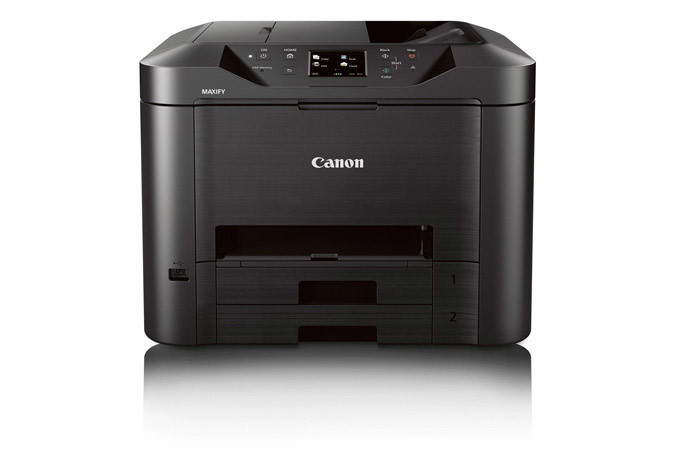
Office work on the Canon MAXIFY MB5320 is document work first, even on pages that carry color, and its ink list is built the same way: four pigment cartridges, each in its own tank. PGI-2200XL Black is rated at about 2,500 pages, PGI-2200XL Magenta at about 1,295, PGI-2200XL Cyan at about 1,755 and PGI-2200XL Yellow at about 1,520.
Before ordering, check the code on the cartridge you are replacing against the listings below - the habit takes ten seconds and prevents the one mistake this family allows, which is ordering for the wrong MAXIFY generation. A full XL set here is rated at more than 7,000 pages in total across the four cartridges. And because every cartridge is pigment-based, the output is paperwork-grade: letters, forms and reports that resist water and highlighter smearing.
Ink Cartridges for MAXIFY MB5320
| Cartridge | Color | Page Yield |
|---|---|---|
| Canon PGI-2200XL Magenta Ink Cartridge | Magenta | About 1,295 pages |
| Canon PGI-2200XL Black Ink Cartridge | Black | About 2,500 pages |
| Canon PGI-2200XL Yellow Ink Cartridge | Yellow | About 1,520 pages |
| Canon PGI-2200XL Cyan Ink Cartridge | Cyan | About 1,755 pages |
| Canon PGI-2200XL Set of 9 Ink Cartridges (3 Black, 2 Cyan, 2 Magenta, 2 Yellow) | Black, Cyan, Magenta, Yellow | Per-cartridge ratings as listed above |
| Canon PGI-2200XL Set of 4 BCMY Ink Cartridges | Black, Cyan, Magenta, Yellow | More than 7,000 pages combined |
Which cartridge should you buy?
Think in terms of what each tank does. The PGI-2200XL Black cartridge is the document engine, carrying crisp dark text for letters and reports. Cyan backs the blues and greens in charts, magenta the reds and warm tones, and yellow the bright highlights - each can be bought alone when its color starts to thin. The set of four replaces the whole row in one box, while the set of nine, weighted to black with two of each color, is the office-stock option for a printer that works all week.
Chip, ink and everyday use
The difference between a document day and a mixed day should not change how ink is managed, and on the MB5320 it does not. Each cartridge carries a compatible chip, so levels report in the printer software just as they do with Canon originals. Leave the firmware as it is while everything works; if an update ever triggers a recognition warning, reseating the cartridge and restarting the printer usually clears it. Store spares sealed, upright and out of direct sunlight, and they will be ready when a tank finally runs dry.
Frequently Asked Questions
What ink does the MAXIFY MB5320 use?
The PGI-2200XL family: separate pigment cartridges in black, cyan, magenta and yellow.
Are all four cartridges really pigment based?
Yes, the colors as well as the black. That is what gives this printer's documents their resistance to water and marker smearing on plain paper.
How many pages does a full set cover?
More than 7,000 pages across the four XL cartridges combined, with black contributing about 2,500 of them on its own.
Does the same ink fit the MB5020?
It does. The MAXIFY MB5020 and the other models listed below share the PGI-2200XL family with this printer.
More printers that use the same cartridges
These MAXIFY models take the same PGI-2200XL ink:
MAXIFY iB4020, MAXIFY MB5020, Canon MAXIFY iB4120, Canon MAXIFY MB5420, Canon MAXIFY MB5120