




ImageClass MF426dw
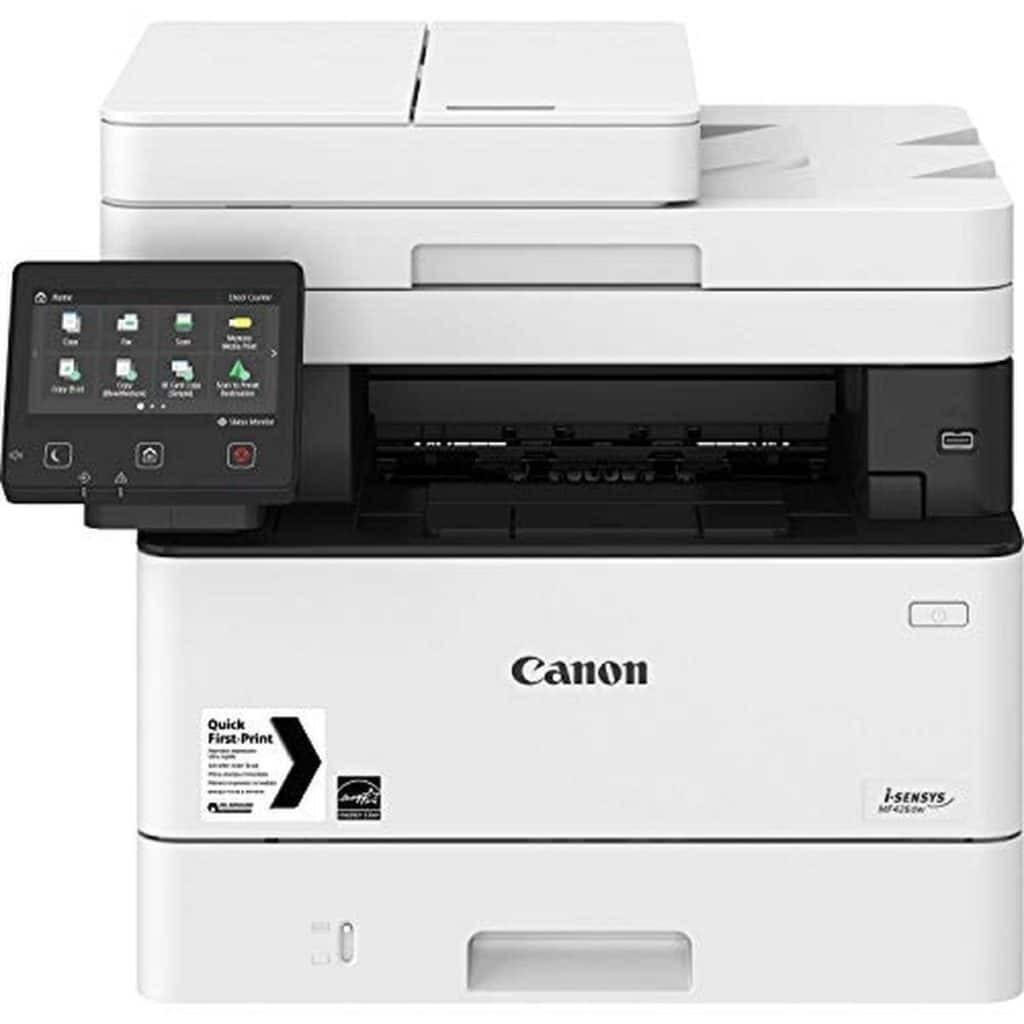
PostScript is the headline on the imageCLASS MF426dw: genuine Adobe PostScript 3 joins the family’s 40-page-per-minute print, copy and scan platform, which makes this the member aimed at design-conscious and mixed-platform offices. Duplexing, Ethernet and Wi-Fi are standard. It uses the Canon 052 cartridge, rated for 3,100 pages, and the high-yield Canon 052H at about 9,200 pages when long, graphics-heavy documents are the daily norm.
Offices that mix Macs and Windows PCs, or that live in PDF all day, know the failure mode this model exists to prevent: a document that looks perfect on screen and prints subtly wrong — shifted type, reflowed pages, flattened graphics. Genuine PostScript renders the file the way its author’s software intended, which is why prepress corners, design studios and engineering desks gravitate to it. Everything else about the MF426dw is the shared family formula: fast, duplexed, networked, and driven from a panel the whole office can use without training.
/compatible-canon-051h-toner-cartridge-black-2-pack/Toner Cartridges for ImageClass MF426dw| Cartridge | Color | Page Yield |
|---|---|---|
| Canon 052H Toner — Black (alternate listing) | Black | 9,200-page yield |
| Canon 052H Toner — Black, 2 Pack (alternate listing) | Black | 9,200-page yield per cartridge |
| Canon 052H Toner — Black, 4 Pack (alternate listing) | Black | 9,200-page yield per cartridge |
| Canon 052H Toner — Black | Black | 9,200-page yield |
| Canon 052H Toner — Black, 2 Pack | Black | 9,200-page yield per cartridge |
| Canon 052H Toner — Black, 4 Pack | Black | 9,200-page yield per cartridge |
| Canon 052 Toner — Black, Single (alternate listing) | Black | 3,100-page yield |
| Canon 052 Toner — Black, 2 Pack (alternate listing) | Black | 3,100-page yield per cartridge |
| Canon 052 Toner — Black, 4 Pack (alternate listing) | Black | 3,100-page yield per cartridge |
| Canon 052 Toner — Black, Single | Black | 3,100-page yield |
| Canon 052 Toner — Black, 2 Pack | Black | 3,100-page yield per cartridge |
| Canon 052 Toner — Black, 4 Pack | Black | 3,100-page yield per cartridge |
Coverage is the honest variable with this model. Page yields are rated at 5% coverage, and the proof sheets, presentations and graphics-heavy PDFs a PostScript machine typically prints cover far more of each page than that — so a cartridge’s real life here is measured in your documents, not the rating. Practical answer: run the 052H as the house cartridge. Its roughly 9,200 rated pages absorb coverage-heavy work far better than the standard 052’s 3,100, and accurate first-time printing already saves the reprint waste that quietly eats toner budgets. The standard cartridge remains fine for a mostly-text desk, and both fit the identical slot.
/compatible-canon-051h-toner-cartridge-black-2-pack/Chip, toner and everyday useOne habit pays for itself in a graphics office: print the proof once, check it on screen against the file, and only then run the batch — every avoided reprint is pure saved toner. The printer tracks the cartridge through its chip, so the panel’s remaining-toner reading is the number to trust when planning a long run. Near the end of a cartridge, fading that appears first on large dark areas is the classic symptom; a gentle side-to-side rock redistributes what is left. Keep spares sealed and flat, and fit the replacement between jobs rather than in the middle of a proofing run.
/compatible-canon-051h-toner-cartridge-black-2-pack/Frequently Asked QuestionsDoes PostScript change which cartridge I need?
No. PostScript governs how the printer interprets the file, not what it prints with. The MF426dw uses the same Canon 052 and 052H cartridges as the rest of its family, linked in the table above.
Which cartridge fits the MF426dw?
The Canon 052, rated at 3,100 pages, or the high-yield Canon 052H at about 9,200 pages. Both come as singles and in 2 and 4 packs, and each is sold under two listings in this store.
Why does my cartridge run out faster than the rated yield?
Because the rating assumes about 5% of each page is covered in toner. Graphics, photos, shaded tables and bold presentation pages cover much more, so the same cartridge honestly delivers fewer of those pages. It is arithmetic, not a faulty cartridge.
How do I install a fresh cartridge?
Open the front cover and slide the spent cartridge out by its handle. Unpack the new one, rock it gently a few times so the toner spreads evenly, remove the protective strip or cover, and slide it in until it clicks. Close the cover and the machine is ready.
/compatible-canon-051h-toner-cartridge-black-2-pack/More printers that use the same cartridgesThe remaining members of the family share these cartridges exactly — the one-touch ImageClass MF429dw, the print-only ImageClass LBP214dw and ImageClass LBP215dw, and the workgroup ImageClass MF424dw — so a single spare covers any mix of them.