




MFC-8870WN
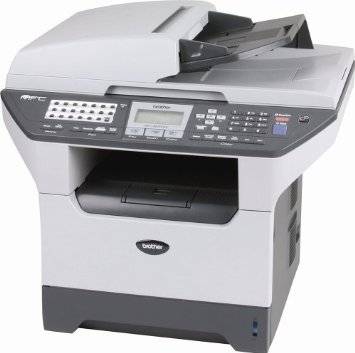
On the Brother MFC-8870WN, a toner cartridge never works alone: each TN580 — rated at 7,000 pages in genuine Brother form — seats into the DR520 drum unit, and the pair together put the image on the page. The drum is rated at about 25,000 pages and is changed on its own schedule, which is why this machine has two supply cycles to manage instead of one.
Understanding that mechanical partnership is most of what there is to know about feeding this printer. Toner is the fast-moving consumable, swapped in a minute without tools; the drum is the slow foundation underneath it, noticed only when page quality starts to argue. Owners who grasp the split stop wasting cartridges on drum problems — and stop blaming drums for empty toner.
Toner Cartridges for MFC-8870WN
| Cartridge | Color | Page Yield |
|---|---|---|
| TN580 | Black | See product page |
| TN580 2 Pack | Black | See product page |
| TN580 4 Pack | Black | See product page |
| TN580 (genuine Brother) | Black | 7,000 pages |
Drum unit (sold separately from the toner):
- DR520 — compatible drum unit
- DR520 2 Pack — compatible drum units
- DR520 4 Pack — compatible drum units
- DR520 (genuine Brother) — 25,000 pages
Which cartridge should you buy?
For toner there is one cartridge in three quantities: a single TN580 for light use, a 2-pack so a spare is always in the building, or a 4-pack for the lowest per-cartridge cost on a busy shared machine — plus the genuine Brother version for owners who prefer original supplies. The drum deserves separate timing: do not buy a DR520 with every toner order. Check where the current drum stands against its 25,000-page rating and buy the replacement — genuine single, or compatible single, 2-pack or 4-pack — when that number starts to approach, so the change happens before quality forces it.
Chip, toner and everyday use
Because the cartridge seats into the drum, fitting matters: slide the TN580 into the drum unit until it locks, then install the assembly; the printer reads the cartridge chip to confirm the supply and estimate the pages remaining, based on roughly 5% coverage per page. When output lightens, remove the assembly, rock the cartridge gently side to side to redistribute toner, and refit. Keep spare cartridges and drums sealed and stored flat, away from heat and bright light, and reach for the oldest stock first.
Frequently Asked Questions
What toner does the Brother MFC-8870WN take?
The TN580 black toner cartridge, rated at 7,000 pages in genuine Brother form, fitted into the DR520 drum unit, which is rated at about 25,000 pages.
Do I replace the drum every time I change the toner?
Definitely not. The drum outlasts roughly three to four toner cartridges. The cartridge lifts out of the drum for each toner change, and the drum itself is only replaced at the end of its own much longer life.
How do I know when the DR520 drum is due?
By page count — around 25,000 pages — or by symptoms: repeating marks, streaks or background shading that persist after a fresh cartridge is fitted. Those faults live on the drum surface, not in the toner.
Does the MFC-8870WN share supplies with the MFC-8870DW?
Yes — the MFC-8870DW and the MFC-8870WN use the same TN580 cartridge and DR520 drum unit, so stock for one machine covers the other.
More printers that use the same cartridges
The TN580 and DR520 combination runs across this Brother family:
Brother-TN580, DCP-8060, DCP-8060DN, DCP-8060RF, DCP-8065, DCP-8065DN, DCP-8065DNRF, HL-5200, HL-5240, HL-5240DN, HL-5240LT, HL-5250, HL-5250DN, HL-5250DNHY, HL-5250DNLT, HL-5250DNT, HL-5250DNTK, HL-5270, HL-5270DN, HL-5280, HL-5280DN, HL-5280DW, HL-5280DWLT, MFC-8460, MFC-8460N, MFC-8460NRF, MFC-8470, MFC-8470DN, MFC-8640N, MFC-8660, MFC-8660DN, MFC-8660DNRF, MFC-8670, MFC-8670DN, MFC-8770DW, MFC-8860, MFC-8860DN, MFC-8860DNRF, MFC-8860N, MFC-8870, MFC-8870DW