





 See Compatible Printers
 Read more about our ink!
Brother
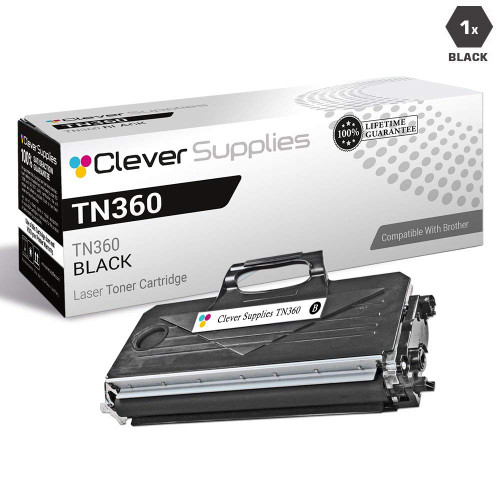
Compatible Brother MFC-7345DN Toner Cartridge
- Page Yield:
- 2600
- Availability:
- In Stock
- Shipping:
- Calculated at Checkout

Amazon Price:

- Page Yield:
- 2600
- Availability:
- In Stock
- Shipping:
- Calculated at Checkout
- Compatible Printers
- Specifications
- SKU:
- MFC-7345DN
- Printer Brand:
- Brother
- OEM Number:
- TN330, TN360
- Ink Color:
- Black
- Page Yield:
- 2600
- Printer Type:
- Laser Cartridge
- Condition:
- New Compatible
- Description
- Reviews

/> 

On the Brother MFC-7345DN (an all-in-one laser machine), the longest-running cartridge in the TN330/TN360 family is this 2,600-page high-yield compatible. Its standard-yield sibling, the TN330, stops at 1,500 pages — this one runs considerably longer between changes. Every cartridge is backed by our 1-year warranty and 1-year free returns.
Frequently Asked Questions
What do the D and N in MFC-7345DN actually give us, and does this cartridge affect either?
D stands for duplex — two-sided printing — and N stands for network, meaning Ethernet sharing. Neither lives in the toner. This TN360-class cartridge, rated at 2,600 pages for $31.33 (about 1.21¢ a page), simply keeps the networked, duplex-capable MFC-7345DN supplied while those features do their own work.
How do the paper savings from duplex printing on the MFC-7345DN interact with toner use?
They save different things. Printing two-sided on the MFC-7345DN halves the paper used for suitable documents, but each printed side still uses its share of toner — so the 2,600-page yield counts printed pages as usual. The win is real on both fronts: duplex cuts the paper bill, and high yield at 1.21¢ a page keeps the toner bill low.
Our shared MFC-7345DN has been running TN330 cartridges — can the whole team benefit from switching to TN360?
Yes, and a shared machine feels the benefit first. The MFC-7345DN takes both sizes: 1,500 pages from a TN330, 2,600 pages from this TN360 class. Across a team's combined output, that longer run at $31.33 means noticeably fewer out-of-toner interruptions for everyone. For the full picture on this cartridge family, see our Best Brother TN330 Toner Cartridges guide: the TN330 and TN360 listings are priced as one shared cartridge, and the guide sets both names side by side with the DR360 drum — including how the two names differ on paper and where they turn out to be the same cartridge underneath.
When toner is changed on the MFC-7345DN, what happens to the drum and the network settings?
Nothing happens to either. The DR360 drum — rated at 12,000 pages — is a separate unit that stays in the MFC-7345DN during a toner swap, and network settings are stored in the printer, not the cartridge. This listing is the toner alone.
Could one cartridge type stock both our MFC-7345DN and other Brother machines we run?
Quite likely, if they are from the same platform. The same cartridge also serves these Brother models: DCP-7030, DCP-7040, DCP-7045N, HL-2140, HL-2150N, HL-2170W, MFC-7320, MFC-7340, MFC-7345DN, MFC-7345N and MFC-7440N. Standardising on it can simplify supplies for a small office considerably.
For a team relying on the MFC-7345DN, what cover stands behind this cartridge?
A year's cover in each direction: the cartridge is warranted for 1 year, and returns are free for a year too. Our shipping and returns policy states the terms in full.
Pages from the shared MFC-7345DN look blotchy after a damp week — should the team blame the toner?
Not first. Blotchy, uneven output after humid weather usually traces to the paper, which absorbs moisture in offices and storerooms and then takes toner unevenly. Try a fresh, dry ream before touching the cartridge. Toner running low produces output that is uniformly lighter across the whole page — a different symptom from patchiness — so the pattern of the fault tells you which consumable to suspect.
Output has turned light a few days before the replacement is due — can the current cartridge be stretched?
Often, yes. Take the TN360 out and rock it gently side to side a few times; this redistributes the powder that remains toward the feed area and typically restores presentable density for a further run of pages. Treat it as a bridge, not a cure — the cartridge is genuinely near its 2,600-page end — but for a shared machine it can carry the team to the scheduled change.
A toner delivery arrives for the team machine — what gets checked before anyone breaks the seal?
Two things on the box: that the code reads TN360, the 2,600-page class, rather than the 1,500-page TN330 the MFC-7345DN also accepts, and that the packaging is intact and sealed. A shared machine's supplies pass through several hands, and catching a wrong-size or previously opened delivery at the cupboard door is far easier than discovering it mid-swap with the team waiting.
Should the empty cartridge be thrown away the moment the new one is fitted?
Hold it briefly. Keep the removed TN360 until the new cartridge has proved itself across a few real jobs from different team members; if a fault appears, refitting the old unit for one test page separates a cartridge problem from a machine problem instantly. Once the new cartridge is clearly performing, the empty can go — its job as a diagnostic spare is done.
About This MFC-7345DN Toner Cartridge
Duplex and networking make the MFC-7345DN a paper-saving team machine; this compatible TN360 cartridge matches it with 2,600 pages for $31.33. See the Brother range at Clever Supplies for companion machines. Shipments leave from our IL, PA, GA and CA warehouses, and support is available 9 AM–5 PM CST.
Related Items

Brother
Compatible Brother MFC-8950DWT Toner Cartridge
/>


Brother
Compatible Brother MFC-8710DW Toner Cartridge
/>
Brother
Compatible Brother MFC-9450CDN Toner Cartridges
/>

Brother
Compatible Brother MFC-7440N Toner Cartridge
/>