






 See Compatible Printers
 Read more about our ink!
Brother
Brother DR350 Black Genuine OEM Drum Unit - 12,000 pages
- Page Yield:
- 12,000 pages
- Availability:
- In Stock
- Shipping:
- Free Shipping

Amazon Price:

- Page Yield:
- 12,000 pages
- Availability:
- In Stock
- Shipping:
- Free Shipping
- Compatible Printers
- Specifications
- SKU:
- CS-Brother-OEM-DR350-BK
- Printer Brand:
- Brother
- OEM Number:
- DR350
- Ink Color:
- Black
- Page Yield:
- 12,000 pages
- Printer Type:
- Drum Unit
- Condition:
- New
- Description
- Reviews



This drum unit delivers the quality your business demands from its printer. It is designed to consistently deliver crisp text and sharp graphics that really make an impactful impression. Use with Brother DCP-7020, IntelliFax-2820, IntelliFax-2910, IntelliFax-2920, HL-2040, HL-2070N, MFC-7220, MFC-7225N, MFC-7420, MFC-7820N
Frequently Asked Questions
Honestly — is a $171.79 drum worth fitting to a printer this old?
That is the right question for the DR350, and the honest answer is: it depends on the machine's job. The printers it serves — the MFC-7420, MFC-7820N, HL-2040 and their siblings — are long out of production, and a drum at $171.79 (against a $257.69 list price) can rival the second-hand value of the printer itself. But if that MFC-7820N is your fax line, your label printer, or a machine your software is configured around, a genuine drum buys it another 12,000 pages of clean output for far less than re-plumbing your office around a new device. If it is just a spare printer, the maths may say otherwise — we would rather tell you that than sell you the part blind.
Which printers and faxes take the DR350?
Seven models from Brother's mid-2000s mono generation: the DCP-7020, the HL-2040 and HL-2070N printers, and the MFC-7220, MFC-7225N, MFC-7420 and MFC-7820N multifunction fax machines. They all share the TN350 standard-yield and TN360 high-yield toner cartridges. Note the drum code is DR350 regardless of which toner you run — owners sometimes search for a "DR360" because their cartridge says TN360, but no such drum exists for these models.
How many TN350 or TN360 cartridges does one drum cover?
The DR350 is rated at 12,000 pages. That works out at a little under five TN350 cartridges (2,500 pages each) or around four and a half TN360s (2,600 pages) across its life — Brother rates them that way around, so expect to change toner roughly five times for every one drum change. If you are suddenly replacing drums far more often than that ratio, something else is wrong: paper dust, a scored drum surface from a staple incident, or a drum counter that was never reset at the last change.
What symptoms say the drum, not the toner, has gone?
On this generation the classic signs are vertical streaks, spots that repeat at the same spacing page after page, and copies from the scanner glass that come out dirty even when prints from the computer look acceptable. Simple light fading that a cartridge swap cures is toner. The test costs nothing: fit your spare TN350 or TN360, print ten pages, and if the same marks land in the same places, the DR350 is the fix.
Anything special about fitting a drum to a fax-era machine?
Two habits matter. First, reset the drum counter as the manual describes — these older machines have no sensor that detects a new drum, so without the reset the "Change Drum Soon" message simply stays. Second, handle the unit by its frame only and keep it out of strong light while it is out of the machine; the photosensitive coating is the whole product. Your existing toner cartridge transfers straight into the new drum — you are not buying toner with this part.
What protection do I get with this purchase?
Genuine Brother items from us are returnable within 30 days of delivery, in all cases, and defects are covered under Brother's manufacturer warranty; the details are published on our shipping and returns page. Given the age of the machines involved, we especially recommend checking the model number on your old drum against your order before the 30 days run — our support team is available Monday to Friday, 9 AM to 5 PM CST, if anything arrives wrong.
How can I be sure the DR350 is the drum my machine takes before I open the box?
Check the code printed on the drum unit currently inside your machine — on this generation it reads DR350. The point that trips owners up is the toner: whether you run the standard TN350 or the high-yield TN360, the drum code stays DR350, and there is no separate DR360 drum for these models. If the code on your old unit matches, this is the right part.
My machine only prints a few hundred pages a month — how long will one drum actually serve?
The 12,000-page rating counts pages, not months, so light use stretches this drum a long way. At roughly 300 pages a month, one DR350 covers about forty months of printing; at 200 pages a month, closer to five years. That is the quiet advantage of a page-rated part in a low-volume fax or label role: you will change toner many times before the drum asks again.
I am not fitting it today — how should an unopened DR350 be stored?
Leave it sealed in its bag, lying flat in a cool, dry drawer away from strong light. The photosensitive coating on the drum surface is the whole product, and light is its enemy even before installation. Kept sealed and dark, the unit simply waits; open the bag only when the old drum is out and you are ready to fit the new one.
What should I do with the old drum once the new one is printing cleanly?
Keep the old DR350 until the replacement has proved itself over a few days of your normal work — if anything looks wrong, the old unit is your comparison. Once the new drum is clearly printing clean pages, the worn unit is spent: its surface cannot be revived or refilled. Take it to a local electronics recycling collection rather than household trash.
About This Genuine Brother DR350 Drum Unit
The genuine Brother DR350 drum unit keeps the DCP-7020, HL-2040, HL-2070N and MFC-7220 / 7420 / 7820N generation printing — 12,000 rated pages, priced at $171.79 against a $257.69 list. It is the imaging partner to the TN350 and TN360 toner cartridges in machines that many offices still rely on for fax and everyday mono work. Find the matching genuine toners and the rest of the range in our Brother store. Your order ships from one of our warehouses in IL, PA, GA or CA.
Related Items

Brother
Brother DR360 Black Genuine OEM Drum Unit - 12,000 pages

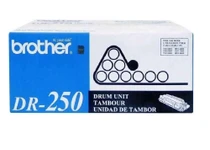

Brother
Brother DR250 Black Genuine OEM Drum Unit - 12,000 pages

Brother
Brother DR630 Black Genuine OEM Drum Unit - 12,000 pages

Brother
Brother DR730 Black Genuine OEM Drum Unit - 12,000 pages