




What Toner Does the Brother MFC-L2717DW Use?
Posted by Clever Supplies on Nov 10th 2026
Quick answer: The Brother MFC-L2717DW takes Brother TN730 standard-yield black toner (about 1,200 pages) or Brother TN760 high-yield black toner (about 3,000 pages), with a separate Brother DR730 drum unit rated at about 12,000 pages. Same cartridges, same drum as the better-known MFC-L2710DW — because underneath, it is essentially that machine in a value package.
First, the Question Everyone Asks About This Model
What is the MFC-L2717DW? Brother's own description answers it plainly: it is a value version of the best-selling MFC-L2710DW, packaged with an extended 2-year warranty and up to 500 extra pages of toner included in the box. It was sold through warehouse and value channels rather than Brother's main retail shelf, which is why the model number is less familiar than the machine deserves.
The packaging is where the differences end. Print and copy speeds run up to 34 pages per minute, it carries the same wireless and Ethernet networking, the same 50-sheet automatic document feeder, the same 250-sheet tray and the same 2-line LCD. And at the supply level there is no difference at all — every cartridge and drum that fits the L2710DW fits this one, in the same slots, on the same schedules.
What It Costs to Feed
| Supply | Rated yield | Our compatible price | Cost per page |
|---|---|---|---|
| TN730 (standard toner) | ~1,200 pages | Listed with the TN760 cartridge (see note) | Not quoted — see note |
| TN760 (high-yield toner) | ~3,000 pages | $25.26 | About 0.8 cents |
| DR730 (drum unit) | ~12,000 pages | $28.55 | About 0.2 cents |
Prices checked November 2, 2026. One cell needs an explanation: the standard cartridge's cost per page is blank because the store listing that names TN730 wears the TN760's price tag. Dividing a high-yield price by a standard yield would produce a number, certainly — just not a truthful one — so the cell stays empty on purpose.
The story of this table is the same one the model itself tells: value is in the yield, not the sticker. A buyer who chose the L2717DW to save money on hardware completes the logic by buying the high-yield cartridge — the TN760's roughly 0.8 cents a page is where this machine's running-cost advantage actually lives.
A Word About the In-Box Toner
Brother's "up to 500 extra pages" line confuses owners at first replacement time, so let us settle it: the extra toner in the box changes how long your first cartridge lasts, not what replaces it. When the display says the toner is finished, the replacement decision is the family decision — TN730 if you print rarely, TN760 if you print like most offices. Nothing about the value packaging locks you into a special cartridge, a special drum, or a special anything.
Changing the Cartridge
1. With the machine on, open the front cover and pull the drum-and-toner assembly toward you. 2. Press the green lock lever to release the old cartridge from the drum frame and lift it out. 3. Rock the new cartridge side to side several times before installing it, so the toner distributes evenly. 4. Drop it into the drum frame and let the lever click it home. 5. Clean the corona wire by sliding the green tab across and back, reinsert the assembly and close up.
Should the machine refuse to acknowledge the fresh cartridge, our guide to TN760 recognition problems and the toner reset covers the fixes in the order you should try them.
When the Drum's Turn Comes
At roughly 12,000 pages, the DR730 will outlast four TN760 cartridges. When the printer finally asks for it, the TN760-and-DR730 set deserves a price check before you buy the drum alone: on November 2, 2026 the set was $37.73 while the same toner and drum purchased separately totalled $53.81 — a saving of about $16, and the pair arrives in one delivery. Drum-with-two-toner and two-drum combinations sit next to it for heavier users.
And the standing honest caveat: a drum set bought while your current drum is young is not a saving, it is storage. Toner alone is the right order until the drum counter approaches its limit.
Frequently Asked Questions
Is the MFC-L2717DW really just an MFC-L2710DW? For supplies and daily use, effectively yes — Brother describes it as a value version of the L2710DW, with the differences in the box (longer warranty, extra in-box toner) rather than in the machine. Every TN730, TN760 and DR730 buying decision is identical.
Does the 2-year warranty change which cartridges I should buy? No. The extended warranty covers the printer; it does not require a particular cartridge size. Pick TN730 or TN760 by your print volume, as you would with any model in this family.
Why does my printer show a different speed rating than an MFC-L2710DW? Brother rates the L2717DW at up to 34 ppm for print and copy. The small differences in headline numbers across this family reflect packaging and rating runs, not different supply requirements.
My first cartridge lasted longer than expected. Is something wrong? Probably the opposite — the value packaging's extra in-box toner is doing what it promised. When it does run out, expect a standard TN730 to last about 1,200 pages and a TN760 about 3,000.
Can the MFC-L2717DW print from a phone? Yes. It supports wireless printing from mobile devices (including AirPrint and Brother's iPrint&Scan), and it also works with Alexa Print. It sits on Wi-Fi or Ethernet, so phones, laptops and wired desktops can all share it.
 brother tn760 tn760 toner cartridge black
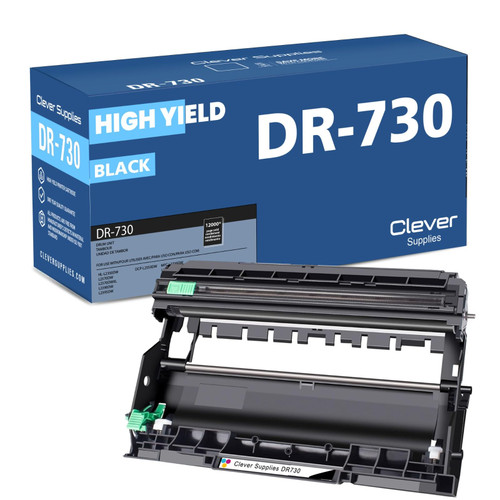 brother dr730 dr730 toner cartridge black
 brother tn760 tn760 tn730 toner cartridge black
 brother tn760 dr730 black drum and toner set
Key takeaways
- The top cartridge here is rated at 3,000 pages — fewer swaps, lower cost per page.
- Lowest cost per page in this family: ~0.8¢ with the highest-yield cartridge.
- Buying the toner + drum set instead of the parts separately saves $16.
Other Printers That Use TN730, TN760 and DR730
One supply shelf covers this whole generation of Brother machines. Owners of any model below will find the same cartridges, the same drum and the same math in this article: