




What Toner Does the Brother HL-5440D Use?
Posted by Clever Supplies on Nov 13th 2026
Quick Answer: The Brother HL-5440D runs on the TN720 standard-yield black cartridge (about 3,000 pages) or the TN750 high-yield black cartridge (about 8,000 pages), seated in a separate DR720 drum unit (about 30,000 pages). There is no third cartridge size for this model — the 12,000-page TN780 you may see advertised for its bigger brothers does not fit the HL-5440D.
Look at the back of an HL-5440D and you find something few printers of its era kept: a parallel port, sitting next to the USB socket. Brother built this machine for offices that still had legacy software — including DOS applications — that printed through parallel, and it left networking off entirely. That sounds like a limitation, and for supplies it is actually a simplifying fact: one connected computer, one predictable workload, and a cartridge decision you can make once and stop thinking about.
A Printer With No Network Card Still Eats Toner at 40 ppm
Do not mistake the missing Ethernet port for a light-duty machine. The HL-5440D prints at up to 40 pages per minute with automatic two-sided printing, up to 1200 x 1200 dpi, and a 250-sheet main tray plus a 50-sheet multipurpose tray. A single workstation driving it can still generate serious volume — end-of-month invoicing runs, shipping paperwork and report batches all land on the same drum. Brother rates the TN720 at about 3,000 pages and the TN750 at about 8,000, and at a busy desk the standard cartridge can be gone inside a quarter.
What Each Page Costs
| Supply | Rated yield | Our compatible price* | Cost per page |
|---|---|---|---|
| TN720 | ~3,000 pages | $29.21 | ~1.0¢ |
| TN750 | ~8,000 pages | $29.21 | ~0.4¢ |
| DR720 drum | ~30,000 pages | $36.33 | ~0.1¢ |
*Prices isolated from the product pages on November 2, 2026; they can change.
Here is the quirk of this family's pricing: the standard and high-yield cartridges sit at exactly the same $29.21. That removes the only argument the TN720 ever had. The TN750 delivers about 5,000 extra pages for zero extra dollars and drops your toner cost per page from roughly a cent to roughly four-tenths of a cent. The TN720's remaining use case is a printer being sold, retired or kept purely as an emergency spare.
Swapping the Cartridge
1. Keep the printer switched on, open the front cover, and draw the drum-and-toner assembly out toward you. 2. Set it on a flat surface, push down the green lock lever, and lift the old cartridge free of the drum. 3. Rock the replacement cartridge from side to side a few times, peel off its protective cover, and lower it into the drum until the lever clicks back up. 4. Slide the drum's green tab fully across and back once to clean the corona wire, leaving the tab parked at its home mark. 5. Push the assembly back into the machine and shut the cover; the printer warms up and returns to Ready by itself.
The Drum Question, Answered Once
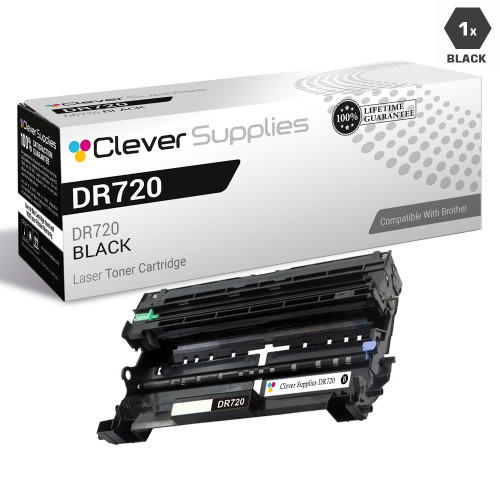
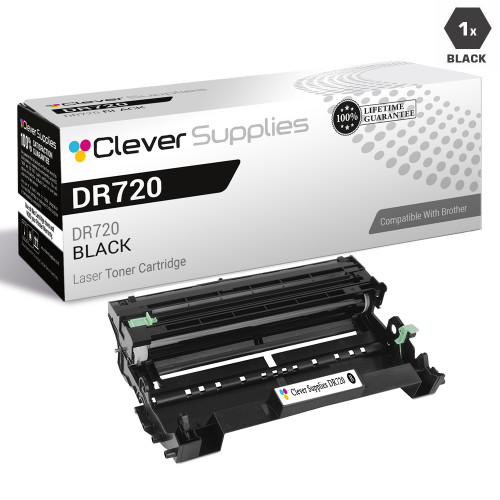
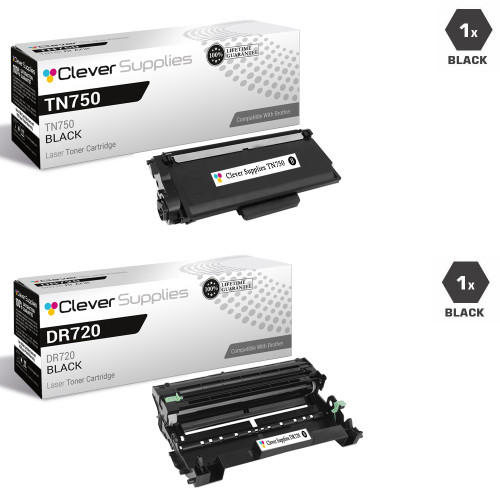
The DR720 drum is rated at about 30,000 pages — roughly four TN750 cartridges or ten TN720 cartridges. When the day comes that both parts are due together, our TN750 + DR720 set puts one of each in a single carton for $49.46, against $65.54 bought separately — a saving of $16.08. The balanced view: if the drum in your machine is young, a $29.21 TN750 on its own is the whole correct order, and the set waits for the drum's turn.
Frequently Asked Questions
Can I put a TN780 in my HL-5440D for even more pages? No. Brother specifies the TN780 only for the HL-6180DW, HL-6180DWT, MFC-8950DW and MFC-8950DWT. The HL-5440D's cartridge bay takes TN720 and TN750 only, and the TN750's 8,000 pages is its ceiling.
Does the HL-5440D really print from DOS programs? Yes — that is precisely why it kept a parallel interface alongside USB. PCL6 and BR-Script3 emulations plus the parallel port make it a favorite in shops running older line-of-business software, and the toner side of that arrangement is the same TN720/TN750 bay as every other model below.
My printer has no Wi-Fi or Ethernet. Does that change which cartridge I buy? Not at all. Connectivity decides who can send jobs, not what the jobs consume. Both cartridge sizes fit the same slot with nothing to configure.
How will I know the drum needs replacing if the toner is fine? Watch for a repeating mark or gray shading that survives a cartridge change, and for the printer's drum warning as the page counter approaches 30,000. Toner messages and drum messages are separate counters on this machine.
What does Secure Function Lock have to do with toner? Indirectly, plenty: it lets an administrator cap pages per user. Offices that switch it on usually watch their TN750 cartridges start lasting noticeably longer, because casual printing drops.
 brother tn720 laser toner compatible cartridge black
 brother tn750 laser toner compatible cartridge high yield bl
 brother dr720 laser drum unit compatible cartridge
 brother tn750 dr720 laser toner and drum unit compatible car
Key takeaways
- The top cartridge here is rated at 8,000 pages — fewer swaps, lower cost per page.
- Lowest cost per page in this family: ~0.4¢ with the highest-yield cartridge.
- Toner and drum are separate parts on this printer — replace only the one the printer asks for.
Other Printers That Use TN720, TN750 and DR720
The same two cartridges and the same drum serve this whole generation:
- HL-5450DN
- HL-5470DW
- HL-5470DWT
- HL-6180DW
- HL-6180DWT
- DCP-8110DN
- DCP-8150DN
- DCP-8155DN
- MFC-8510DN
- MFC-8710DW
- MFC-8810DW
- MFC-8910DW
- MFC-8950DW
- MFC-8950DWT
Ready to restock? Start from our HL-5440D toner page, which lists every cartridge, drum and set that fits this printer.