




What Toner Does the Brother HL-5240 Use?
Posted by Clever Supplies on Nov 16th 2026
Quick Answer: The Brother HL-5240 uses the TN550 standard-yield black cartridge (about 3,500 pages) or the TN580 high-yield black cartridge (about 7,000 pages), paired with a separate DR520 drum unit (about 25,000 pages). Black only, two cartridge sizes, one long-lived drum — the complete supply list.
Some printers survive because they are full of features. The HL-5240 survives for the opposite reason: it is a fast engine with almost nothing on it to break. Knowing exactly what this base model leaves out is the key to buying its supplies well — and to not paying for capability questions that its cartridges were never part of.
The Base Model, Honestly Described
The HL-5240 heads Brother's HL-5200 series with the strongest part of the package: a print engine rated at up to 30 ppm with output at up to 1200 x 1200 dpi, a time to first page under 8.5 seconds, a 250-sheet standard tray and a 50-sheet multi-purpose tray — 300 sheets of input before options. What the base model does not carry is just as definite. There is no built-in Ethernet (networking was an option, and the built-in port arrived with the HL-5250DN), and there is no automatic duplex unit — two-sided printing on an HL-5240 means using the driver's manual duplex routine and re-feeding the stack. Memory starts at 16 MB, expandable if long documents demand it.
None of those omissions touches the supply drawer. The HL-5240 takes the same TN550, TN580 and DR520 as every other model in its series, from the networked printers to the big multifunction machines below.
How to Replace the Toner Cartridge
1. With the printer switched on, open the front cover and pull the drum-and-toner assembly out toward you. 2. Place it on scrap paper, press down the lock lever, and lift the old cartridge out of the drum unit. 3. Rock the fresh cartridge gently side to side, remove the protective cover, and hold it by its handle. 4. Slide the cartridge into the drum until it clicks and the lever locks in its raised position. 5. Slide the cleaning tab on the drum fully from one side to the other and back to clean the corona wire, making sure it settles at its home mark. 6. Refit the assembly into the printer, close the cover, and wait for the Ready light before printing.
What You Will Pay Per Page
Our catalogue carries no compatible TN550 single — the standard cartridge exists here as a genuine Brother part only. That gap closes itself in practice, because the compatible TN580 costs little, fits the same DR520 drum, and doubles the page count. The TN550 yield is shown for reference.
| Supply | Rated yield | Our compatible price* | Cost per page |
|---|---|---|---|
| TN550 (reference yield — no compatible single sold) | ~3,500 pages | — | — |
| TN580 | ~7,000 pages | $28.24 | ~0.4¢ |
| TN580 2-pack | ~14,000 pages per pack | $40.40 | ~0.3¢ |
| DR520 drum | ~25,000 pages | $28.68 | ~0.1¢ |
*Prices isolated from the product pages on November 2, 2026; they can change.
The arithmetic is the whole story of running this printer in 2026: toner at roughly four-tenths of a cent a page, the drum adding about a tenth of a cent across its 25,000 pages. A complete imaged page from an HL-5240 costs around half a cent in supplies.
When the Toner and the Drum Are Due Together
No boxed TN580 + DR520 set is sold for this family, so treat the pair as two lines on one order: the TN580 at $28.24 and the DR520 drum at $28.68 come to $56.92 together when both genuinely need replacing. The drum's 25,000-page rating spans between three and four TN580 cartridges, so that combined bill arrives rarely — and it should be questioned when it seems to arrive early. A healthy drum under a fresh cartridge needs no partner purchase: if pages are clean, with no repeating marks or grey background, the $28.24 toner alone is the correct and complete order.
Frequently Asked Questions
Does the HL-5240 have Wi-Fi or built-in Ethernet? Neither. The base HL-5240 connects by Hi-Speed USB 2.0 or parallel, with networking available as an option in its era; built-in Ethernet is the HL-5250DN's step up, and wireless belongs to the HL-5280DW. Connection type never changes the cartridge — all three use TN550/TN580 and DR520.
Can the HL-5240 print on both sides automatically? No. It supports manual duplex through the driver: print one side, re-feed the stack, print the other. If two-sided volume is a daily habit, that is the honest limitation of this model — but it affects your time, not your toner choice.
Is the TN580 really worth it over the TN550? On the numbers, yes. The high-yield cartridge delivers about 7,000 pages against 3,500, and our compatible TN580 single is $28.24 — there is no compatible TN550 single in our catalogue to undercut it. Twice the pages per swap also means half as many interruptions on a 30 ppm machine.
How many TN580 cartridges does one DR520 drum cover? Between three and four. The drum is rated at roughly 25,000 pages and each TN580 at about 7,000, so expect three full high-yield cartridges and part of a fourth across one drum's life.
The Toner light is on but pages still look fine. Must I change it now? The warning is a counter reaching its estimate, not a sensor reading an empty cartridge. A gentle side-to-side rock of the existing cartridge often restores even coverage for a while. Keep a TN580 on the shelf, though — on a printer this fast, the gap between "fading" and "unreadable" can be one long job.
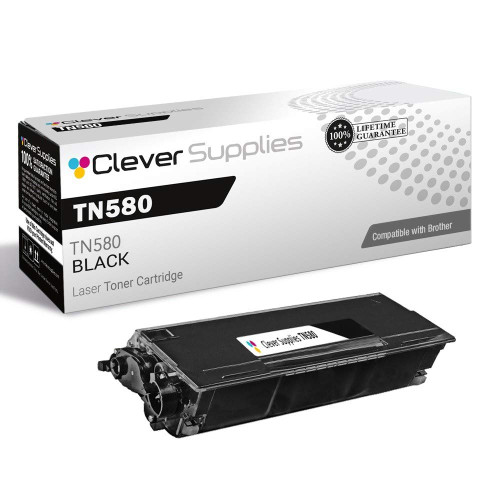 brother tn580 tn580 toner cartridge black
 brother tn580 tn580 toner cartridge black 2 pack
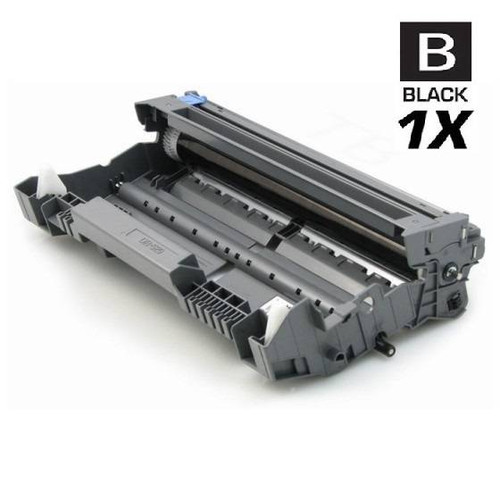 brother dr520 laser drum unit compatible cartridge
Key takeaways
- The top cartridge here is rated at 7,000 pages — fewer swaps, lower cost per page.
- Lowest cost per page in this family: ~0.4¢ with the highest-yield cartridge.
- Toner and drum are separate parts on this printer — replace only the one the printer asks for.
Other Printers That Use TN550, TN580 and DR520
One spare TN580 also covers every one of these relatives:
Ready to order? Start from our HL-5240 toner page, which lists every cartridge, drum and pack that fits this printer.