




What Toner Does the HP Color LaserJet Pro M454dn Use?
Nov 3rd 2026
The first set of cartridges in a new printer always seems to run out sooner than expected. If that has just happened to your HP Color LaserJet Pro M454dn — probably mid-way through something you needed on paper — here is the short version before the detail: this printer runs on the HP 414 toner family. You will see it sold under two names, 414A and 414X, and under a run of part numbers that all start with W202. Sorting out which of those codes belongs in your machine, and which size is worth your money, is what the rest of this page is for.
Read the Code on the Cartridge, Not the Marketing Name
Pull any cartridge out of the M454dn and you will find a W202 code on the label. That code, not the big "414" branding, is the precise identity of the cartridge — it tells you the color and the capacity in one string:
| Code on the label | What it is | Approx. yield |
|---|---|---|
| W2020A | 414A black, standard yield | 2,400 pages |
| W2021A | 414A cyan, standard yield | 2,100 pages |
| W2022A | 414A yellow, standard yield | 2,100 pages |
| W2023A | 414A magenta, standard yield | 2,100 pages |
| W2020X | 414X black, high yield | 7,500 pages |
| W2021X | 414X cyan, high yield | 6,000 pages |
| W2022X | 414X yellow, high yield | 6,000 pages |
| W2023X | 414X magenta, high yield | 6,000 pages |
Each of those eight is a separate cartridge you can buy on its own — you only ever replace the color that has run out. Our compatible versions: W2020A black, W2021A cyan, W2022A yellow and W2023A magenta in standard yield, and W2020X black, W2021X cyan, W2022X yellow and W2023X magenta in high yield.
Yields are manufacturer ratings at 5% page coverage. Read the table by its pattern: the middle digits move with the color (0 black, 1 cyan, 2 yellow, 3 magenta), and the final letter is the size — A for standard, X for high yield. Once you see that, a shelf of confusingly similar boxes collapses into eight codes, and you only ever need four of them at a time.
One Printer, Two Sizes, No Wrong Answer on Fit
Owners sometimes hesitate over the 414X because the printer's box and manual feature the 414A. There is no need: the M454dn was built for both sizes. The standard and high-yield cartridges share the same fit, the same four slots, and the same installation. The X cartridges simply carry more toner — a little over three times as much in black, and close to three times as much in each color.
Nor do the four slots have to match each other. A common pattern is a high-yield black, because text printing eats black fastest, alongside standard-yield colors that get used more slowly. Replace each color on its own schedule; there is no prize for changing a set in unison, and changing a half-full color cartridge early is money left on the table.
Everything sold for this model is collected on our HP Color LaserJet Pro M454dn toner page, if you would rather browse than decode part numbers.
Changing a Cartridge on the M454dn
The M454dn keeps its four cartridges in a pull-out tray behind the front door, which makes a swap a two-minute job:
Open the front door and slide the toner tray toward you until it stops. Each cartridge lifts straight up and out by its handle — note the color order as you remove the empty one, because the tray is keyed by color and the new cartridge will only settle happily in its own slot. Take the replacement out of its packaging, hold it by both ends, and rock it gently a few times end to end so the toner inside is loose and level. Pull the release tab and sealing strip fully out — a strip left half-attached is a classic cause of a "new" cartridge printing blank pages. Lower the cartridge into its color slot until it sits flat, slide the tray home, and close the door. The printer will calibrate briefly and return to Ready; print one ordinary page of your own before you trust it with the important document.
Keep the spent cartridge out of the trash for now: most owners keep it until the replacement has printed cleanly for a day, as a fallback and as a reference for the exact code when reordering.
What It Costs to Run This Printer
Toner, not the printer, is where the M454dn's running cost is decided — and the lever is that A-versus-X letter. Using our compatible cartridges, priced on their product pages on November 2, 2026, the black cartridge tells the story: the compatible 414A black at $64.75 over 2,400 rated pages works out near 2.7 cents a page, while the compatible 414X black at $50.05 over 7,500 rated pages lands near 0.7 cents a page. A full compatible 414X four-color set was listed at $151.97 on the same date. Prices move, so redo the one-line division — price divided by yield — with the numbers on the day you buy. The habit matters more than any single figure quoted here: it turns a confusing A/X choice into a ten-second calculation.
Getting the Most From a Cartridge
A few unglamorous habits stretch toner further on this model. Print drafts and internal copies in draft or EconoMode quality from the driver; save full quality for final output. Shake-and-reinstall a cartridge the printer calls empty before replacing it — toner settles and clings, and a gentle rock often returns a surprising number of extra pages. Store spares flat, in their sealed bags, away from heat and sunlight. And when only one color is low, replace only that color — the M454dn tracks each cartridge independently, so there is no benefit to retiring the other three early.
Questions M454dn Owners Ask Us
Is the M454dn an inkjet or a laser printer? It is a laser printer, and it uses toner — a dry powder — not liquid ink. If a listing talks about ink bottles or ink tanks for this model, it is the wrong listing.
Why are there two different black cartridges, W2020A and W2020X? They are the standard-yield and high-yield versions of the same black toner: about 2,400 pages from the W2020A (414A) and about 7,500 from the W2020X (414X). Same fit, different capacity.
Do I need to buy a separate drum unit for the M454dn? No separate drum purchase is part of this printer's supply routine — the four 414-series cartridges are the consumables you replace. That differs from some other laser brands where toner and drum are separate parts, which is why the question comes up so often.
My documents are almost all black text. Do I still need color cartridges in the machine? The M454dn is a color printer designed to run with all four cartridges installed. In practice, black is the cartridge you will replace most; colors can be standard yield and replaced individually as each one is actually used up.
A listing says a cartridge fits the "M454 series." Is that specific enough? Treat it as a prompt to check further, not as confirmation. Match the exact code — W2020A through W2023X family — and confirm "M454dn" appears in the seller's printer list for that cartridge, as it does on each of our 414 product pages.
Can I use 414X cartridges even if my printer originally came with 414A? Yes. Both sizes are made for this printer, and you can switch sizes at any replacement — including running different sizes in different color slots at the same time.
 HP 414x toner cartridge 4 color set
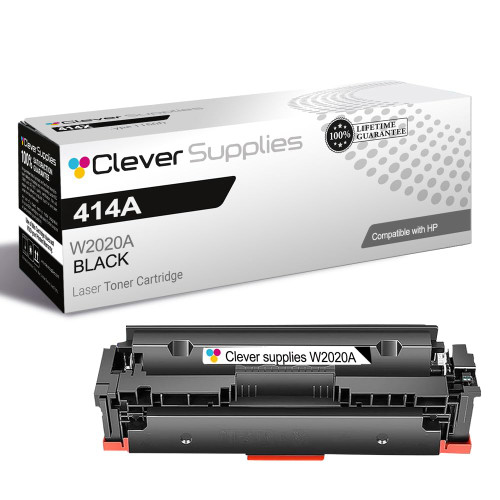 HP 414a w2020a toner cartridge black
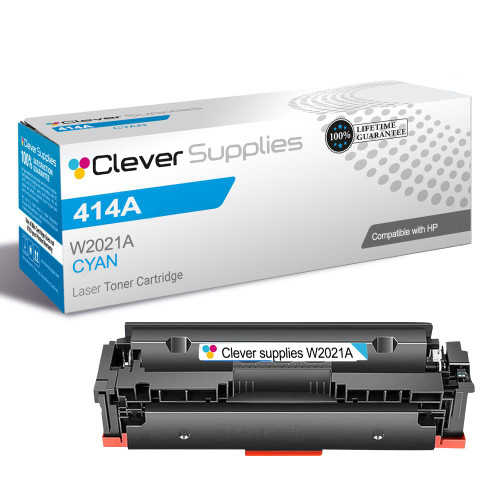 HP 414a w2021a toner cartridge cyan
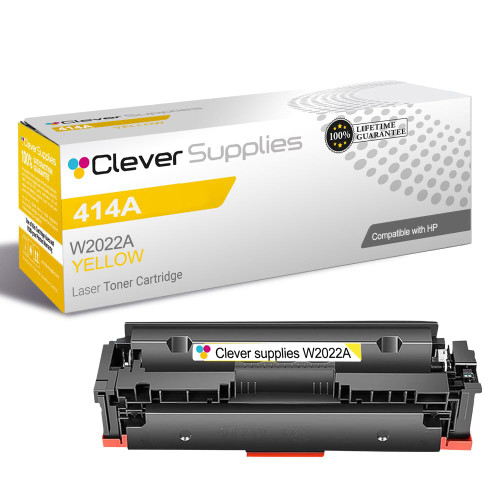 HP 414a w2022a toner cartridge yellow
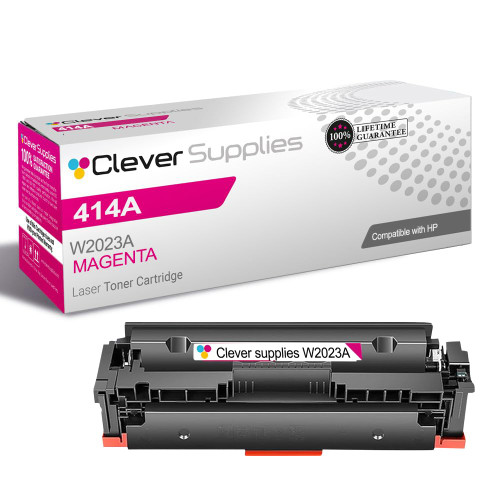 HP 414a w2023a toner cartridge magenta
Key takeaways
- Lowest cost per page in this family: ~0.7¢ with the highest-yield cartridge.
- Toner and drum are separate parts on this printer — replace only the one the printer asks for.