




Two-tier ink families normally charge for the step up: the bigger cartridge costs more, and the buyer weighs pages against money. This family removes the weighing. HP sells two complete rows for the OfficeJet Pro 9100 series and the wide-format 9700 series — the standard 936, coded 4S6V2LN in black with 4S6U9LN, 4S6V0LN and 4S6V1LN in cyan, magenta and yellow, and the high-yield 936e EvoMore, coded 4S6V6LN in black with 4S6V3LN, 4S6V4LN and 4S6V5LN in the colors — and on this shelf the second row is priced identically to the first at every single station. Black is $32.93 whichever tier you pick; each color is $28.43 whichever tier you pick; the set of four is $104.94 in both rows. What changes is only the rating: the e black is declared at roughly 2,500 pages against the standard black’s 1,250, and each e color at roughly 1,650 against 800, so the cost of a page falls by half or better while the money stays put. Nor does any printer arbitrate between the rows — every cartridge in both tiers fits all five models on the roster, with no model restriction of any kind. The shelf itself is the smallest in this inkjet series: ten listings, a set of four per tier and eight singles, nothing else. The one argument the standard row still owns has nothing to do with price — a machine that sits idle for long stretches has less ink parked inside it on standard cartridges, a point the listings’ own questions raise. Everything else on this page follows from the parity.
Buy the 936e Set of 4. It costs $104.94 — the same money as the standard set beside it — and carries 7,450 rated pages against the standard set’s 3,650, which works out to 1.41¢ a page blended instead of 2.88¢, with the same $13.28 saved against the four singles either way. The singles repeat the pattern station by station: an e black at $32.93 rated near 2,500 pages beside a standard black at $32.93 rated near 1,250; e colors at $28.43 rated near 1,650 beside standard colors at $28.43 rated near 800. The standard row’s honest case is a quiet one — a printer that prints rarely and idles for weeks keeps less ink sitting unused on the smaller cartridges — and that is the only decision this family really asks. There are no black multi-packs and no volume box beyond the two sets, so the set of four is each tier’s whole bulk offer.
The high-yield set first, its standard twin second, then the singles
Ten cards cover the family completely. The two sets of four lead, because a set is how most of these printers get restocked; the eight singles follow with the high-yield row ahead of the standard row, station by station. Both sets name their contents cartridge by cartridge in their own listings, so no card here carries a caveat about what is inside the box. Every figure shown is the product’s listed price — this family carries one regular price per listing and no markdown pricing — and every saving badge measures a set against the same four cartridges bought one at a time on this page.
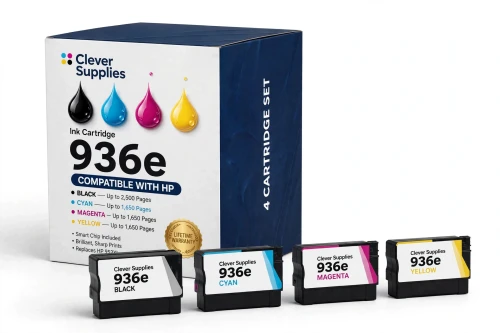
Say it without decoration: at $104.94 this box costs exactly what the standard set below costs, and it holds a little more than twice the standard set’s rated pages. For any of the five roster printers in ordinary use, it is simply the better purchase of the two, and the standard card underneath exists for the one situation where smaller cartridges make sense — a machine that prints now and then and sits idle in between. Genuine pricing underlines the point. HP’s US store totals $283.96 for the four genuine 936e singles, and offers no genuine high-yield multipack at all; its genuine standard four-pack, at $145.99, was shown out of stock on the day these prices were read, and still costs more than this set while carrying the standard row’s ratings.
Shop the 936e Set of 4 →THE OTHER NINE LISTINGS
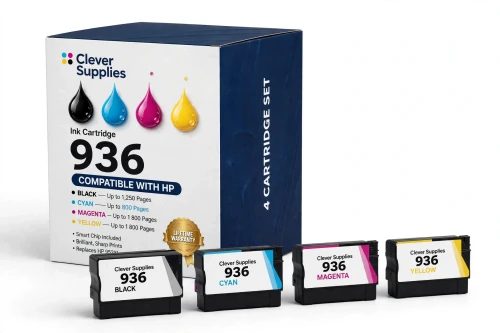
The flagship’s twin at the flagship’s price: identical $104.94, identical $13.28 saving against its singles, and roughly half the pages — 3,650 rated against 7,450. Nothing about it is a bargain failure; it is the set for a printer whose output is occasional, where the listings’ own reasoning applies and less ink sits unused during long idle stretches. It is also a sensible first retail set for a new machine coming off its setup cartridges, if the workload is still an open question.
Shop the 936 Set of 4 →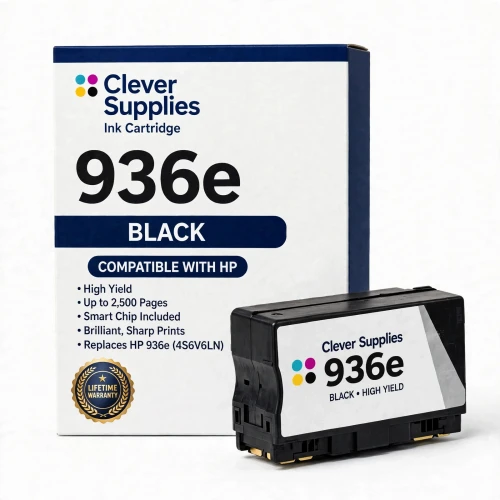
The standard black’s price to the cent — $32.93 — wrapped around exactly twice its rating, which makes this the cheapest single-cartridge page in the family at 1.32¢. For a black station that has run dry, there is no version of the arithmetic that favors the standard card further down.
Shop the 936e Black Single →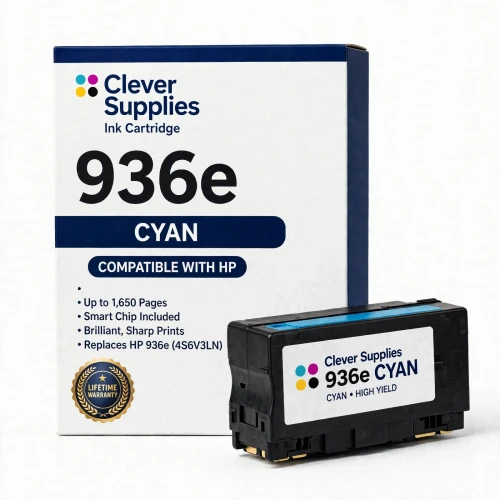
Cyan at the colors’ shared $28.43, rated near 1,650 pages where the standard cyan manages 800 — a page cost of 1.72¢ against 3.55¢. The three e colors are interchangeable on price and rating; only the station the printer has flagged separates them.
Shop the 936e Cyan Single →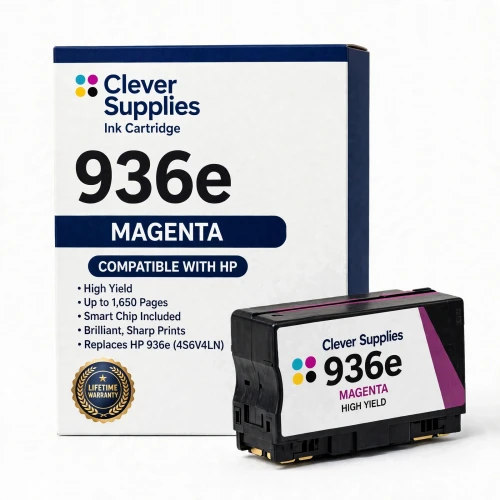
Magenta on the same terms as cyan and yellow beside it — $28.43, near 1,650 rated pages, 1.72¢ a page. Presentation and graphics work tends to empty this station early, and the doubled span between changes is the practical gain.
Shop the 936e Magenta Single →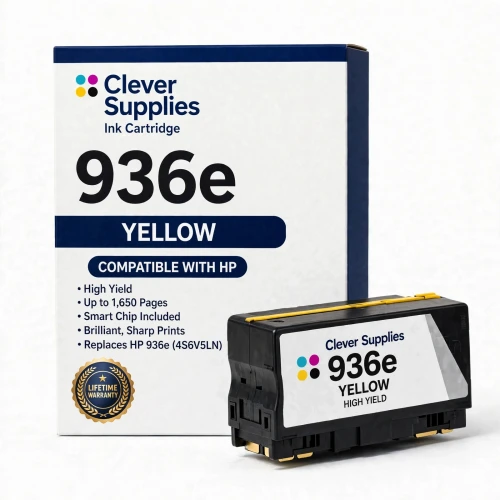
Yellow completes the high-yield row at the shared color price and the shared color rating. With this card the e tier is fully laid out — four singles and a set, every one of them priced exactly where its standard counterpart sits — and the shelf turns to the standard row.
Shop the 936e Yellow Single →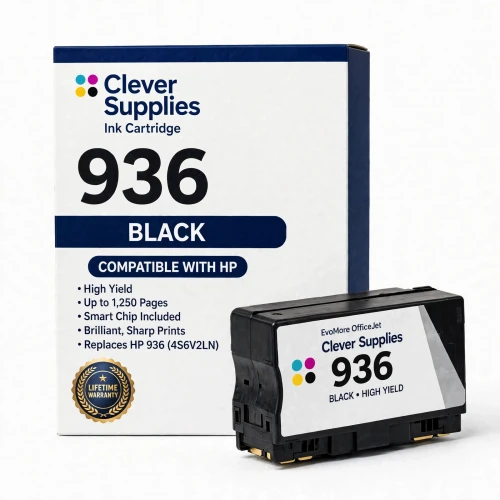
The standard black costs $4.50 more than each color in its row, yet its higher rating still makes it the standard tier’s cheapest page at 2.63¢. Its natural buyer is the low-volume one — a machine that prints in short bursts and rests between them, where 1,250 pages is a long supply rather than a short one.
Shop the 936 Black Single →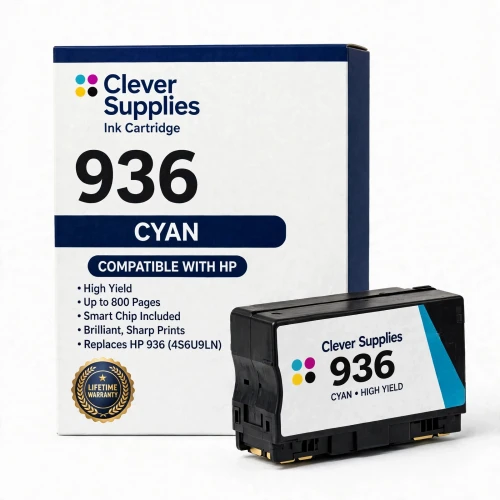
Standard cyan at $28.43 and roughly 800 rated pages — precisely the money of the e cyan above, at a little under half its span. It earns its place on a lightly used machine, or as the cartridge that finishes a standard set already in the printer.
Shop the 936 Cyan Single →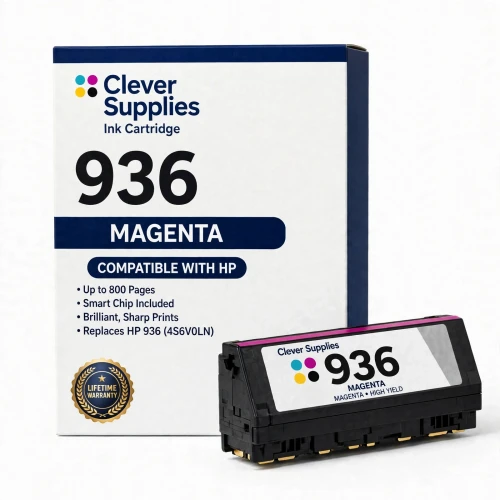
Magenta matches cyan and yellow on both price and rating, so the three standard color cards differ only in the station they serve. At 3.55¢ a page it is the family’s most expensive way to print a color page — the honest cost of buying small in a family where buying big costs nothing extra.
Shop the 936 Magenta Single →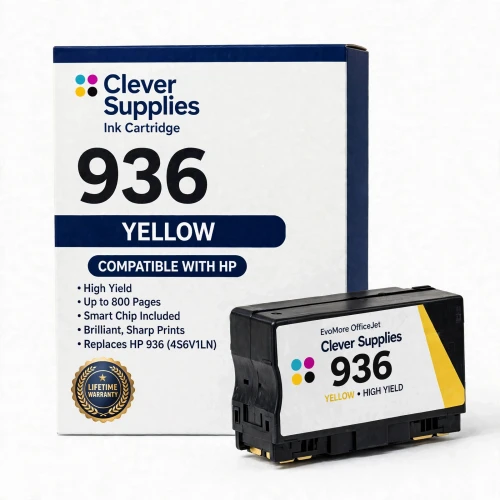
Yellow closes the shelf on the standard row’s uniform color terms. Ten listings, two tiers, one price at every station — the entire family is now on the page, and the sections below work through what the parity means in running costs, ratings and fit.
Shop the 936 Yellow Single →What the shelf does not contain is worth a sentence. Neither tier sells a black multi-pack, and neither sells a volume box larger than its set of four, so a heavy user’s bulk option begins and ends with the two sets at the top of this section. There are also no duplicate listings to sort through — ten products, ten cards, each configuration exactly once.
All ten listings in one grid
Compatibility needs no column here, because it does not vary: each row of this table fits each of the five printers named in the roster section further down. What varies is capacity alone. A set’s page total is the sum of its four cartridges’ ratings, and its blended rate is the listed price divided by that total.
| Offer | Price | Contents | Cost per page | Saving against singles |
|---|---|---|---|---|
| 936e Set of 4 — the flagship | $104.94 | One each of black, cyan, magenta and yellow · ~7,450 pages | 1.41¢ blended | SAVE $13.28 |
| 936 Set of 4 | $104.94 | One each of black, cyan, magenta and yellow · ~3,650 pages | 2.88¢ blended | SAVE $13.28 |
| 936e Black Single (4S6V6LN) | $32.93 | 1 black · ~2,500 pages | 1.32¢ | Bought one at a time |
| 936e Cyan Single (4S6V3LN) | $28.43 | 1 cyan · ~1,650 pages | 1.72¢ | Bought one at a time |
| 936e Magenta Single (4S6V4LN) | $28.43 | 1 magenta · ~1,650 pages | 1.72¢ | Bought one at a time |
| 936e Yellow Single (4S6V5LN) | $28.43 | 1 yellow · ~1,650 pages | 1.72¢ | Bought one at a time |
| 936 Black Single (4S6V2LN) | $32.93 | 1 black · ~1,250 pages | 2.63¢ | Bought one at a time |
| 936 Cyan Single (4S6U9LN) | $28.43 | 1 cyan · ~800 pages | 3.55¢ | Bought one at a time |
| 936 Magenta Single (4S6V0LN) | $28.43 | 1 magenta · ~800 pages | 3.55¢ | Bought one at a time |
| 936 Yellow Single (4S6V1LN) | $28.43 | 1 yellow · ~800 pages | 3.55¢ | Bought one at a time |
Read the price column against the pages column and the family’s signature shows itself: moving from any standard row to the 936e row above it doubles the page figure and moves the price not at all. Within each tier the pattern flips the usual one — black is the pricey cartridge, $32.93 against $28.43 for a color — yet black still returns each tier’s lowest page cost, because its rating lead is wider than its price lead. The two sets sit at identical prices with identical savings badges, separated by nothing but 3,800 rated pages.
What the parity does to running costs
Work it through in pages rather than percentages. Five thousand black pages printed on standard singles cost about $131.50; the same five thousand on 936e singles cost about $66. One full e color cartridge’s span — 1,650 pages of a single color — costs about $58.60 bought as standard singles and $28.43 bought as the e cartridge itself. And a complete four-station restock at set level delivers 7,450 rated pages for $104.94 in the e row, against 3,650 pages for the identical $104.94 in the standard row. Because the step up is free, the usual advice inverts: there is no entry-level purchase to graduate from, and the only way to overpay per page in this family is to buy the smaller cartridge out of habit.
Against genuine HP cartridges the gap widens further. HP’s US store prices the genuine standard singles at $49.99 for black and $31.99 for each color — $145.96 for a full set of stations — and the genuine 936e singles at $94.99 for black and $62.99 per color, $283.96 in all. Per page, genuine standard ink runs near 4.00¢ at both black and color stations, and genuine e ink near 3.80¢; the compatible e set’s 1.41¢ blended is a little over a third of that. HP does sell a genuine standard four-pack, code 6C3Z5LN, at $145.99 — more than either compatible set — and on the day these figures were read it was shown out of stock in HP’s store; no genuine 936e multipack is offered there at all. One caution on the genuine figures themselves: they were read while HP’s store was running a promotion, and may sit higher once it ends.
None of this makes the standard row pointless — it relocates its point. Price cannot argue for it, so the argument is about ink in storage: a high-yield cartridge in a printer that wakes up twice a month holds a large supply that ages in place, and the standard cartridge halves what is parked. For a machine in daily work the question never arises; for a home-office printer with a quiet calendar, the standard set is a deliberate choice rather than a default, and it is priced like one — identically.
The ratings, and the cartridges a new machine starts on
Every yield on this page follows ISO/IEC 24711, the inkjet test standard; HP’s footnote for the family records testing in the OfficeJet Pro 9100 series with continuous printing. The standard black is rated at roughly 1,250 pages and each standard color at roughly 800; the 936e black at roughly 2,500 and each e color at roughly 1,650. HP markets the EvoMore row as up to twice the pages, and the measured ratios land right on that promise — exactly 2.00 times at the black station and about 2.06 times at each color. Unusually for this series of guides, there is no second set of figures to weigh: each listing’s yield field, each listing’s text and HP’s published number agree on all eight codes. HP’s spec sheet for the genuine standard four-pack also publishes the ink volumes behind the standard ratings — 27 ml in the black cartridge and 10 ml in each color.
A new printer from this platform does not begin life on retail cartridges. HP fits 936 Setup cartridges at all four stations — introductory units, distinct from the retail 936 row — across the whole range, wide-format models and office models alike. HP publishes the setup yields in the box contents of the OfficeJet Pro 9135: the setup black is rated at roughly 800 pages and each setup color at roughly 420. Those figures are quoted here as that model’s published box contents; the retail ratings in the table govern from the first replacement set onward, whichever tier it comes from.
The printhead never appears as a line item, because it is not a supply. These machines print through a fixed printhead built into the printer, and the 936 and 936e cartridges are ink-only tanks that feed it — HP’s replacement-supplies lists for the platform name the eight ink cartridges and nothing else, and no other consumable is sold for these models. Swapping ink is the whole of the routine maintenance the platform asks for.
Five printers, and every cartridge fits every one
HP’s compatibility list is the same on all eight cartridge pages, and it is short: the OfficeJet Pro 9110b, the 9125 and 9135 from the 9100 series, and the wide-format 9720 and 9730. Both tiers fit all five machines — HP attaches no model restriction to the 936e row, so a cartridge choice here is never dictated by which printer you own, only by how much you print. Each model has its own category in this store, linked at its name: the OfficeJet Pro 9110b, the OfficeJet Pro 9125, the OfficeJet Pro 9135, the OfficeJet Pro 9720 and the OfficeJet Pro 9730.
One naming wrinkle is worth clearing up before it causes a wrong order. HP also sells HP+ versions of four of these machines whose names carry an “e” suffix — 9125e, 9135e, 9720e, 9730e — and this store names those models without the suffix, so an owner whose nameplate reads 9135e should recognize their printer in the 9135 above. The hardware is the same and both versions take the same cartridges; what the “e” adds is the HP+ question covered in the chip section below, which turns on whether HP+ was activated when the printer was set up, not on the nameplate.
A boundary note for completeness: the same hardware generation wears the HP 937 and HP 938 badges in other regions, and HP’s own EvoMore wording names those ranges alongside this one. This store stocks neither badge — every cartridge on this page is a 936 or 936e — so if the cartridge coming out of your machine carries a 937 or 938 code, it belongs to a different regional shelf than this one.
Chips, dynamic security, and the HP+ condition
The listings meet the chip question directly. All ten record the same entry in their fields — “Yes — new compatible chip” — and their texts explain what stands behind it: this family runs HP dynamic security, the printer checks the cartridge chip, and HP firmware updates can change what the printer accepts. The chip in these cartridges is newly made for these models, not a refilled HP shell and not a reset chip; if a recognition warning appears after an update, reseating the cartridge and restarting the printer is the listings’ first remedy, and a cartridge that a future update still blocks is covered by the lifetime warranty — the listings promise to put it right. That is the compatible position, in its own terms.
HP’s side of the record runs the other way. In HP’s own framing, these printers are built around cartridges chipped by HP — new or reused — and employ dynamic security to refuse cartridges whose chips are not HP’s; firmware updates issued from time to time keep those refusals effective, including against cartridges that printed before. HP’s genuine cartridge pages also carry an “Upgraded chip for enhanced print security” line, certified under the ISO/IEC 20243 supply-chain standard. The two accounts stand side by side here, unmerged. What a compatible buyer can actually lean on is documentary: the listings’ chip statement, their reseat-and-restart remedy, and the lifetime warranty standing behind a blocked cartridge.
Separate from chips, and easy to confuse with them, is HP+. On the “e” models HP presents HP+ as a choice offered during setup, with three months of Instant Ink among its inducements; a printer on which HP+ was activated accepts original HP cartridges only, under the program’s terms. The listings state the consequence plainly: that lock is part of the HP+ program, it applies to every non-original cartridge and not just to these, and on a printer that is not HP+-locked the cartridges on this page install and print as normal. If you are unsure whether HP+ was activated on your machine, settle that before ordering — no compatible cartridge of any brand can print in an HP+-locked machine.
The cover that comes with every cartridge here
Choosing when both rows cost the same
Questions this family raises, answered
Capacity, and nothing else. The e black (4S6V6LN) is rated near 2,500 pages against the standard black’s (4S6V2LN) 1,250, and each e color — 4S6V3LN, 4S6V4LN, 4S6V5LN — near 1,650 against 800 for the standard colors, 4S6U9LN, 4S6V0LN and 4S6V1LN. Fit is identical, the printers are identical, and on this shelf the prices are identical too, so the tiers differ purely in how many pages each cartridge carries.
Because that is how the shelf is priced: black at $32.93 in both tiers, each color at $28.43 in both tiers, and the set of four at $104.94 in both tiers. No reason beyond the pricing itself is stated anywhere, and this guide invents none — the practical consequence is that the tier decision costs nothing to get right, and the only way the standard row wins is on ink sitting unused in a seldom-run printer, not on money.
Five models: the OfficeJet Pro 9110b, 9125 and 9135, and the wide-format OfficeJet Pro 9720 and 9730. The HP+ versions sold as the 9125e, 9135e, 9720e and 9730e are the same machines with the suffix added — this store lists them under the unsuffixed names — and every cartridge in both tiers fits every one of them, with no model restriction on the 936e row.
HP 936 Setup cartridges, fitted at all four stations across the whole platform, office and wide-format models alike. HP publishes their ratings in the OfficeJet Pro 9135’s box contents — roughly 800 pages for the setup black and roughly 420 for each setup color — and those figures are quoted here as that model’s published contents. When they run out, any retail cartridge on this page takes over, standard or e, station by station.
No, and the listings themselves flag the distinction. Both are EvoMore-generation ranges, which is where the resemblance ends: the 923 family serves the OfficeJet Pro 8100 series, while 936 and 936e serve the 9100 series and the wide-format 9700 series. The cartridges are not interchangeable — order by the code printed on the cartridge you are replacing.
That depends on a setup choice, not on the hardware. If HP+ was activated when the printer was first set up, the machine accepts original HP cartridges only — a condition of the HP+ program that applies to every non-original cartridge, these included. If HP+ was not activated, the printer is not locked and the cartridges on this page install and print as normal. The listings carry the same note, and support can help you check the machine’s status before you order.
Start with the listings’ own remedy. Each cartridge’s chip is newly made and reports ink levels to the printer; when an update triggers a recognition warning, the listings direct you to reseat the cartridge and restart the machine, and a cartridge that remains blocked afterward falls under the lifetime warranty. HP’s position, for the record, is that the platform’s dynamic security exists to block cartridges using a non-HP chip and is maintained through those same updates — the chip section above gives both statements in full.