




The DR830 belongs to Brother’s current entry-level monochrome platform — the printers that take TN830 and TN830XL toner — and it is the half of the supply pair that owners think about least, right up until the printer puts “Replace Drum” on its display. The drum is not a toner cartridge. It is the imaging unit the cartridge drops into, the surface that carries every page’s image from the laser to the paper, and Brother rates it at about 15,000 pages — long enough to outlive roughly five high-yield toner cartridges. One drum design serves all eighteen printers on the platform. This guide prices the three ways this store sells it, explains how to tell a drum problem from a toner problem, and gives the genuine Brother unit its own honest section — because this time, unlike the platform before it, the genuine drum is actually on the shelf.
The short answer: the DR830 2-pack at $35.12 is where most owners should land — two drums, about 30,000 rated pages in the box, priced $16.08 below the same two units bought one at a time. The single at $25.60 answers an immediate warning on a lightly used machine. The 4-pack at $54.16 brings the drum’s running cost to about $0.90 per thousand pages for printers that work every day.
Start from the message, not from a guess. When the display names the drum, only a drum settles it — the toner cartridge and the drum unit keep separate tallies, and a fresh cartridge cannot reset the drum’s. If your printer is one of the eighteen models listed further down, its drum is the DR830 whichever toner tier it runs, standard or high-yield. What remains is a quantity decision. A single drum at $25.60 clears today’s warning; the 2-pack at $35.12 leaves a spare on the shelf for the next one; the 4-pack at $54.16 suits machines in constant service. And if only a genuine Brother box will do, this platform’s genuine drum is in stock here — the genuine section below sets out what it costs and what the extra money buys.
One drum design underneath eighteen different printers
Brother’s DR830 page lists the platform it built this drum for: the HL-L2400D, HL-L2405W, HL-L2420DW, HL-L2460DW, HL-L2460DW XL, HL-L2465DW, HL-L2467DW, HL-L2480DW and HL-L2865DW; the DCP-L2640DW and DCP-L2647DW; and the MFC-L2760DW, MFC-L2807DW, MFC-L2820DW, MFC-L2820DW XL, MFC-L2900DW, MFC-L2900DW XL and MFC-L2980DW. Every one of the eighteen has a category page in this store, and every one takes the same drum.
One small discrepancy in Brother’s own paperwork is worth a line, because owners cross-checking model lists will run into it: Brother’s TN830 and TN830XL toner pages name seventeen of these machines, while the DR830 page’s features list names eighteen, adding the HL-L2467DW. This store’s listings follow the eighteen, the model has its own category page here, and this guide follows the eighteen-model roster as well.
The same Brother page names two further toner tiers for this platform, a TN830V and a TN835; this store stocks neither, in compatible or genuine form. The toner shelf here consists of the TN830 and the TN830XL, and both ride on the drum this page covers.
Buying the drum: one at a time, in pairs, or four deep
One naming problem has to be flagged before the prices, because it confuses buyers every week: all three compatible DR830 listings in this store carry the words “Toner Cartridge” in their product titles, even though the box holds a drum unit. The only listing whose title says “Drum Unit” outright is the genuine Brother one. The cards below name each offer for what it is. The arithmetic behind them is simple: a single drum is $25.60, so two singles bought apart total $51.20 and four total $102.40 — and those two sums are the only yardsticks the pack prices are judged against.
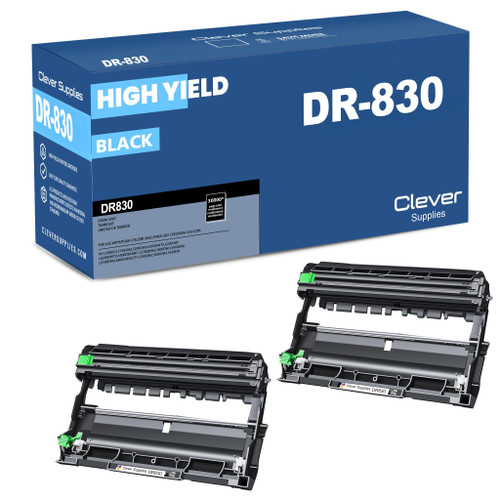
Drum changes are rare events — at Brother’s rating, a home printer can run for years on one unit — and that rarity is precisely the argument for the pair. The warning never arrives on a quiet day; it lands in the middle of a print run someone needs. Paying $9.52 more than the single today banks the spare at the lower per-unit price, and the pair still costs less than a single genuine drum by a factor of three and a half. For any machine expected to remain in service past its next drum, this is the shelf’s sensible default, which is why it leads this page.
Shop the 2-Pack →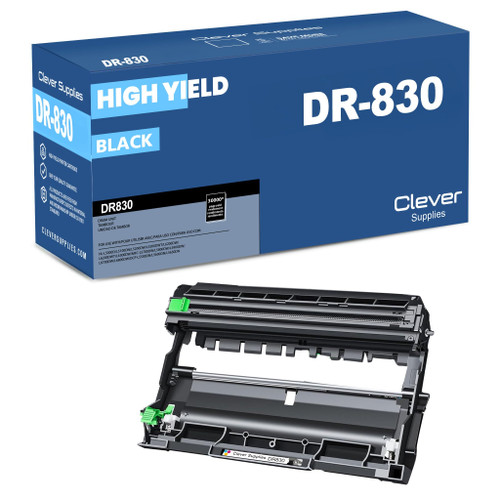
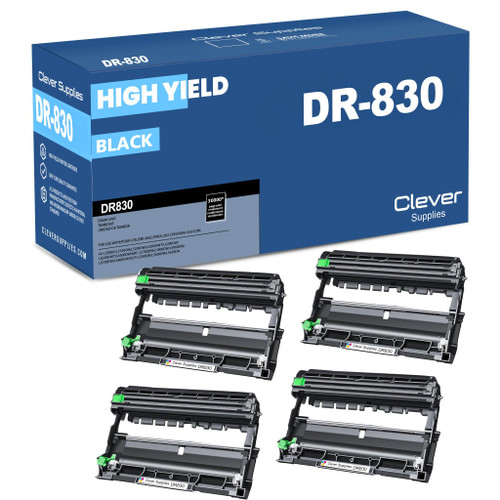
Nothing about the part changes between the boxes — one drum design, one rating, one fit list. The only variable is how far ahead the purchase looks. A printer in a spare room that produces a few pages a week may never wear out a second drum, and for that machine the single is the honest buy. At the other extreme, a front-desk machine cycling toner cartridges every month or two treats a drum as a routine annual purchase, and the four-pack’s $0.90 per thousand pages is the cheapest way to keep that routine stocked.
The yield figures printed on the listings themselves need no massaging here. Each compatible listing states the drum at 15,000 pages — Brother’s published number, exactly — and the pack totals of 30,000 and 60,000 pages are plain multiples of it. Every number on this page is the listing’s own figure, checked against Brother’s page rather than adjusted to taste.
The three offers laid out together
With one drum covering the whole platform, no fit column is needed — every row below fits every printer named on this page. The comparison that matters is reach against price: how many rated pages each box holds, and what a thousand of them cost at that quantity.
| Offer | What is in the box | Rated drum life | Price | Cost per 1,000 pages | Measured against singles |
|---|---|---|---|---|---|
| DR830 2-pack | Two DR830 drum units | About 30,000 pages in total | $35.12 | About $1.17 | SAVE $16.08 vs two singles |
| DR830 4-pack | Four DR830 drum units | About 60,000 pages in total | $54.16 | About $0.90 | SAVE $48.24 vs four singles |
| DR830 single | One DR830 drum unit | About 15,000 pages | $25.60 | About $1.71 | — |
The genuine Brother drum is not a row in this table because the table compares the compatible shelf, offer against offer. The genuine unit is in stock here at $123.49 and gets its own section below, where it belongs — it is a different purchase, not a fourth quantity of this one.
Which part is the printer actually asking for?
Inside these printers the two supplies sit one inside the other. The toner cartridge holds the powder; the drum unit is the cradle it clicks into, and the drum’s photosensitive surface is what receives the image and lays it on the page. They wear on unrelated schedules. Toner is spent by coverage — a cartridge empties in the low thousands of pages — while the drum wears by revolutions, turning through roughly five TN830XL cartridges, or about twelve and a half standard TN830s, before its surface tires.
Read the symptom before you read the catalog. Toner trouble announces itself as evenly fading pages that a new cartridge fixes at once. Drum trouble looks different: streaks or spots that repeat down the page at the same interval, a gray background wash that will not clear, print that stays poor even behind a brand-new cartridge. One free check comes first — Brother’s manuals describe cleaning the drum’s corona wire by sliding its tab back and forth and returning it to its home position, and a dirty wire mimics a dying drum closely enough that the cleaning is always worth two minutes before money is spent.
When a new drum does go in, finish the job at the control panel: reset the drum counter, so the printer begins timing the new unit’s life from zero. Skipping the reset leaves the machine counting the old drum’s pages against the new one, and the warning will return absurdly early. The opposite error is worse — resetting the drum counter during an ordinary toner swap persuades the printer that a worn drum is fresh, and the first anyone knows of it is the print quality failing weeks later.
Toner-and-drum sets are priced on the toner guide
The drum also reaches the shelf bundled with toner. The store sells sets that pair one drum with one, two or three toner cartridges, and sets holding two of each — in both toner tiers, built on the standard TN830 and on the high-yield TN830XL alike. The shapes exist because a drum change and a toner restock so often fall in the same order, and one box that covers both errands is genuinely convenient.
Those sets are not priced on this page, by design. Each bundle is half a toner purchase, and the toner side of this platform — cartridges, packs, and the sets measured against the cost of their own parts — is the subject of the Best Brother TN830XL Toner Cartridges guide, where the headline set is already carded and costed. Pricing the same box in two places invites the two pages to disagree someday; here the subject stays the drum, which is the part the readers of this page came to replace.
The genuine Brother drum, and the honest case for and against it
Owners who buy genuine on principle get a straighter answer on this platform than on the last one: the genuine Brother DR830 is in stock in this store, correctly titled as a drum unit, and priced at $123.49 — which is $34.50 below Brother USA’s own $157.99 for the same part. No stock caveat applies to it. What does apply is the comparison: $123.49 against the compatible single’s $25.60 is roughly 4.8 times the money for the same Brother-rated 15,000 pages. What the premium buys is Brother’s own part and the manufacturer’s warranty standing behind it; what it does not buy is a longer rated life, because the rating is identical. That is a legitimate choice — it is simply one to make with both numbers on the table.
Two terms and one shelf warning travel with the genuine class here. Genuine parts in this store carry the manufacturer’s warranty and a 30-day returns window, against the full year of each that the compatibles above carry. And the store’s genuine toner-and-drum bundles split by tier: those built on the TN830XL are stocked and orderable, while the four built on the standard TN830 display prices despite holding no stock, and cannot currently be bought — any listing of that kind should be read as a price, not as an offer. Genuine products are referenced on this page for context; the cards above link to the compatible shelf, as they do throughout this store’s guides.
Nothing about this drum involves a chip
Read the three carded listings end to end and the word “chip” does not appear in any of them — and correctly so, because on this platform the drum is a mechanical imaging part with no recognition electronics of its own; whatever the printer reads, it reads from the toner cartridge. This guide therefore claims nothing about chips for the DR830: not a fitted chip, not a recognition behavior, not a reading on any gauge. Across the whole family’s compatible listings, the word surfaces exactly once, inside a duplicate set listing, and that sentence is about the toner cartridge’s high-yield rating — a toner matter, in a listing this guide does not card.
The one chip-adjacent reassurance that can be printed honestly belongs to Brother itself, from its published support position: “Brother firmware updates do not block the use of third-party ink and toner cartridges in our machines.” Everything else here stands on equally checkable ground — Brother’s eighteen-model roster, Brother’s own yield basis quoted in the note at the foot of the page, and shelf prices taken on the date shown at the top.
Before you order a DR830: five checks
Questions owners ask at drum-change time
No — it is the drum unit, the imaging cradle that the TN830 or TN830XL cartridge seats into. The confusion is understandable here, because this store’s compatible listings put “Toner Cartridge” in their titles anyway; the part in the box is a drum, and it is replaced on its own far longer schedule.
Brother puts the rating at approximately 15,000 pages, figured on a basis of one page per job on letter or A4 sheets — an approximation, and longer jobs, heavier coverage and larger media all move the real figure. Translated into the supplies you already buy, a drum should turn through about five TN830XL cartridges, or around twelve and a half standard TN830s, before the printer calls for its replacement.
Yes. The HL-L2467DW appears in the features list on Brother’s own DR830 page even though the toner pages omit it, and every other signal agrees: the store’s listings name it among the eighteen, it has a category page here, and the drum that fits its seventeen siblings is the drum that fits it. The eighteen-model list at the top of this page is the roster to trust.
Because the drum carries no chip to describe. Recognition electronics on this platform live in the toner cartridge; the drum is a mechanical part, and its listings say nothing about chips because there is nothing to say. Rather than invent a claim, this guide prints none — the only chip-adjacent statement offered is Brother’s own published position that its firmware updates do not block third-party cartridges.
That depends on what you are buying it for. Both units carry Brother’s own rating of about 15,000 pages, and this store’s genuine price is, unusually, below Brother’s own $157.99. The $97.89 difference buys Brother’s manufacture and the manufacturer’s warranty; against that, the compatible carries a year of warranty and a year of returns from this store, where the genuine carries thirty days of returns. Owners who value the original part on principle are not being overcharged here — but nobody should pay the premium imagining it buys extra pages.
Seat the toner cartridge in the new drum until it clicks, slide the assembly back in, then reset the drum counter through the machine’s menu so the new unit’s life is counted from zero. If a drum message lingers afterward, reseat the assembly first — an unseated unit is the usual culprit — and remember the counter is reset for drum changes only, never as part of a toner swap.