




Phaser 3320DN
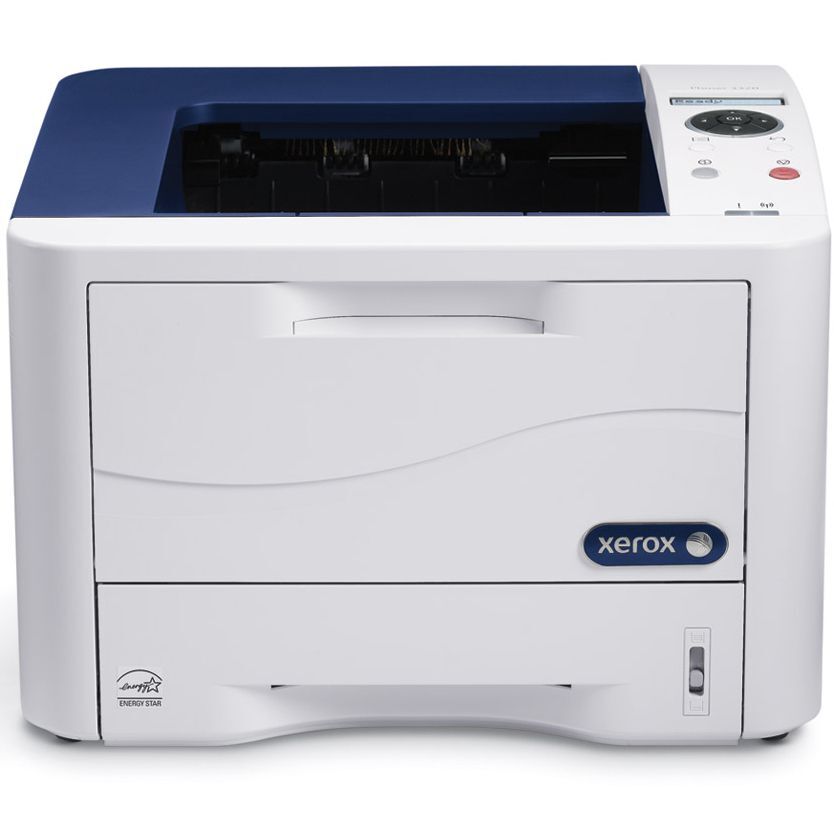
Compact but business-grade, the Phaser 3320DN is a monochrome laser printer that makes toner simple: one cartridge slot, and that is the whole consumables story. The slot accepts the standard 106R02305 cartridge, and this page stocks its bigger build, the high-yield 106R02307, good for around 11,000 pages before the printer asks for a fresh one.
Duplex printing comes standard on the 3320DN, so the machine already works to cut paper use while turning out sharp black-and-white documents. Pair that with a high-yield cartridge and both halves of the running-cost equation shrink at once: less paper per document, and more pages from every cartridge you buy. For a compact printer doing full-size office work, that combination is the reason it stays popular.
Toner Cartridges for Phaser 3320DN
| Cartridge | Color | Page Yield |
|---|---|---|
| 106R02307 high-yield cartridge | Black | About 11,000 pages |
| 106R02307 high-yield cartridge, code-numbered listing | Black | About 11,000 pages |
| 106R02307 high-yield MICR cartridge | Black (MICR) | About 11,000 pages |
| 106R02307 high-yield 3 pack | Black | About 11,000 pages per cartridge |
| 106R02307 high-yield 5 pack | Black | About 11,000 pages per cartridge |
| 106R02307 premium quality high-yield 5 pack | Black | About 11,000 pages per cartridge |
| 106R02307 high-yield 5 pack, model-numbered listing | Black | About 11,000 pages per cartridge |
Which cartridge should you buy?
Since toner is the 3320DN’s only consumable, the buying decision is refreshingly narrow: it is the high-yield 106R02307 in whatever quantity suits you. One cartridge plus a spare covers most small offices. Sites printing long two-sided documents every day should take the 3 pack or 5 pack and stop thinking about toner for months. The MICR listing is the pick for check runs. Every compatible cartridge on this page is backed by a 1-year warranty and 1-year returns.
Chip, toner and everyday use
Installation is a one-step job: open the front cover, pull the spent cartridge, and slide the new one in until it clicks, then run a test page to confirm clean output. The cartridge chip lets the printer recognize the new supply and track its level. Because the rated 11,000 pages assume 5% coverage, two-sided printing does not change toner use per page — it saves paper, while toner consumption still follows how dark your pages are. Keep the spare sealed until change day.
Frequently Asked Questions
What toner does the Phaser 3320DN use?
It runs on the 106R02305 standard cartridge or the high-yield 106R02307 stocked on this page. The high-yield cartridge is rated for around 11,000 pages, which suits the 3320DN’s business workload.
Is toner the only consumable on the 3320DN?
Yes — the cartridge is its only consumable, which makes replacement a quick one-step job with no separate drum to order or track. When output fades, the cartridge is the part to change.
How many pages does the high-yield cartridge print?
Around 11,000 pages at the standard 5% coverage. Duplex printing stretches your paper supply, not the toner rating, so judge cartridge life by the darkness and density of the pages you print.
How do I install a 106R02307 cartridge?
Open the front cover of the 3320DN, remove the spent cartridge, and slide the new 106R02307 into place until it clicks. Close the cover and print a test page to confirm the output is clean and even.
More printers that use the same cartridges
The same high-yield cartridge fits the other members of the 3320 family: Phaser 3320, Phaser 3320DNI.