




Phaser 3125N Toner Cartridges
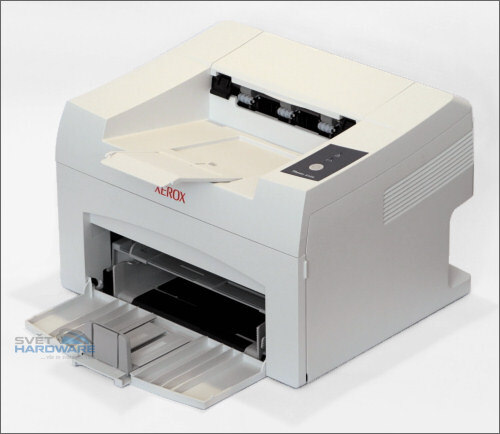
A mono laser printer aimed at demanding print environments, the Phaser 3125N asks a great deal of its toner cartridge — and asks it often. The cartridge in question is the 106R01159, stocked here as a single, in a MICR version, and in five-packs, plus a listing named for this model. However hard your 3125N works, the supply side of owning it stays a one-line story.
Demanding environments punish weak links. When a printer sits at the center of a busy workflow, an empty cartridge is not a small delay — it is a queue of people standing around a silent machine. Owners of this model tend to treat toner the way careful drivers treat fuel: they watch the level, they keep a reserve, and they buy ahead. The good news is that a single cartridge code covers the job, so the reserve shelf never turns into a sorting exercise.
Toner Cartridges for Phaser 3125N
| Cartridge | Color | Page Yield |
|---|---|---|
| 106R01159 | Black | See product page |
| 106R01159 MICR | Black (MICR) | See product page |
| 106R01159 5 Pack | Black | See product page |
| 106R01159 Premium 5 Pack | Black | See product page |
| Phaser 3125N Toner Cartridge | Black | See product page |
| Phaser 3125N Toner Cartridges, 5 Pack | Black | See product page |
Which cartridge should you buy?
Match the pack to the pace. If the 3125N handles a steady but modest flow, singles ordered one at a time are enough. If it anchors a busy corner of the office, a five-pack is the sensible default: the cost per cartridge improves, and the remaining boxes tell you at a glance when to reorder. Buyers who prefer the Premium listing will find it among the five-packs, and a listing under this model's own name is available in both single and five-pack form. Leave the MICR version to offices that print checks — it is a specialty fill, not an upgrade for ordinary documents. Every compatible option above is covered by a 1-year warranty and 1-year returns.
Chip, toner and everyday use
Recognition problems almost always trace back to the swap itself. If the printer does not accept a fresh cartridge, lift it out, check that every strip of sealing tape came away, and seat it again with firm, even pressure until it clicks — the chip contact depends on that final seating. Streaks on the first pages after a change usually clear within a few prints as the new toner works through. Store spares in a cool, dry spot out of direct sunlight, and rotate stock so the oldest cartridge goes in first; toner keeps well, but there is no reason to test how well.
Frequently Asked Questions
What toner does the Phaser 3125N use?
The 106R01159 black cartridge — the same one listed throughout this page. Singles, five-packs and the MICR version are all built around that single cartridge code.
How many pages will a cartridge print?
That depends on what you print: dense pages with heavy coverage use far more toner than plain text letters. The rated figure for this cartridge is published on its product page, measured at the standard 5% coverage, so use it as a comparison point rather than a promise.
Does the 3125N share its cartridge with other models?
Yes — a whole family of Phaser models runs on this same cartridge, and every one of them is linked at the foot of this page. A spare bought for the 3125N can rescue any of those machines, and the other way around.
Why is there a MICR option, and do I need it?
MICR toner is magnetically readable, which is what banks require on printed checks. If your office prints its own checks, it is the correct cartridge; for reports, letters and forms, the standard black is all you need.
More printers that use the same cartridges
The same cartridge keeps these Phaser models printing:
Phaser 3117, Phaser 3122, Phaser 3124, Phaser 3124B, Phaser 3125, Phaser 3125B