




ColorQube 8580N
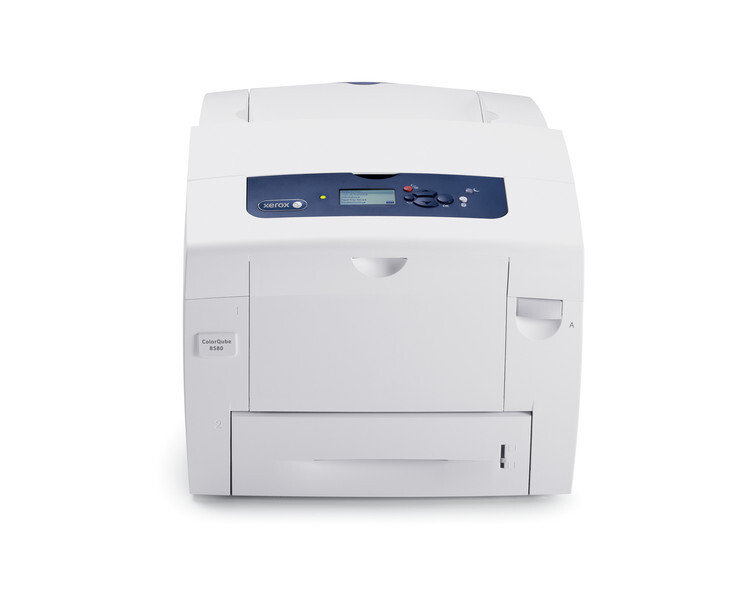
The ColorQube 8580N keeps things simple: fast solid-ink color with network connectivity and no duplex unit. Compatible ink is the 108R00953 series — black 108R00953 (~16,700 pages) and cyan 108R00950, magenta 108R00951, yellow 108R00952 (~17,300 pages each). It is a straightforward way to get vivid, low-waste color onto the office network.
Solid Ink for Xerox ColorQube 8580N
| Cartridge | Color | Page Yield | OEM # |
|---|---|---|---|
| Xerox 108R00953 Solid Ink (Compatible) | Black | 16,700 | 108R00953 |
| Xerox 108R00950 Solid Ink (Compatible) | Cyan | 17,300 | 108R00950 |
| Xerox 108R00951 Solid Ink (Compatible) | Magenta | 17,300 | 108R00951 |
| Xerox 108R00952 Solid Ink (Compatible) | Yellow | 17,300 | 108R00952 |
Frequently Asked Questions
What ink does the Xerox ColorQube 8580N use?
The Xerox ColorQube 8580N is a solid-ink printer, so it uses ink sticks instead of toner: black 108R00953, cyan 108R00950, magenta 108R00951, and yellow 108R00952.
How many pages does Xerox 108R00953 solid ink print?
The black 108R00953 sticks print about 16,700 pages, while the cyan 108R00950, magenta 108R00951, and yellow 108R00952 sticks each print about 17,300 pages.
Are compatible solid ink sticks safe for the Xerox ColorQube 8580N?
Compatible solid ink sticks are designed to work in the Xerox ColorQube 8580N. Check your printer's warranty terms for specific coverage details.
How do I load solid ink sticks in the Xerox ColorQube 8580N?
Lift the ink loader cover on top of your Xerox ColorQube 8580N, match each stick's shape to its color slot, and drop the sticks in — each stick only fits its correct slot.
More Printers That Use Xerox 108R00953 Solid Ink
SELECT YOUR PRINTER FAMILY TO SHOP ColorQube 8580N PRODUCTS
There are no products listed under this category.