




MS710n
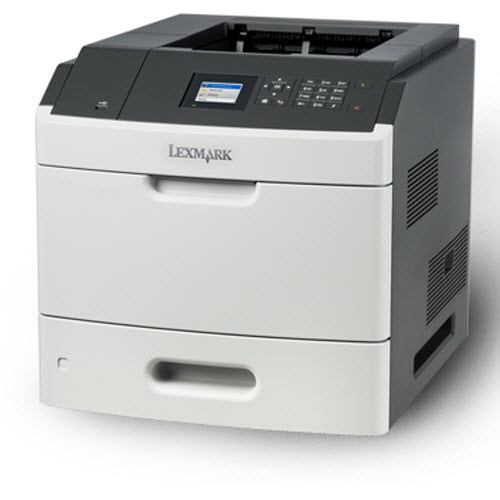
Not every department needs two-sided printing, and the Lexmark MS710n is the honest answer for the ones that don't: a networked monochrome laser that puts its money into volume rather than a duplex unit. It runs on the 521H (52D1H00) high-yield black toner cartridge, rated at roughly 25,000 pages, which keeps cost per page low across long days of single-sided work. Network connectivity is standard, so the whole floor sends jobs to one machine without a USB shuffle. The wider family also offers a 6,000-page standard 521 and a 45,000-page 521X, but the 521H is the cartridge this page is built around.
Think of the teams whose paperwork only ever has one side: shipping labels, pick lists, sign-in sheets, single-page forms. For them a duplex mechanism is hardware paid for and never used, while page volume is very real. The MS710n fits that reality — one sturdy shared printer, fed over the network, swallowing single-sided jobs from morning to close. It is the budget-friendly way to give a department serious capacity without buying features the work never calls for.
Toner Cartridges for MS710n
| Cartridge | Color | Page Yield |
|---|---|---|
| 521H (52D1H00) | Black | ≈25,000 pages |
| 521H (52D1H00) 2 Pack | Black | ≈25,000 pages |
| 521H (52D1H00) 4 Pack | Black | ≈25,000 pages |
Which cartridge should you buy?
The buying question on this model is how much toner to keep within reach. A single 521H already covers about 25,000 pages, which for many departments is a full season of printing; the standard 521 in the family, at roughly 6,000 pages, suits genuinely light use, and the 521X at about 45,000 pages exists for exceptional volume. Because the MS710n has no duplex unit to feed, there are no other consumable decisions hiding behind the toner choice — one cartridge type, bought well, is the whole supply plan. Singles work if you reorder calmly; the 2-pack removes the reorder from your month entirely, and the 4-pack is for offices that would rather think about toner once a year.
Chip, toner and everyday use
A shared department printer cannot wait on a delivery truck, so the practical habit with the MS710n is to keep one sealed spare in the room where the printer lives. The printer tracks the installed cartridge through its chip and reports the level, so you can see a change coming days ahead instead of discovering it mid-job. When pages begin to lighten, slide the cartridge out, tilt it gently from side to side to level the toner inside, and reinstall — that coaxes out pages that would otherwise be wasted. Store spares away from heat and sunlight, flat rather than on end. Ratings assume 5% page coverage, so form-heavy printing with bold headers will use toner a little faster than the estimate.
Frequently Asked Questions
Does the Lexmark MS710n print on both sides of the page?
Two-sided output is not this model's job — it is built for single-sided work, and that is exactly why it costs less to buy and run. If your team regularly needs automatic duplexing, the dn models in this same family add it while using the very same 521H cartridge.
Which toner does the MS710n take?
It takes the Lexmark 521H high-yield black cartridge, part number 52D1H00, rated at roughly 25,000 pages. Only the 521H listings are stocked on this page, as singles and in 2-pack and 4-pack form.
How many pages will one 521H cartridge print in the MS710n?
About 25,000 pages at 5% coverage, the ISO/IEC 19752 measuring basis Lexmark uses for this family. Real totals move with what you print: pages packed with graphics and bold text draw more toner per sheet than plain correspondence.
Is the MS710n's cartridge the same one the bigger MS810 models use?
Yes — the 521H cartridge is shared across the whole platform, from this printer up through the MS810 and MS812 lines. A mixed fleet can therefore run on a single spare on the shelf instead of a different cartridge for every model.
More printers that use the same cartridges
The MS710n drinks from the same 521H well as the rest of its family: MS711dn, MS810de, MS810dn, MS810dtn, MS810n, MS811dn, MS811dtn, MS811n, MS812de, MS812dn, MS812dtn, MS710dn