




Xpress M2070FW
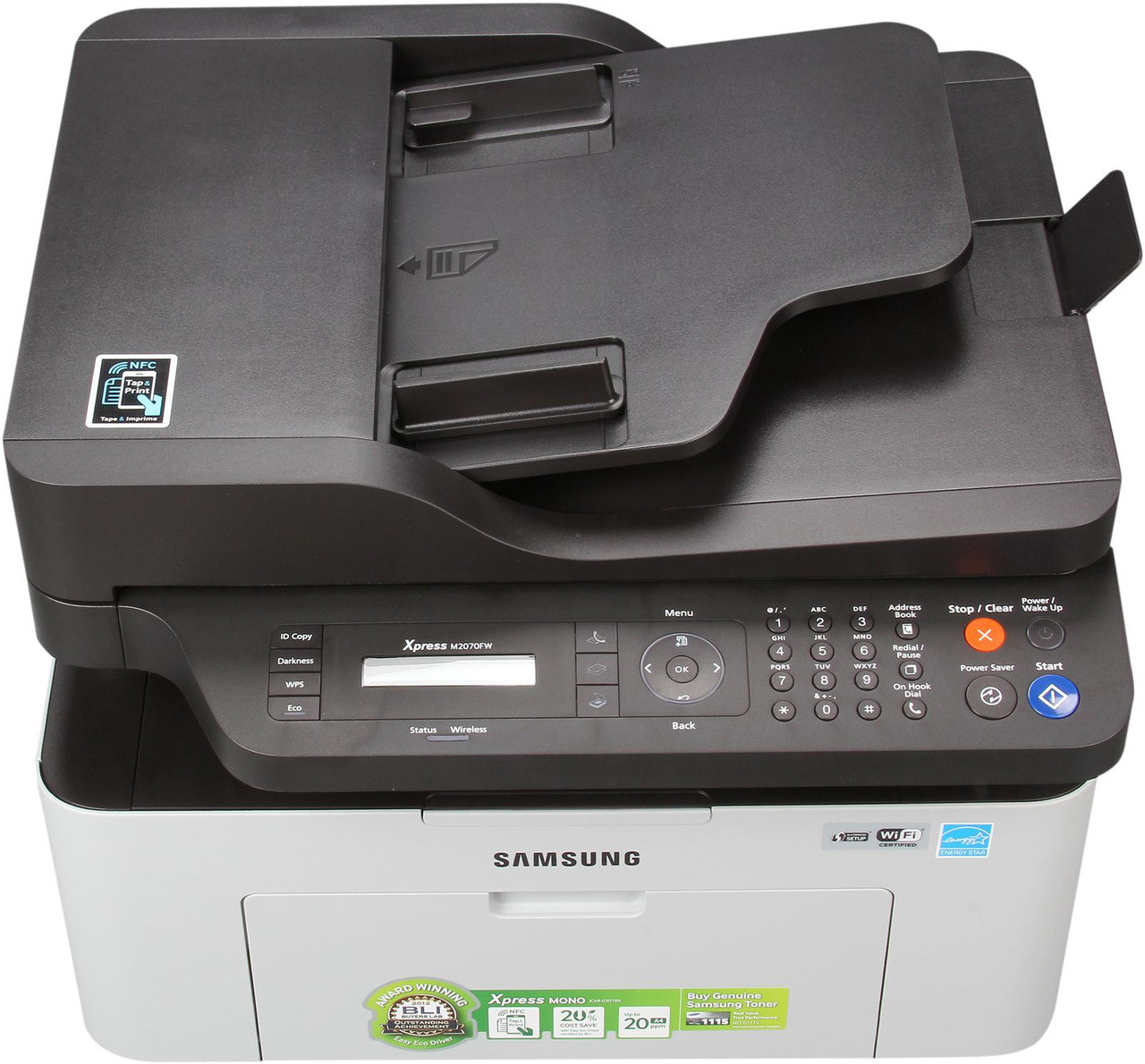
The Xpress M2070FW packs the whole office into one small box: printing, scanning, copying, fax and wireless, all built around a single consumable. That consumable is the MLT-D111S, a one-piece black cartridge rated for roughly 1,000 pages that carries its own drum inside, so there is no second part to order, track or time. Every listing on this page is a version of that same cartridge — bought singly, in multipacks, or under the M2070FW's own name.
This is the configuration aimed at a home office that still deals with signed paperwork. Fax capability means the machine earns its desk space even on days when nothing is printed for the computer, and wireless means it can sit near the phone line while laptops and phones reach it from anywhere in the house. Because the FW model gets used from several directions at once — print jobs, copies and incoming faxes — owners tend to work through cartridges a little faster than the modest rating suggests.
Toner Cartridges for Xpress M2070FW
| Cartridge | Color | Page Yield |
|---|---|---|
| MLT-D111S | Black | Approx. 1,000 pages |
| MLT-D111S 4 Pack | Black | Approx. 1,000 pages per cartridge |
| MLT-D111S Premium Quality 5 Pack | Black | Approx. 1,000 pages per cartridge |
| Samsung Xpress M2070FW Toner Cartridge | Black | Approx. 1,000 pages |
| Samsung Xpress M2070FW Toner Cartridges 5 Pack | Black | Approx. 1,000 pages per cartridge |
Which cartridge should you buy?
There is only one cartridge decision here, and it is about quantity rather than type. A single MLT-D111S suits a light user who prints a few pages a week. Busier households should look at the multipacks: the four-pack and the premium five-pack cut the per-cartridge cost and keep a spare within reach, which matters on a multifunction machine — when the toner runs out, copying and fax printing stop along with ordinary printing. Remember that received faxes print automatically, so a fax-active line quietly adds pages you never sent to the printer yourself. If your line receives documents daily, plan cartridge changes on that combined total, not on your print count alone.
Chip, toner and everyday use
Each compatible cartridge carries a chip the printer reads to confirm the model and report toner levels; if a new cartridge is ever questioned, power down, slide it out and wipe the gold chip contacts with a dry, lint-free cloth, then seat it again with a firm push. Let a cartridge that arrived from a cold porch or a hot mailbox sit indoors for a few hours first, because temperature extremes can confuse the reading. Store your spare sealed, upright and out of direct sunlight. Yield figures assume about 5% page coverage, so dense pages finish a cartridge sooner, and a gentle side-to-side rock of a fading cartridge redistributes the powder for a final run of pages. Every compatible cartridge on this page is covered by a 1-year warranty and 1-year returns.
Frequently Asked Questions
Why did the cartridge that came with my M2070FW run out so quickly?
New printers ship with a starter cartridge that holds a reduced fill, so it gives out well before a retail MLT-D111S would. That first replacement is not a defect — once a full cartridge goes in, page counts settle to the roughly 1,000-page rating at normal coverage.
Do incoming faxes really use up toner on the M2070FW?
Yes. Every received fax is printed, so fax traffic consumes the cartridge exactly as your own print jobs do. Turning on junk-fax blocking and switching off automatic transmission reports are the two easiest ways to stop pages you never wanted from eating into the cartridge.
The printer says the cartridge is not compatible. How do I clear that?
Switch the machine off, remove the cartridge and clean the chip contacts with a dry cloth, then reinstall it until it seats fully. If the message persists with one particular cartridge, a firmware update may be rejecting its chip; trying another cartridge from the pack usually isolates whether the chip or the printer is at fault.
Is there a separate drum I need to replace on this model?
No. On the M2070FW the drum is built into the MLT-D111S itself, so each cartridge change also renews the imaging surface. There is no drum counter to reset and no second consumable hiding in the running costs.