




Xpress C410
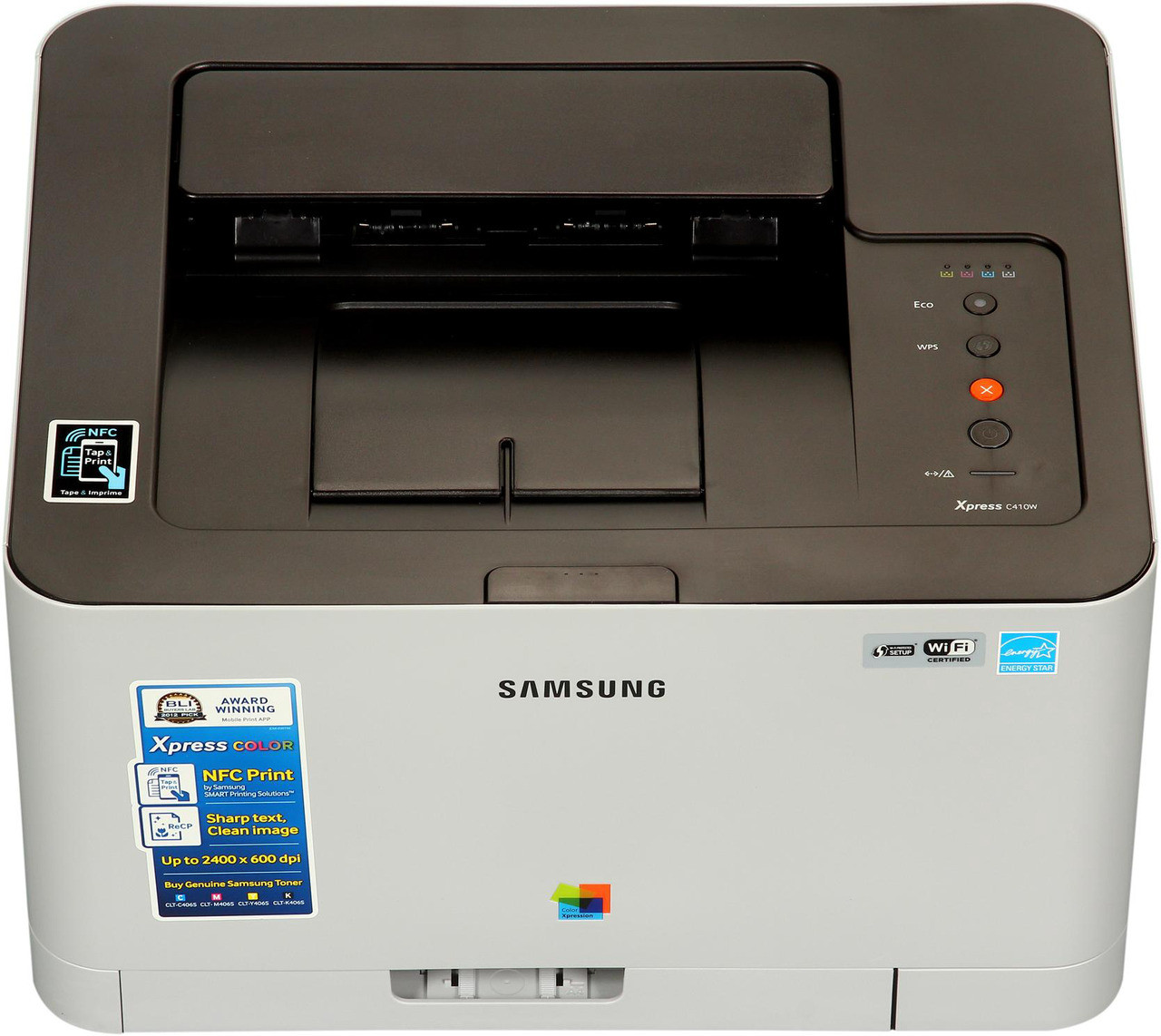
The Xpress C410 is where Samsung's CLT-406S color family begins: a compact single-function color laser for the office stepping up from a monochrome machine. It runs four cartridges — CLT-K406S black, CLT-C406S cyan, CLT-M406S magenta and CLT-Y406S yellow — and watches each one separately, reporting four levels instead of a single vague warning.
Stepping up from mono changes the supply math more than the printing does. One cartridge becomes four, and the first lesson every new color owner learns is that the four refuse to empty in step: a desk printing contracts all week sips black and barely touches the colors, while one run of brochures pulls the three colors down together. The C410's per-color gauges turn that behavior from a surprise into a schedule you can stock against.
Toner Cartridges for Xpress C410
| Cartridge | Color | Page Yield |
|---|---|---|
| CLT-K406S | Black | See product page |
| CLT-C406S | Cyan | See product page |
| CLT-M406S | Magenta | See product page |
| CLT-Y406S | Yellow | See product page |
| CLT-406S 4 Color Set | Black, Cyan, Magenta, Yellow | See product page |
| Xpress C410 4 Color Set | Black, Cyan, Magenta, Yellow | See product page |
| Xpress C410 Premium Quality 4 Color Set | Black, Cyan, Magenta, Yellow | See product page |
Which cartridge should you buy?
Buy singly, and let the gauges lead. On a typical C410 the CLT-K406S black is the standing reorder — text dominates most small-office output — while cyan, magenta and yellow are picked up one at a time as each approaches empty. The set has its moment too: when two or three colors age together, the CLT-406S 4 Color Set or the model-named Xpress C410 4 Color Set (also offered in a Premium Quality version) replaces the family in a single transaction and resets all four gauges at once. What a small office should avoid is the standing full-set subscription habit; with independent cartridges, unneeded colors are pure shelf cost.
Chip, toner and everyday use
Fit each cartridge with a firm push until it clicks home; the chip on a CLT-406S cartridge only registers when the unit is fully seated, and a half-latched cartridge is the most common reason a healthy one is reported as missing. Quoted yields throughout this family rest on the standard 5% coverage page, so treat them as comparisons between cartridges rather than promises about your mixed real-world output. A cartridge printing streaky near its end often recovers after a gentle side-to-side rock redistributes the powder inside. Keep the next black sealed in its box nearby — on this printer, black is the one that will catch you out.
Frequently Asked Questions
The Xpress C410 takes four cartridges. Do they all run out together?
They do not. Each CMYK channel is monitored on its own, and usage patterns pull them down at different rates — black first under text, the three colors together under brochures, slides and photos. Replace cartridges individually as the printer flags them, and reach for the four-pack only when several are low at the same time.
Colors from my C410 print pale and streaky. Is the toner bad?
Usually not. Confirm toner-save mode is off, then take out the streaking color, rock it gently from side to side, and reseat it — redistribution cures most pale streaks. If a single color misbehaves while the others print clean, that cartridge is the suspect; if every color is pale, look toward the transfer belt or imaging unit instead.
The C410 will not recognize a new CLT-406S cartridge. What should I try?
Switch the printer off, remove the cartridge, and wipe the gold chip contacts with a dry, lint-free cloth. Reinstall with one firm push until it clicks. A cartridge that still refuses after clean contacts and a correct seating is most often a chip the firmware does not accept, which is a cartridge problem rather than a printer fault.