




BizHub C350
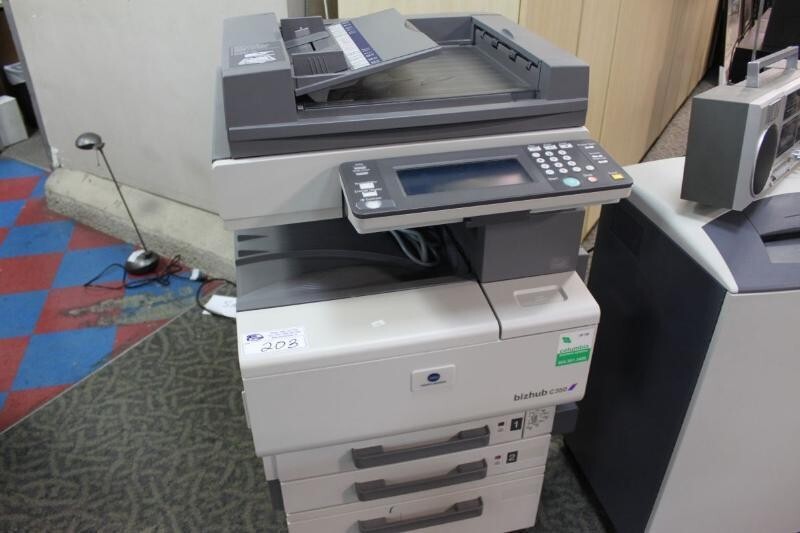
The BizHub C350 comes from the era when a single machine platform wore several badges: the bizhub C350, the Minolta CF2203 and the Konica 8022 are the same hardware underneath, and all three draw toner from one shelf. That shelf is the TN-310 family, rated at roughly 11,500 pages per cartridge — a generous figure for its generation. Two of the colors live on this page under their older numeric part codes rather than their TN names: cyan as the 4053-701 (TN-310C) and magenta as the 4053-601 (TN-310M).
A C350 still running today has long since outlived its purchase justification, and at this point its economics are almost entirely a consumables question. The machine asks little: keep the four TN-310 slots fed and it continues producing office color at a cost per page modern replacements struggle to beat. Owners of these veterans tend to order from aging parts lists, which is why meeting the cartridges under their 4053 numbers matters as much as the TN-310 name.
Toner Cartridges for BizHub C350
| Cartridge | Color | Page Yield |
|---|---|---|
| 4053-701 (TN-310C) | Cyan | Approx. 11,500 pages |
| 4053-601 (TN-310M) | Magenta | Approx. 11,500 pages |
Which cartridge should you buy?
The C350 takes four separate cartridges, and each one is bought and replaced on its own. In practice that means resisting the full-set reflex: when magenta runs low, magenta is the purchase, while the other three keep working through the toner they still hold. Black generally leads consumption in a text-driven office, with the colors following the graphics workload, so most owners end up reordering black most often and treating the colors as occasional singles. The roughly 11,500-page rating stretches the interval between orders to months for many offices, which makes a modest shelf stock — one spare of the cartridge you burn fastest — entirely sufficient. Whether your paperwork calls them TN-310 or uses the 4053 codes, the cyan and magenta above are the cartridges this page stocks for the machine.
Chip, toner and everyday use
Seat each cartridge until it sits fully home; a partially seated TN-310 is a common cause of a cartridge the machine claims not to recognize. After any color change, run the C350's color calibration routine before judging print quality — photos that look grainy straight after a swap usually mean calibration was skipped, not that the cartridge is faulty. Store spare cartridges away from radiators and sunny shelves, and give a cartridge that has sat for a long while a gentle rock end to end before installing it, which loosens toner that has settled in storage.
Frequently Asked Questions
Are TN-310 cartridges still easy to find for the BizHub C350?
Yes. The family remains available through supply channels that serve the C350, C351 and C450 generation. Because these are mature models, it is worth confirming the seller lists your exact model before ordering, which the listings on this page do.
Does the BizHub C350 need all four TN-310 cartridges installed to print a black memo?
It does. The engine requires every cartridge in place even for black-only output, so one empty color can stall a plain text job. Keeping one of each color within reach means a single empty never stops the office.
Why do photos from the C350 look grainy right after a toner change?
Graininess after a swap almost always traces back to skipped calibration. The routine aligns the new cartridge with the three already in the machine; run it and the grain typically disappears without any further parts being touched.
More printers that use the same cartridges
The TN-310 family is shared with the BizHub C351, BizHub C450, BizHub C450P and CF2203.