




BizHub C280
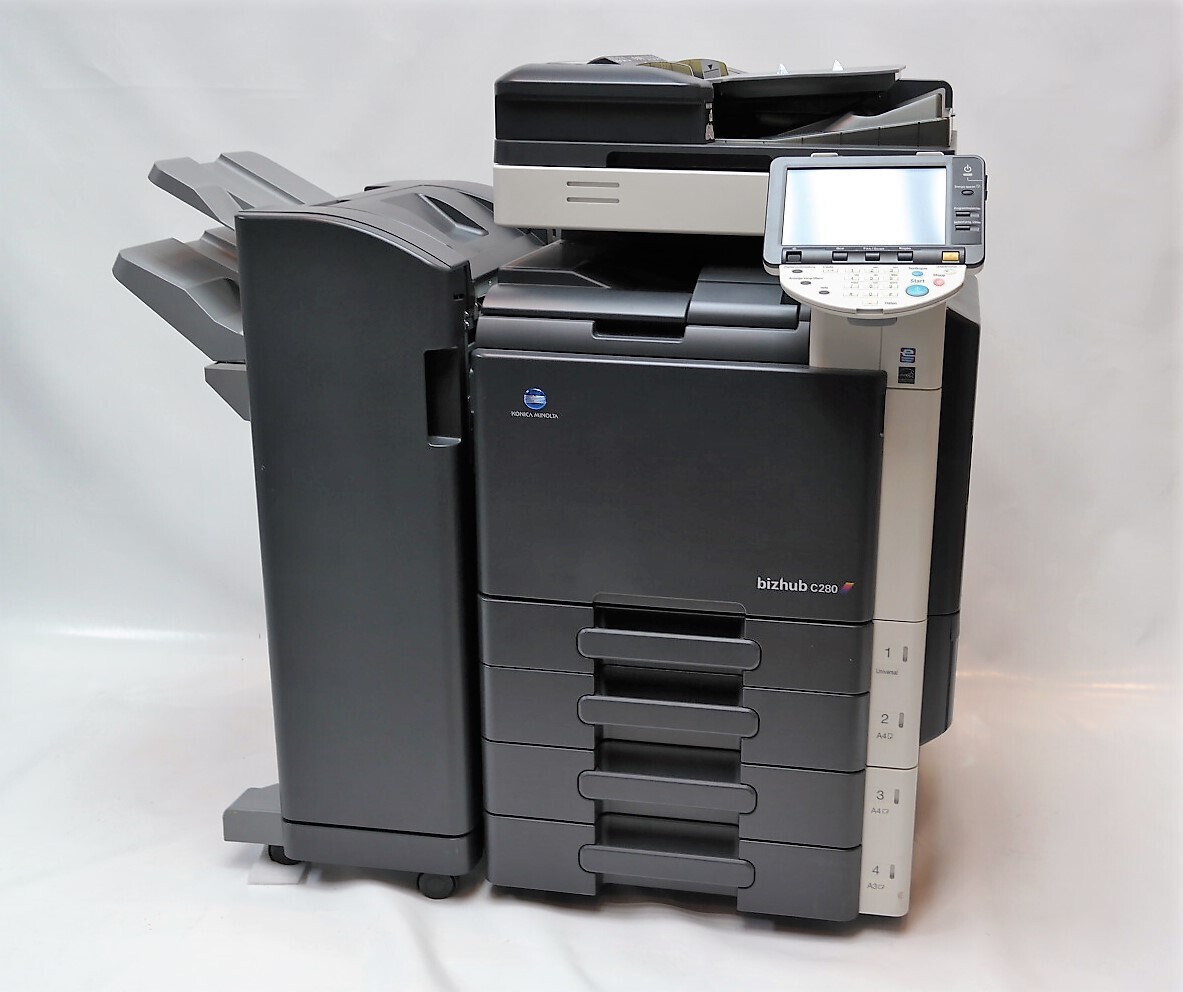
The BizHub C280 is the faster half of a Konica Minolta pair — the same cartridge family as the C220, in a quicker color MFP built for busier departments. It runs the TN-216 set (short form TN216): black A11G131, ordered as TN-216K or TN216K; cyan A11G431 (TN-216C, TN216C); magenta A11G331 (TN-216M, TN216M); and yellow A11G231 (TN-216Y, TN216Y). Either numbering system — the TN codes or the A11G factory numbers — leads to the same four cartridges.
A C280 gets bought when a department's color volume stops fitting a smaller machine, and its running pattern reflects that: more pages per day, compressed into the same working hours. Supply planning has to match the pace, because a faster engine turns a forgotten reorder into a same-day problem. Fleets that also run the BizHub C220 catch a break here — both models draw on the identical TN-216 shelf, so one stocking routine covers the pair.
Toner Cartridges for BizHub C280
Which cartridge should you buy?
Coverage choices move cartridge life on this machine more than any other factor. Defaulting the driver to black-only for internal drafts and duplex for long documents reserves the color cartridges for output that actually needs them, and stretches every TN-216 noticeably in the process. For replacements, singles remain the economical default — each color finishes on its own schedule. The set worth singling out is the five-piece option carrying a second black: departments whose color work rides on a heavy base of text go through the black position well ahead of the colors, and that pack matches the consumption curve instead of fighting it. Keep one full four-color set in reserve, and the C280 should never be the machine waiting on toner.
Chip, toner and everyday use
Keep the swap boring and the C280 will reward you. Guide the cartridge straight in along its rails until it seats, with the seal fully removed first — a partly pulled seal is a leading cause of a color printing light from its very first page. If one color does come out pale under a fresh cartridge, reseat that unit before replacing it; a cartridge resting slightly out of position starves its own feed. The machine recalibrates after a change, so give it a moment before the next long run rather than stacking jobs on top of the adjustment. Spares live best in their sealed bags, stored flat in a cool cabinet instead of on top of the machine.
Frequently Asked Questions
Does the BizHub C280 take the same TN-216 as the C220?
Yes — the C220 and C280 share the complete TN-216 CMYK set, cartridge for cartridge. A mixed fleet of the two models needs only one cartridge type per color on the shelf, and spares can be pooled between them.
How do I get the longest life from each TN-216 in the C280?
Work through the driver: duplex as the default, black-only for internal documents, and full color reserved for final output. Coverage decisions made at the driver outweigh any other habit — a department that drafts in black stretches its color cartridges far beyond one that drafts in color.
Why is a single color printing very light on the C280?
A single pale color usually means its TN-216 is nearly empty, or that it was installed with its seal not fully removed. Reseat that cartridge first; if the paleness stays with the same color after a clean reseat, replace that one cartridge.
What is the five-piece TN-216 set for?
It adds a second black cartridge — A11G131 twice over — to the four-color set. Offices whose color pages sit on a heavy base of black text empty the black position well ahead of the colors, and the five-piece set matches that pattern so black does not run out mid-cycle.
More printers that use the same cartridges
The same TN-216 set also feeds the BizHub C220 and the BizHub C360, so one cartridge line can cover all three machines.