




LASERJET 2300
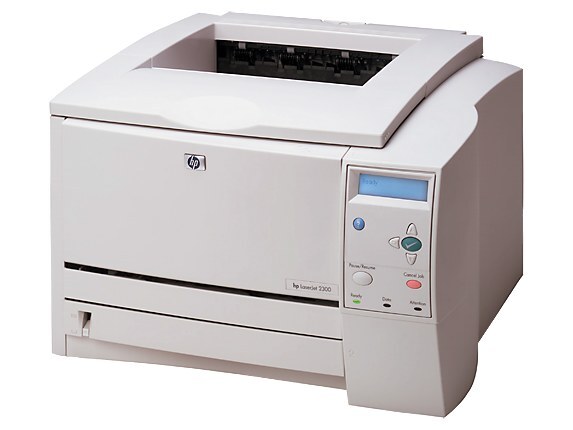
An early-2000s office stalwart, the LaserJet 2300 is the monochrome workgroup printer that outlasted most of its contemporaries on sheer durability. It runs on the HP 10A cartridge — the Q2610A — a single black consumable; the listings stocked on this page carry the 2300D and 2300DTN model names rather than the code in their titles.
A shared machine lives a harder life than a personal one: many hands, long queues, and no single owner watching the toner gauge. The 2300's longevity comes from tolerating exactly that. For the offices still running one, the supporting habit is simple — a cartridge on the shelf before the current one fades, so a shared printer never becomes a shared problem.
Toner Cartridges for LASERJET 2300
| Cartridge | Color | Page Yield |
|---|---|---|
| Compatible HP 2300D (2300D) Toner Cartridge Black | Black | See product page |
| Compatible HP 2300DTN (2300DTN) Toner Cartridge Black | Black | See product page |
Both listings are named for the printer models rather than the cartridge; the cartridge code for this machine is Q2610A — checking the label on the old cartridge is the fastest way to confirm.
Which cartridge should you buy?
One slot, one code, one color: the Q2610A is the whole decision. The listings here are the compatible route to that cartridge, sold under the 2300-series model names, and for a workgroup machine of this age the compatible route is what keeps the per-page cost sensible while the printer itself keeps going. Buy ahead of need rather than at the warning light — on a shared printer, the person who discovers the empty cartridge is never the person who meant to order one.
Chip, toner and everyday use
The 2300 normally recognizes a fresh cartridge on its own and clears its toner alert once the new unit is detected. If a message lingers after a change, opening and closing the toner door — or restarting the printer — refreshes the sensor in most cases. Fit cartridges with the seal fully removed and the unit seated firmly, and store the spare sealed and upright away from sunlight. Yield figures are quoted at 5% coverage, so a department printing dense reports will see fewer pages than the rating on the box.
Frequently Asked Questions
Which toner cartridges work with the LASERJET 2300?
The Q2610A is the cartridge code for the LASERJET 2300. Checking the label on the old cartridge is the fastest way to confirm before you order.
What causes streaks across pages from the LASERJET 2300?
Streaks usually point to a dirty drum or a failing cartridge. Print a cleaning page from the printer's menu, and if the streaks persist, replace the cartridge.
Why is my LASERJET 2300 still showing a toner alert after I installed a new cartridge?
The printer normally clears the alert on its own once the new cartridge is detected. If the message persists, open and close the toner door or restart the printer to refresh the sensor.