




Laserjet 2100
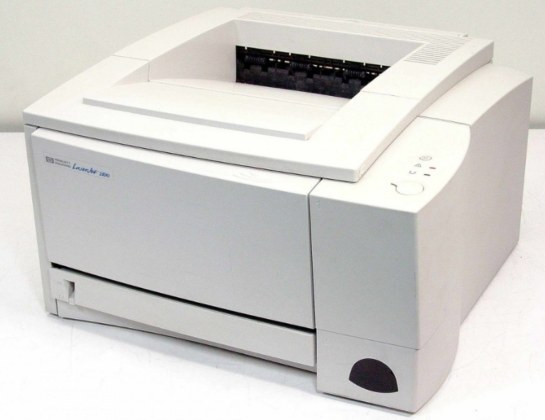
Among late-1990s lasers, the LaserJet 2100 stands out as a workgroup printer tuned for small teams, its reputation resting on consistent output rather than gimmicks. It takes the HP 96A toner family — one black cartridge, the C4096A (96A), designed for this machine and still the only consumable it asks for.
Keeping a printer of this age productive is mostly a supply exercise. The hardware rarely asks for attention; what stops work is an empty cartridge and no spare. Offices that run legacy machines like this one tend to value a dependable reorder path over everything else, because a single cartridge change is the difference between a stopped queue and a normal afternoon.
Toner Cartridges for Laserjet 2100
| Cartridge | Color | Page Yield |
|---|---|---|
| Compatible HP 2200DT (C4096A) Toner Cartridge Black (as labeled) | Black | See product page |
| Compatible HP 2200DTN (C4096A) Toner Cartridge Black (as labeled) | Black | See product page |
Both listings are cataloged under 2200-series names; the cartridge code to match against the unit in your printer is C4096A either way.
Which cartridge should you buy?
There is no yield ladder to climb here — this machine takes the one C4096A cartridge, so the buying decision is about the listing and the spare, not the tier. The two listings on this page carry the same cartridge code under 2200-series names; pick either, and check the code on the box against the cartridge you remove. A compatible cartridge keeps a decades-old workgroup printer economical to run, and holding one spare is cheap insurance: reordering takes a minute, but being caught without toner while a queue waits costs far more.
Chip, toner and everyday use
Most cartridge trouble on a machine this age is mechanical rather than electronic. Blank pages after a change usually trace back to a sealing strip left in place or a cartridge not fully seated — pull the unit out, confirm the seal is gone, and slide it back until it settles. Toner powder itself keeps for a long time, but cartridges stored for years can develop problems, so fit spares within a couple of years and leave them sealed until the day they are needed. A gentle side-to-side rock redistributes settled toner when pages start to fade.
Frequently Asked Questions
Which toner cartridges work with the Laserjet 2100?
The Laserjet 2100 uses the C4096A. Match the code on your current cartridge before ordering so you get the right fit.
When should I replace the toner cartridge in my Laserjet 2100?
Swap the cartridge once print quality drops or the printer insists the cartridge is depleted. A spare on hand keeps downtime near zero.
Why is my Laserjet 2100 printing blank pages?
Blank pages usually mean a cartridge seal was left on, a cartridge is empty, or a setting is off. Reseat the cartridge, confirm the seal was pulled, and check that paper is loaded properly.