




COLOR LASERJET M751N
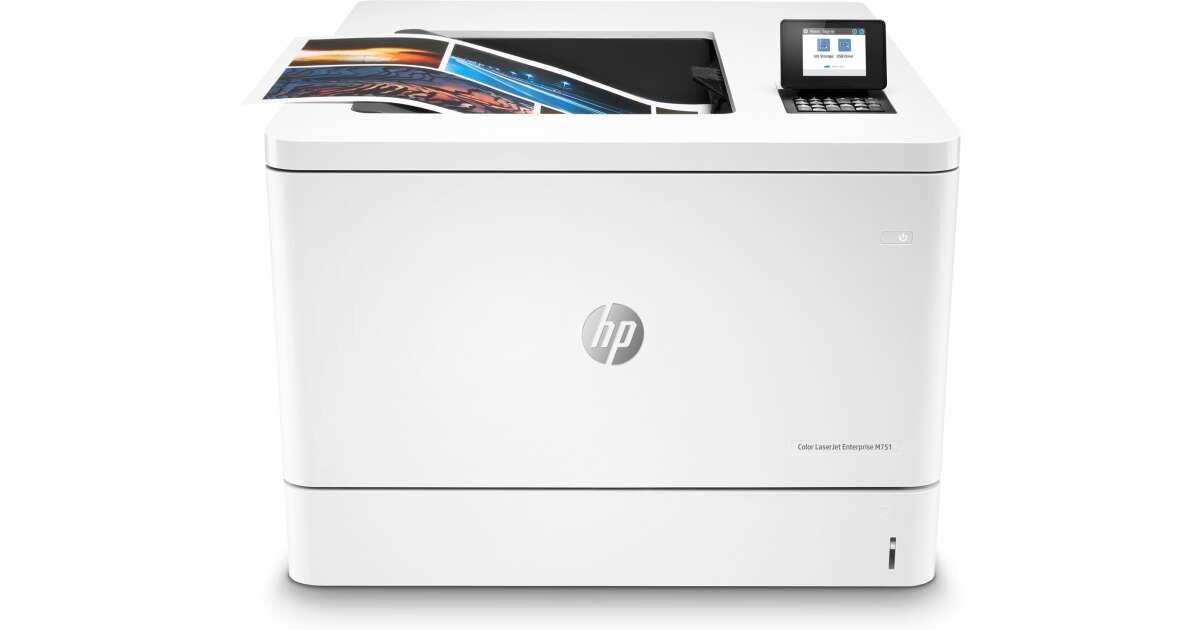
Among 2019-era lasers, the COLOR LASERJET M751N stands out as a color workgroup printer tuned for marketing and design departments. It draws its toner from the HP 658A (W2000A) line: black is W2000A, cyan is W2001A, yellow is W2002A and magenta is W2003A. Four separate cartridges, four separate replacement moments — and a shelf here that covers each color on its own, black in a two-pack, and all four together as a set.
Longevity is this model's quiet story. Units change hands on the second-hand market and keep working because the consumable supply around them never thinned out; a workgroup that inherits or retains an M751N inherits a printer whose toner is still a routine purchase. For a machine serving several people, the practical art is watching four levels instead of one: black drains on everyday documents, colors drain on the glossy work, and the two rhythms rarely agree. Stocking by color — not by set — is how owners keep this printer ready without overspending on cartridges that still have life in them.
Toner Cartridges for COLOR LASERJET M751N
| Cartridge | Color | Page Yield |
|---|---|---|
| HP 658A (W2000A, W2001A, W2003A, W2002A) Toner Cartridge 4 Color Set | 4 Color Set | See product page |
| HP COLOR LASERJET M751N (W2000A, W2001A, W2003A, W2002A) Toner Cartridge 4 Color Set | 4 Color Set | See product page |
| HP 658A (W2000A) Toner Cartridge 2 Black | Black | See product page |
| HP COLOR LASERJET M751N (W2000A) Toner Cartridge 2 Black | Black | See product page |
| HP 658A (W2000A) Toner Cartridge Black | Black | See product page |
| HP COLOR LASERJET M751N (W2000A) Toner Cartridge Black | Black | See product page |
| HP 658A (W2001A) Toner Cartridge Cyan | Cyan | See product page |
| HP COLOR LASERJET M751N (W2001A) Toner Cartridge Cyan | Cyan | See product page |
| HP 658A (W2002A) Toner Cartridge Yellow | Yellow | See product page |
| HP COLOR LASERJET M751N (W2002A) Toner Cartridge Yellow | Yellow | See product page |
| HP 658A (W2003A) Toner Cartridge Magenta | Magenta | See product page |
| HP COLOR LASERJET M751N (W2003A) Toner Cartridge Magenta | Magenta | See product page |
Every cartridge appears twice — once under the family name and once under this model's name. Same code, same fit; the listing style is the only difference.
Which cartridge should you buy?
Buy by level, not by calendar. The cartridge chip in each color reports its own remaining toner, so the correct order is almost always the single color that is actually low: W2001A if cyan is fading, W2003A if magenta is, and so on. Black is the exception worth planning around — the W2000A two-pack keeps a spare ready because black empties first in most workgroups. Reserve the four-color set for a genuine fresh start: several colors low at once, or a newly acquired machine whose cartridge history you do not know. And note the boundary of this page: the high-yield 658X codes documented for this family are not stocked here, so if your label shows an X code, you are looking at a different listing's cartridge.
Chip, toner and everyday use
Blank pages are the classic false alarm on this model: they usually mean a cartridge seal was left in place, a cartridge has run empty, or a setting is off — so reseat the cartridge, confirm the seal strip was fully pulled, and check the paper load before assuming a failure. For everyday economy, draft or toner-save settings in the print dialog stretch every cartridge, and keeping one spare black on hand prevents the rush order that costs more than the toner. Remember that yield ratings assume about 5% coverage; a department printing full-color pages will cycle colors far sooner than the rating suggests. Store spares sealed, upright and out of direct sun.
Frequently Asked Questions
Which toner cartridges does the COLOR LASERJET M751N use?
The standard 658A set of four: W2000A black, W2001A cyan, W2002A yellow and W2003A magenta. Match the code on your current cartridge before ordering and the fit is certain.
How can I keep toner costs down on this printer?
Use the high-yield versions where they are available in the wider catalog, lean on draft mode for internal pages, and keep a spare black ready so an empty cartridge never forces an expedited order. On this page itself, the two-pack is the standing cost-saver for the color that drains fastest.
My M751N is printing blank pages. Where do I start?
With the cartridge, not the printer: pull it, check the seal was removed, reseat it firmly, and confirm paper is loaded correctly. Most blank-page episodes on this model end at one of those three checks.
Can I replace just the color that ran out?
Yes — the four cartridges are independent. Swap the empty color and leave the others in place; replacing a full set because one color finished wastes the toner remaining in the other three.
More printers that use the same cartridges
This model has one sibling on the same cartridges: